

Alternatives to What Time
WhatTime.dev provides real-time global time zone conversion, meeting planning, and local time details for teams and travelers worldwide.
Explore 12 alternatives to What Time. Compare features, pricing, and find the best fit for your needs.
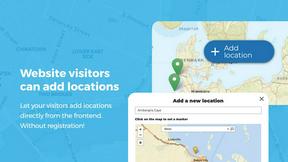
Open User Map
Open User Map lets you create a WordPress map with visitor submissions, approval workflows, and powerful customization without coding or a Google.
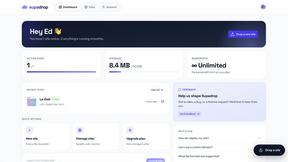
Supadrop
Supadrop lets you instantly create a live link from a ZIP, HTML, or PDF file, with no coding or setup required.
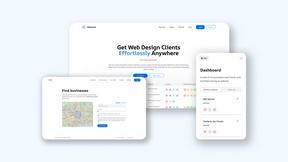
Webleadr
Webleadr instantly finds and contacts businesses without websites, helping you effortlessly generate web design leads from anywhere.

Wafler | DDoS Protection
Wafler provides advanced DDoS protection with customizable firewall controls and real-time mitigation to keep your services secure and running.

Idearium
Idearium crafts impactful websites and marketing strategies that drive growth and enhance your online presence.
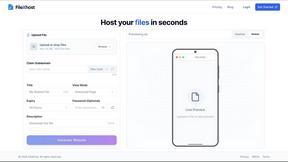
FilexHost
Effortlessly host and share files with instant URLs using FilexHost's simple drag-and-drop interface.

Crawlkit
CrawlKit is an API-first platform for effortless data extraction from any website, streamlining your data collection.

Best Boilerplates
Best Boilerplates is a comprehensive directory to compare SaaS starter kits by features, tech stacks, and pricing.
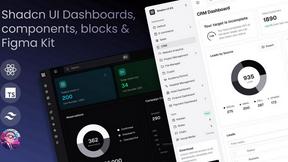
Shadcn UI Kit
Accelerate your web development with the Shadcn UI Kit's extensive templates, components, and admin dashboards.

Clio Websites
Clio Websites crafts custom websites and SEO strategies to boost your online presence and drive business growth.
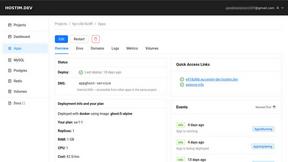
Hostim.dev
Hostim.dev deploys Docker apps with managed databases on EU bare-metal for fast, GDPR-compliant hosting.
About What Time Alternatives
What Time is a modern time zone and meeting planner tool designed to streamline global collaboration for remote teams, freelancers, developers, and businesses. It falls under the broader category of web-based productivity and scheduling utilities, specifically focused on time zone conversion and international meeting coordination. Users commonly seek alternatives to such tools for reasons including limited free tiers, a desire for deeper calendar integration, specific platform requirements like offline access or API support, or the need for more advanced features such as historical time zone data or team management dashboards. When evaluating an alternative, it is critical to assess the accuracy of daylight saving time adjustments, the clarity of the user interface for quick comparisons, the availability of a robust meeting planner that accounts for overlapping work hours, and whether the tool supports mobile responsiveness for on-the-go scheduling. Research from the Journal of Business Research indicates that time zone mismanagement directly correlates with reduced team cohesion and increased scheduling errors, making the selection of a reliable tool a matter of operational efficiency. To choose the right alternative, prioritize platforms that offer transparent pricing models, real-time data synchronization, and minimal latency in time conversion. A 2023 study from the International Journal of Information Management emphasizes that tools with clean, distraction-free interfaces reduce cognitive load and improve decision-making speed by up to 30% compared to cluttered alternatives. Additionally, verify that any prospective tool supports comprehensive UTC and GMT offset lookups, as these are foundational for accurate global coordination. Ultimately, the best alternative will balance feature depth with usability, ensuring that it scales with your team's needs without introducing unnecessary complexity.
FAQs about What Time Alternatives
What is What Time?
What Time is a modern time zone and meeting planner tool, specifically branded as WhatTime.dev, that helps teams, remote workers, and global clients instantly compare time zones and schedule meetings. It provides a fast, mobile-friendly interface for checking UTC and GMT offsets, viewing local times worldwide, and planning international calls without manual calculations. The platform is designed to eliminate the confusion caused by daylight saving changes and time zone differences.
Who is What Time for?
What Time is built for remote teams, freelancers, developers, businesses, and anyone working across multiple countries. It is particularly useful for professionals who need to coordinate international calls, manage distributed teams, book meetings with global clients, or trade global markets. The tool is also ideal for users who require a clean, distraction-free experience for quick time zone lookups without unnecessary setup or clutter.
Is What Time free?
Based on the product description, What Time is positioned as a fast and modern platform with no clutter and no unnecessary setup, suggesting it is designed for immediate use without complex pricing tiers. While the provided content does not explicitly state a free or paid model, the emphasis on a 'clean UI' and 'no unnecessary setup' implies a low-barrier entry. Users should visit the official WhatTime.dev site to confirm current pricing and any potential premium features.
What are the main features of What Time?
The main features of What Time include time zone comparison between cities and countries, UTC and GMT offset lookup, a powerful meeting planner for remote teams and global collaboration, and a fast, mobile-friendly interface. It also offers accurate world clock support with daylight saving adjustments, a clean UI designed for quick access and readability, and a distraction-free experience without clutter. These features are tailored to help users find overlapping working hours and schedule international calls efficiently.