Layerling
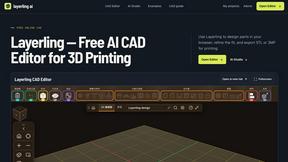
Layerling helps makers design and refine 3D printed parts in a browser, from electronics cases to custom brackets, with STL and 3MF export.

87 listings
Layerling helps makers design and refine 3D printed parts in a browser, from electronics cases to custom brackets, with STL and 3MF export.
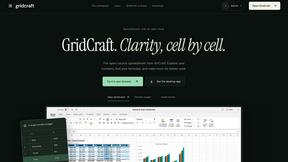
GridCraft is an open-source spreadsheet for editing XLSX files with familiar formulas, charts, and PivotTables on desktop or in a browser.

Build teaching and learning presentations with a free, open-source slide editor for browser or desktop, including Linux.


CyberScore helps small businesses see public email, website and server security issues in a free scan with clear suggested fixes.


Greatooly is an app directory featuring iPhone picks, with categories, collections, and pricing notes to help people discover useful apps.

Download publicly viewable YouTube videos as MP4 or extract audio in eight formats, with quality options determined by the source video.

Safe Outreach checks Chrome extensions against LinkedIn's published detection list and explains what a match can mean for account safety.

FlipHTML5 Downloader extracts high-quality PDFs from FlipHTML5 publications for readers who need a document copy of a flipbook.


ButterShare sends large files directly between devices through an encrypted browser connection, with optional cloud links for offline delivery.

Track the pre-launch status of expected GTA 6 cheat codes, with platform inputs and a stated plan to verify sequences on retail builds.
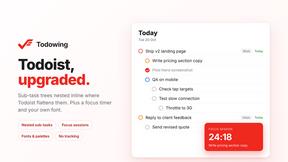
Todowing adds focus sessions, time estimates and inline subtasks to Todoist, helping users organize daily work in Chrome.
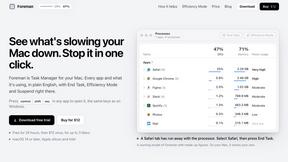
Foreman is a Mac Task Manager with detailed process views, service controls, startup management and readable system process names.
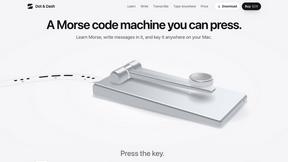
A Mac Morse code machine with guided learning, keyboard and USB keying, text conversion, and sharing tools.
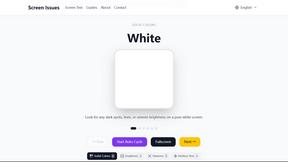
Screen Issues provides a free browser test and practical guides for checking display defects on phones, tablets, laptops, and monitors.

LightScreen turns a browser display into a fullscreen light source with adjustable brightness, color options, and tools for screen testing.
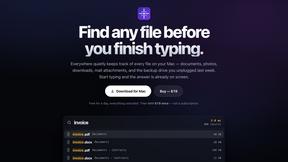
A local, keyboard-driven Mac file search app that finds documents, attachments, photos and files on unplugged drives.

Basalt combines 19 Mac PDF tools with redaction that removes marked content, verifies the export and provides a signed certificate.

Voice Keyboard Pro turns speech into punctuated text at your cursor in Mac and iPhone apps, with dictation, voice controls and rewriting.
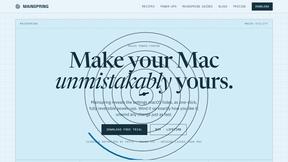
Mainspring provides reversible one-click access to 90+ hidden Mac settings, plus recipes and scenes for users who change contexts often.
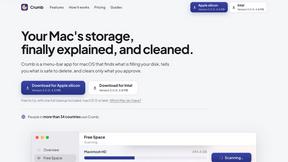
Crumb is a local Mac storage cleaner that finds large and reclaimable files, then removes only what you approve.
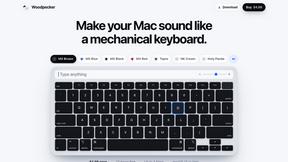
Woodpecker gives Mac typists 22 recorded mechanical switch sounds, adjustable tone, and automatic quieting for calls and password fields.

Inkling gives Mac users a notch-based home for thoughts, with offline search, templates, tables and optional private iCloud sync.

Manatee repairs damaged files on Mac and offers format conversion, size targeting and metadata removal for existing files.


JevModel offers typed decisions for text workflows, with a browser playground, branching flows, batch review and API access on one account balance.

Nijia combines Mac disk analysis with developer workspace inspection to help users understand storage before choosing cleanup actions.

Home Agent Guru combines home listing details and local comparisons to help buyers understand potential negotiating room before making an offer.
Egmatic offers visual, no-code 2D game creation with no backend setup and a one-click route to publishing.
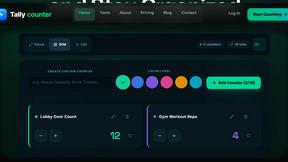
A free online tally counter for tracking people, stock, reps and scores, with multiple counters, automatic saving and optional team sharing.

A browser-based gamepad tester for checking controller inputs, stick drift, trigger behavior, vibration, and polling rate.
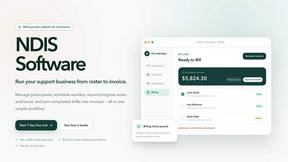
ProviderOps supports NDIS teams with role-limited worker access, participant records, shift records and invoices linked to completed services.

Turn voice recordings, podcasts, or music into AI video, with prompts and optional reference visuals.


Happy Horse AI is a multi-model video studio that also offers image, audio, music, and AI agent tools on one credit balance.

Generate short videos from text or images, then explore image, audio, and agent tools in one credit-based creative workspace.

Software category features a broad range of desktop applications, web-based tools, and SaaS platforms that serve general business and professional needs. This category includes office productivity suites, communication platforms, file management tools, system utilities, and cross-functional business software that does not fit neatly into more specialized categories.
Whether you are looking for a comprehensive office suite, a reliable file sharing solution, a team communication platform, or general-purpose business software, this category provides a broad view of the software landscape for professionals and organizations.
Compare software tools by their functionality, platform support, integration capabilities, licensing models, and pricing to find the right solutions for your professional and business needs.
This category includes office productivity suites, communication platforms, file management tools, system utilities, backup solutions, PDF tools, screen recording software, remote desktop applications, and other general-purpose business software.
This category covers general-purpose software that serves broad professional needs and may not fit into more specialized categories like marketing, design, or development. Tools here typically serve multiple use cases across different departments.
Most tools support Windows, macOS, and web browsers. Many also offer mobile apps for iOS and Android. Cloud-based solutions work across all platforms through web browsers. Check individual listings for specific platform support.
Yes. Many software tools in this category include collaboration features like shared workspaces, real-time editing, permission management, and communication features designed for team environments.
Common models include monthly or annual subscriptions, per-user pricing, one-time purchases with perpetual licenses, and open-source free options. Some tools offer volume licensing discounts for organizations.
Yes. Many categories have open-source or free alternatives that provide core functionality. While they may lack some premium features, free tools are often sufficient for personal use and small teams.