

Alternatives to Subclip
Subclip uses AI to edit videos, add subtitles, and dub content with voice cloning, saving creators 80% of their editing time.
Explore 10 alternatives to Subclip. Compare features, pricing, and find the best fit for your needs.

AudioVideo
Turn podcasts, narration, voice recordings, or music into visual content with AudioVideo AI.

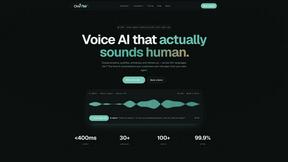
Oravaa
Oravaa's Voice AI automates 24/7 inbound support, lead qualification, and daily outreach with human-like conversations across 30+ languages.

Hush Touch | Voice-to-Text for MacOS
Hush Touch is an offline voice-to-text app for macOS that learns your vocabulary and improves accuracy every use.

Glossa
Glossa offers real-time AI translation of sermons into 100+ languages, empowering your church to engage diverse.

ATOZAITOOLS
ATOZAITOOLS helps you discover and compare top AI tools to boost productivity and streamline your daily tasks.

Bantr: Offline & Unlimited TTS for Mac
Bantr is a private, unlimited text-to-speech app for Mac that runs fully offline with no subscriptions.

KaiCalls
KaiCalls is your 24/7 AI voice agent that answers calls and qualifies leads, ensuring instant customer engagement.

Vowen
Vowen is a private voice app that turns speech into actions and notes across macOS and Windows.
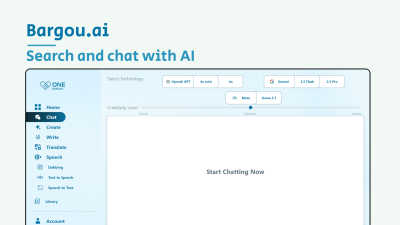
Bargou One
Bargou One is an all-in-one AI suite for content creation, translation, and transcription.
About Subclip Alternatives
Subclip is an AI-powered video editor that falls into the Speech & Voice product category, designed to streamline video production through features like voice cloning, auto-subtitles, silence removal, and multi-language dubbing. While Subclip offers a robust, transcript-based editing workflow that appeals to creators, marketers, and educators, users commonly seek alternatives due to factors such as pricing constraints, the need for more advanced manual editing controls, or platform compatibility issues. For example, some users may require native mobile applications or integration with specific enterprise software that Subclip does not currently support, while others might find the freemium model limiting for high-volume production needs. When evaluating an alternative to Subclip, it is critical to assess core functionality against your specific workflow requirements. Look for tools that offer accurate speech-to-text transcription with support for your target languages, reliable voice cloning with ethical safeguards, and seamless dubbing that preserves background audio integrity. Additionally, consider the software’s editing interface—whether it provides a timeline-based or transcript-based approach—and evaluate its export quality, collaboration features, and data security protocols. Research-backed comparisons should prioritize tools that demonstrate low latency in processing, high subtitle accuracy rates (above 95% in controlled tests), and transparent pricing models without hidden usage caps.
FAQs about Subclip Alternatives
What is Subclip?
Subclip is an AI-powered video editor that allows users to edit videos by manipulating a transcript, similar to editing a text document. It integrates advanced features such as voice cloning, automatic subtitle generation, silence removal, and multi-language dubbing into a single platform. The tool is designed to simplify the video production process by replacing complex timeline-based editing with intuitive, AI-driven controls.
Who is Subclip for?
Subclip is built for a wide range of content creators, including YouTubers, podcasters, course creators, marketers, and content teams. It is particularly useful for educators who need to produce training videos with accurate subtitles and marketers who require rapid video turnaround with professional polish. The tool’s transcript-based editing also makes it accessible to users without traditional video editing expertise.
Is Subclip free?
Subclip operates on a freemium pricing model, offering a free tier that provides access to basic features with limited usage. For users needing more advanced capabilities like unlimited voice cloning, higher export resolution, or extended dubbing minutes, affordable paid plans are available. The free tier is ideal for testing the core workflow, while paid plans cater to professional and high-volume production needs.
What are the main features of Subclip?
Subclip’s main features include voice cloning, which lets users re-record parts of a video with their own cloned voice; auto-generated subtitles with high accuracy; one-click silence and filler word removal; and multi-language dubbing that preserves background music. It also provides transcription services and supports a document-like editing interface where users can cut, rearrange, or delete video sections by editing the transcript text. These features are designed to save hours of manual editing time.