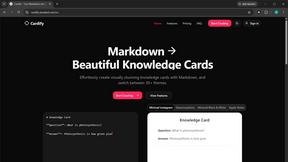
Cardify
Cardify converts Markdown notes into polished knowledge cards with theme previews and batch export for sharing or study.

17 listings
Cardify converts Markdown notes into polished knowledge cards with theme previews and batch export for sharing or study.
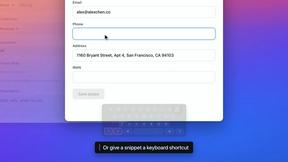
TypeFire combines text expansion, clipboard search, and Markdown notes for Mac and Chrome, with a free tier and a one-time Pro upgrade.
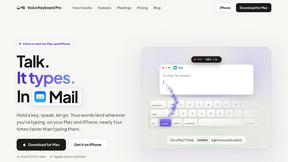
Voice Keyboard Pro turns speech into punctuated text at your cursor in Mac and iPhone apps, with dictation, voice controls and rewriting.

Inkling gives Mac users a notch-based home for thoughts, with offline search, templates, tables and optional private iCloud sync.
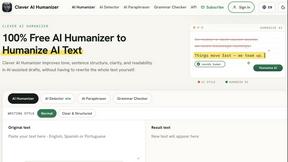
Refine AI-assisted drafts with style controls that improve readability and sentence variety while preserving the original meaning.
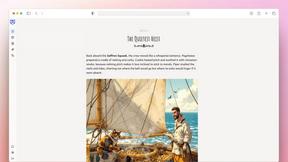
Storyloft is a connected book writing workspace for drafting, manuscript-aware editing, research, worldbuilding, and print and ebook formatting.
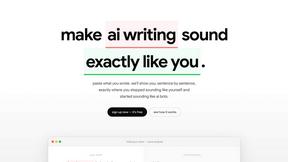
Hold Your Voice checks AI-written drafts for generic patterns and uses a learned writing profile to help bring revisions closer to your style.

Magic Resume analyzes job descriptions and suggests resume keywords, helping job seekers tailor applications for applicant tracking systems.

DescribeAI turns product details into listing copy, SEO text and social content in six European languages, with selectable brand tones.
Shiru Notes is a secure minimalist app that effortlessly captures your thoughts and ideas in a private.

FuturePost schedules private letters to your future self, delivering each one to your inbox on the date you select.

SchoolGPT turns teachers' class notes into editable reports, progress updates and family emails, with student names replaced before AI processing.

Clean Paste strips hidden characters, repeated whitespace, and source styling from copied text for quick cleanup in your browser.
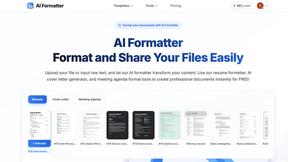
AI Formatter turns uploaded files or raw text into polished documents using professional templates, with an editor for final adjustments.
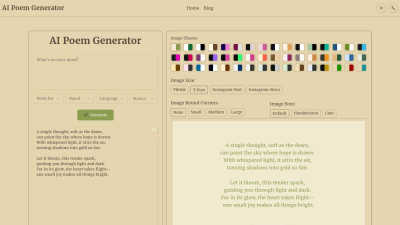
Create personalized poems by topic, mood, style, language, and stanza count, then copy or download them as shareable images.
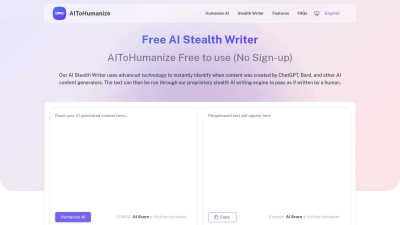
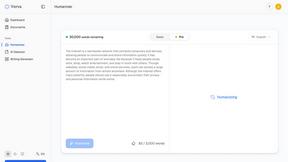
AIToHumanize transforms AI text into authentic, human-like content that easily bypasses detection by AI tools.
Writing tools help authors, marketers, students, and professionals create, edit, and polish written content through AI assistants, grammar checkers, content editors, and specialized writing platforms. This category includes AI writing assistants, grammar and style checkers, plagiarism detectors, content optimization tools, and collaborative document editors.
Whether you are drafting blog posts, writing marketing copy, editing academic papers, creating product descriptions, or managing a team writing workflow, these tools provide the writing assistance and quality control needed to produce clear, effective, and error-free content.
Compare writing tools by their AI capabilities, editing features, tone and style options, collaboration tools, and pricing to find the right writing assistant for your content creation needs.
This category includes AI writing assistants, grammar and spell checkers, plagiarism detection tools, content optimization platforms, readability analyzers, collaborative document editors, and specialized writing tools for marketing, academic, and creative content.
AI writing tools are best used to augment human writing by generating drafts, suggesting improvements, checking grammar, and speeding up content production. Human oversight is essential for voice, accuracy, strategy, and nuanced communication.
Grammar tools analyze text using AI and linguistic rules to identify spelling errors, grammatical mistakes, punctuation issues, style inconsistencies, and clarity problems. Advanced tools also suggest tone adjustments and vocabulary improvements.
Many writing tools support multiple languages for grammar checking and basic writing assistance. AI content generation quality varies by language, with English typically having the strongest support. Check individual listings for language coverage.
Yes. Many writing tools offer shared workspaces, collaborative editing, style guide enforcement, approval workflows, and version history features designed for teams producing content together.
Yes. Many writing tools offer free tiers with basic grammar checking and limited AI assistance. Premium plans typically unlock advanced AI features, longer content generation, more languages, and team collaboration capabilities.