

Alternatives to AI Diagram Maker
Transform natural language into stunning, publication-ready diagrams instantly with AI Diagram Maker, perfect for students and educators alike.
Explore 20 alternatives to AI Diagram Maker. Compare features, pricing, and find the best fit for your needs.

Greatooly
Greatooly is a curated directory of small, useful apps — discover focused tools for art, learning, money, health, travel and everyday life.

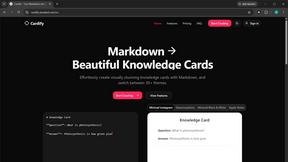
Cardify
Cardify turns Markdown into beautiful knowledge cards with 30+ themes, live preview and easy export.

Safe Outreach
AI-powered platform that evaluates the safety of LinkedIn automation tools and helps reduce the risk of account restrictions.

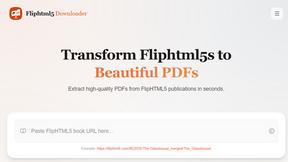
FlipHTML5 Downloader
Paste a FlipHTML5 link and get a clean, watermark-free PDF in seconds. Free and open-source, no registration - everything runs in your browser.

How Long How Many Tool
Timers and hourly checks to figure how out long until a certain time or how many days away.

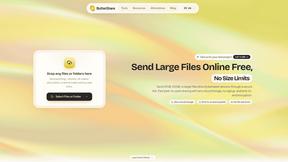
ButterShare
Send files straight between two browsers with a 6-digit key. No signup, no install, nothing stored on a server.

Emailyy
Free email tools for signatures, subject lines, HTML previews, word counts, and email headers. Browser-based, simple to use, and no signup required.
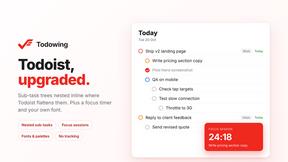
Todowing
Chrome extension for Todoist that shows nested sub-tasks inline in Today, Upcoming, Filter and Label views. Free, with a $19.99 lifetime unlock.
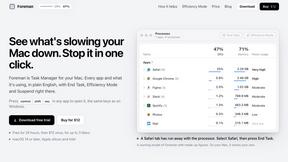
Foreman
See every app and what it's using in plain English, and end or slow down the one that's hogging your Mac.
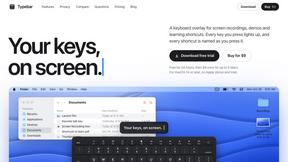
Typebar
Every key you press lights up on an on-screen keyboard, and each shortcut is named. For screen recordings, demos and learning shortcuts.

Uniclip
Clip pages, take full-page screenshots and batch-capture list data to Notion, Feishu, Obsidian, Markdown, CSV or JSON.

TroveKey
Search tabs, Chrome bookmarks and history, run browser commands, and save webpages and social posts locally—no account.

Notchpals
Little characters peek out of your Mac's notch to remind you to drink water, eat, sit up and get to bed. Quiet during calls. $4.99 once.
Screen Issues
Free Online Screen Test Tool - Instantly diagnose dead pixels, lines, color issues, and flickering. Multiple test modes, no download needed.


About AI Diagram Maker Alternatives
AI Diagram Maker is an advanced concept diagram generator that utilizes artificial intelligence to transform natural language descriptions into visually appealing, publication-ready diagrams. This tool is categorized under productivity and management software, specifically designed for students, researchers, and educators who require high-quality visuals for academic and professional purposes. Users often seek alternatives to AI Diagram Maker due to various reasons, including pricing options, feature sets, compatibility with different platforms, and specific user needs that may not be fully met by the original product. When selecting an alternative, it is important to consider factors such as ease of use, the ability to create diagrams quickly, customization options, and the quality of export formats. Additionally, evaluating customer support, integration capabilities with existing workflows, and user reviews can provide valuable insights into how well an alternative might serve specific needs.
FAQs about AI Diagram Maker Alternatives
What is AI Diagram Maker?
AI Diagram Maker is an innovative software tool designed to convert natural language input into high-quality diagrams suitable for academic and professional use. It leverages artificial intelligence to interpret user descriptions and generate visually appealing diagrams quickly and efficiently. This tool is especially useful for students, researchers, and educators who need to create illustrative content for various purposes.
Who is AI Diagram Maker for?
AI Diagram Maker is tailored for students, researchers, and educators. Students can use it for assignments, lab reports, and thesis frameworks, while researchers can benefit from creating figures for journal articles, conference posters, and grant proposals. Educators can also utilize the tool to produce engaging, projector-ready diagrams that align with their lesson plans.
Is AI Diagram Maker free?
AI Diagram Maker is not a free tool; however, it may offer different pricing tiers or trial options for users to explore its functionality. For precise pricing details, it is recommended to visit the official website or inquire directly with customer support. The investment in this tool can be justified by the time savings and quality of visuals it provides.
What are the main features of AI Diagram Maker?
AI Diagram Maker boasts several key features, including the ability to describe topics, variables, and relationships in natural language, which the AI then uses to generate diagrams in seconds. Users can easily export their completed diagrams in high-resolution PNG or editable SVG formats, making them versatile for various applications. The tool is designed to integrate seamlessly into the workflows of students, researchers, and educators.