
AI Diagram Maker
Transform natural language into stunning, publication-ready diagrams instantly with AI Diagram Maker, perfect for students and educators alike.
Visit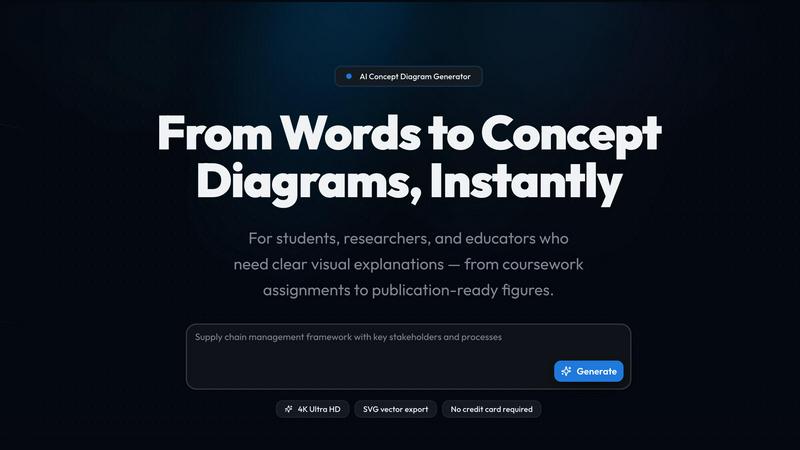
About AI Diagram Maker
AI Diagram Maker is a powerful tool designed to facilitate the creation of high-quality diagrams for a diverse audience, including students, researchers, and educators. This innovative software leverages artificial intelligence to generate visually appealing and professionally structured diagrams within seconds. By simply describing the topic, variables, and relationships in plain English, users can quickly obtain a tailored diagram that meets their specific needs. The primary value proposition of AI Diagram Maker lies in its ability to streamline the diagramming process, allowing users to focus on content rather than design. Whether you are crafting a thesis framework, preparing publication-ready figures for journals, or creating engaging lesson materials, AI Diagram Maker adapts seamlessly to your workflow. Trusted by prestigious institutions like Harvard, MIT, and Stanford, this tool is designed to enhance visual communication across various academic and professional disciplines.
Features of AI Diagram Maker
Instant Diagram Generation
With AI Diagram Maker, users can generate diagrams in seconds by providing a simple description of their concepts and relationships. This rapid generation process eliminates the tedious manual work traditionally associated with diagram creation.
High-Resolution Exports
The tool offers export options in high-resolution PNG and editable SVG formats. Users can easily download their diagrams for use in presentations, papers, and other professional settings, ensuring clarity and quality are maintained.
Customizable Diagram Types
AI Diagram Maker supports a variety of diagram types, including conceptual frameworks, free-body diagrams, circuit diagrams, and more. This versatility allows users to select the diagram style that best fits their project requirements.
User-Friendly Interface
The intuitive interface of AI Diagram Maker makes it easy for users of all skill levels to create diagrams. With straightforward instructions and a streamlined workflow, even those with limited design experience can produce professional-quality visuals.
Use Cases of AI Diagram Maker
Academic Assignments
Students can leverage AI Diagram Maker to create clear and well-structured diagrams for their assignments, lab reports, and thesis presentations. This tool provides a significant advantage in visualizing complex information effectively.
Research Publications
Researchers benefit from the ability to generate publication-ready figures for journals, posters, and grant proposals. The option to export as editable SVG facilitates easy post-editing in design software like Illustrator or Figma.
Teaching Materials
Educators can produce projector-ready diagrams that align with their lesson plans, moving away from generic clip art. This ensures that the visuals used in the classroom are relevant and tailored to the subject matter.
Visual Aids for Presentations
Professionals preparing for conferences or presentations can use AI Diagram Maker to create engaging visual aids. The high-resolution outputs ensure that diagrams are clear and impactful, enhancing the overall presentation quality.
Frequently Asked Questions
What types of diagrams can I create with AI Diagram Maker?
AI Diagram Maker allows you to create a variety of diagrams, including conceptual frameworks, free-body diagrams, circuit diagrams, animal cell diagrams, and more, catering to different academic and professional needs.
How does the AI generate diagrams?
The AI analyzes your plain-English description, identifying key concepts and relationships before structuring them into a visually appealing diagram. This process ensures accuracy and clarity in the representation of your ideas.
Can I export my diagrams for use in other software?
Yes, you can export your diagrams in high-resolution PNG format or as editable SVG files. This flexibility allows you to use your diagrams in various applications, including design software and presentation tools.
Is there a free trial available for new users?
Absolutely! AI Diagram Maker offers free credits to new users, allowing you to try the tool without needing to provide credit card information. This enables you to explore its features and capabilities before deciding to upgrade.
Explore more in this category:
Similar to AI Diagram Maker

No-code 2D game editor: visual node logic, drag-and-drop scenes, live preview. Exports to Windows, macOS, Linux, Android, iOS, Web.

A free launch checklist for SaaS, apps, AI tools and more. Every step says why it matters and when you can skip it.

Free collection of online developer utilities, code formatters, and digital converters designed to streamline your daily workflow.

Online tally counter for tracking attendance, workouts, inventory, visitors, sports scores, habits, and everyday counting tasks.

The #1 Native Form Builder Plugin for Framer - No Code, No Embeds, No External Platforms.


