

Alternatives to QuickTextTools
QuickTextTools provides 76+ free, browser-based text utilities for writers and creators to instantly process text without sign-ups.
Explore 20 alternatives to QuickTextTools. Compare features, pricing, and find the best fit for your needs.

JevModel
Jev turns text or JSON into Choice, Score and Noul answers with probabilities. Build decision flows and call the API.

Nijia
Native macOS disk analysis, careful cleanup, file organization, and developer-workspace storage. Includes a 7-day full-feature trial.

Notes Calculator
A notepad calculator that reads plain text and gives instant answers as you type, free on Mac, iOS, Windows, Linux, Android and Web.

AI Email Filter
AI Email Filter sorts incoming mail into folders using plain-language prompts you write. Works with any IMAP mailbox; bring your own LLM if you want.

Egmatic
No-code 2D game editor: visual node logic, drag-and-drop scenes, live preview. Exports to Windows, macOS, Linux, Android, iOS, Web.

Product Launch Checklist
A free launch checklist for SaaS, apps, AI tools and more. Every step says why it matters and when you can skip it.

Kody Tools
Free collection of online developer utilities, code formatters, and digital converters designed to streamline your daily workflow.

Gamespad Taster
Online tally counter for tracking attendance, workouts, inventory, visitors, sports scores, habits, and everyday counting tasks.
Forms Plugin
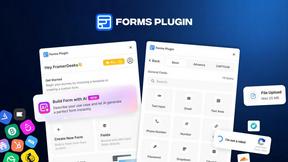
The #1 Native Form Builder Plugin for Framer - No Code, No Embeds, No External Platforms.




PerPageFax
PerPageFax lets you send a fax online from any browser for a flat $0.50 per page — no account, no subscription, no fax machine.

PDF Mail Merge Online
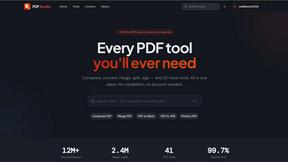
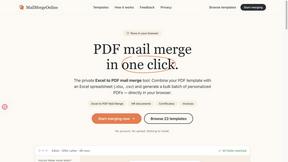
PDF Mail Merge Online is an in-browser tool that combines PDF templates with Excel or CSV spreadsheets to generate personalized PDFs.

AIInLink
AIInLink is a curated platform to discover and submit AI tools, SaaS products, and maker projects, with a unique focus on "vibe coding."
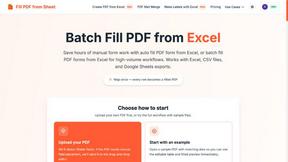
Fill PDF from Sheet
It offers smart mapping to accurately generate individual or batch PDF forms, saving professionals significant time on manual data entry.

About QuickTextTools Alternatives
QuickTextTools is a free, browser-based platform that offers over 76 utilities designed to streamline text-related tasks for writers, marketers, SEO professionals, and developers. It falls squarely within the Productivity & Management category, providing tools for text formatting, keyword management, SEO analysis, and writing assistance. While the platform is robust for its focus on privacy and ease of use, users frequently seek alternatives due to specific limitations. Common motivations include the need for more advanced features like API integrations, the desire for collaborative editing capabilities that QuickTextTools lacks, or the requirement for specialized tools that go beyond text formatting, such as full-fledged grammar checking or project management. Additionally, some users may find the interface or utility depth insufficient for enterprise-level workflows or may prefer a platform with a more extensive community or regular updates. When evaluating an alternative to QuickTextTools, it is critical to prioritize tools that align with your specific workflow and data security requirements. Look for platforms that offer transparent pricing models—whether free, freemium, or subscription-based—and verify that the feature set matches your primary use cases, such as bulk processing, real-time collaboration, or advanced data export options. Given the privacy-sensitive nature of text and SEO data, ensure any alternative provides clear encryption protocols and a no-log policy. Furthermore, assess the platform's scalability, user interface intuitiveness, and the availability of customer support or documentation to ensure it can grow with your needs without introducing unnecessary complexity.
FAQs about QuickTextTools Alternatives
What is QuickTextTools?
QuickTextTools is a free, user-friendly online platform that provides over 76 browser-based utilities designed to enhance productivity for writers, marketers, developers, students, SEO professionals, and content creators. It includes tools for text formatting, SEO analysis, writing assistance, keyword management, and developer utilities. The platform operates entirely in your browser, eliminating the need for software downloads or complicated setups.
Who is QuickTextTools for?
QuickTextTools is designed for a broad audience including writers, marketers, SEO professionals, developers, students, and content creators. It is particularly useful for anyone who needs to quickly clean up keyword lists, analyze SEO meta tags, convert text case formatting, or improve their writing process. The platform is accessible to both beginners and experienced professionals due to its simple, no-setup interface.
Is QuickTextTools free?
Yes, QuickTextTools is completely free to use. There are no subscription fees, hidden costs, or paywalls for accessing any of the 76+ utilities. The platform is supported by its focus on providing fast and efficient tools without requiring user registration or payment, making it a cost-effective solution for individuals and small teams.
Is QuickTextTools secure?
QuickTextTools prioritizes user privacy and security by processing all data directly within your browser. This means your text, keywords, and other content are not uploaded to external servers, ensuring a secure and hassle-free experience. The platform does not require account creation or data storage, which minimizes potential vulnerabilities associated with cloud-based processing.