

Novastart
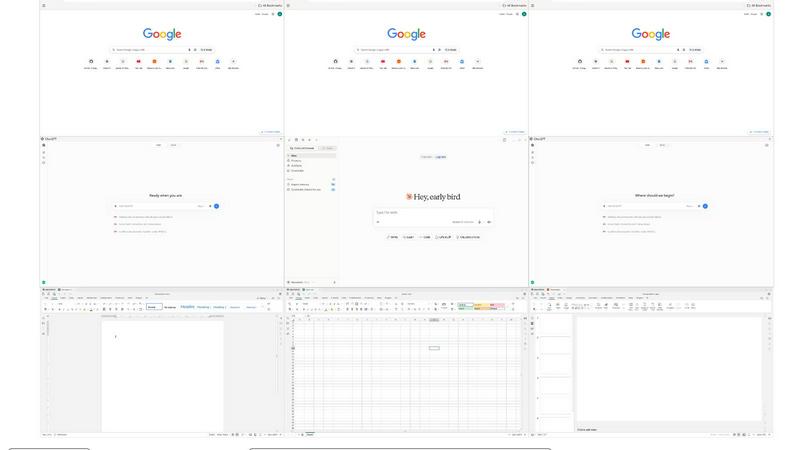
Novastart puts desktop apps, teammates, and AI agents on a shared infinite canvas, with saved workspaces that keep their layout for later.
Categories
Pricing
About Novastart
Novastart is an infinite-canvas operating system for people who want their desktop work arranged in persistent, visual spaces. Open everyday desktop apps side by side, then pan and zoom between canvases for different projects, such as research, finances, travel, or work. Saved canvases retain apps, positions, and tabs for your next session.
AI agents work on the canvas with their own mouse and keyboard, so you can watch their activity, pause them, correct a task, or take a window back. The product also supports shared canvases where teammates can interact with windows using their own input devices. That collaborative model may suit teams that want to work directly in shared apps; the product is described as an OS, so it is best considered by users prepared to install and use it as a desktop environment. The site recommends using a laptop.
Features
- Infinite canvas with pan and zoom, and separate canvases for different projects.
- Saved canvases that retain apps, positions, and tabs.
- AI agents with visible cursors that can be paused or redirected.
- Shared canvases for live teammate interaction with apps.
Use cases
- Keep a research workspace arranged across multiple app windows.
- Separate work, school, travel, and personal projects into canvases.
- Delegate visible computer tasks to AI agents and intervene as needed.
- Collaborate with teammates in shared app windows rather than relying only on screen sharing.
Pricing
Free plan available. Pro is $10 per month and Team is $20 per month. AI agent use costs $0.02 per use, with credits purchased in amounts of $25 or more.
Frequently asked questions
Does Novastart keep my desktop setup?
Saved canvases retain your apps, their positions, and tabs for the next time you return.
Can I intervene while an AI agent is working?
Yes. The product describes pausing agents, typing a correction, or taking a window back.
Can teammates use the same canvas?
Yes. Team collaboration lets teammates interact with windows on a shared canvas using their own mouse and keyboard.
Similar products
Compare alternatives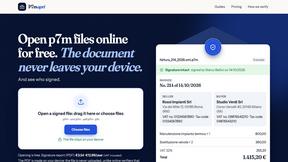
P7mapri
P7mapri lets you inspect signed P7M documents in your browser and view signer details, with optional technical checks and PDF reports.
SmartCV
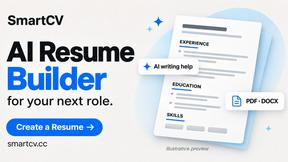
SmartCV helps job seekers build and refine resumes with editable templates, AI writing suggestions, text checks, and job application tracking.
BE THE ONE
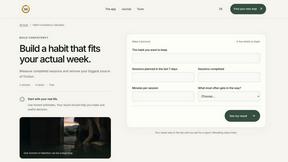
BE THE ONE combines six daily practices, including reflection, movement, breathwork, meditation, affirmations, and creativity, with progress tracking.
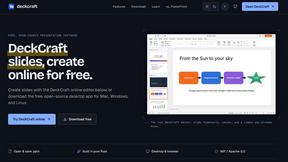
DeckCraft
Build teaching and learning presentations with a free, open-source slide editor for browser or desktop, including Linux.
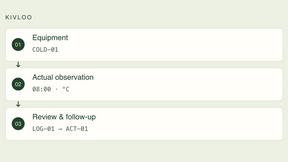
Kivloo
Kivloo gives multi-site operators phone-based safety checks, photo and reading capture, and searchable records for review.
Greatooly
Greatooly is an app directory featuring iPhone picks, with categories, collections, and pricing notes to help people discover useful apps.

Leadmatically
Leadmatically identifies potential buyers in social posts and prepares first contact, then routes replies into a reviewable inbox.
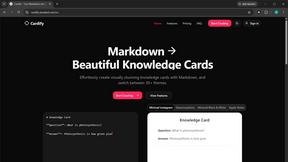
Cardify
Cardify converts Markdown notes into polished knowledge cards with theme previews and batch export for sharing or study.