

Alternatives to InvoiceLaunch
InvoiceLaunch combines AI-powered invoicing, client management, and 12 payment gateways to accelerate your business cash flow.
Explore 20 alternatives to InvoiceLaunch. Compare features, pricing, and find the best fit for your needs.

Todowing
Chrome extension for Todoist that shows nested sub-tasks inline in Today, Upcoming, Filter and Label views. Free, with a $19.99 lifetime unlock.
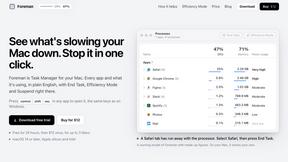
Foreman
See every app and what it's using in plain English, and end or slow down the one that's hogging your Mac.

Dot & Dash
Learn Morse code on a machine you can press. Write and send messages, turn Morse into text and back, and key Morse in any app on your Mac.

Notchpals
Little characters peek out of your Mac's notch to remind you to drink water, eat, sit up and get to bed. Quiet during calls. $4.99 once.

Screen Issues
Free Online Screen Test Tool - Instantly diagnose dead pixels, lines, color issues, and flickering. Multiple test modes, no download needed.


Everywhere
Fast file search for the Mac. Results as you type, files inside Mail and Photos, works with Wi-Fi off. $19 once.

Basalt
Eighteen PDF tools in one native Mac window: merge, split, compress, OCR, Bates numbering, forms, signing and redaction. Offline. $29 once.

Voice Keyboard Pro
Hold a key, say what you mean, let go. Clean, punctuated text lands at the cursor in any app on your Mac or iPhone.

Mainspring
Mainspring turns the settings macOS hides into 90+ one-click, fully reversible power-ups for Finder, Dock, screenshots and more. $29 once.

Crumb
A Mac menu bar app for a full disk. See what is using your space, read whether it comes back on its own, and remove only what you tick.

Woodpecker
Make your Mac sound like a real mechanical keyboard. Every key plays its own recording, 22 switches, quiet on calls. $4.99 once.

Inkling
Catch a thought without leaving what you are doing. Notes, checklists and a little companion in your Mac's notch. $12 once.

Manatee
A Mac app that opens damaged video, PDFs, archives and documents and writes out everything it can still read. $9 once, no uploads.

JevModel
Jev turns text or JSON into Choice, Score and Noul answers with probabilities. Build decision flows and call the API.

Nijia
Native macOS disk analysis, careful cleanup, file organization, and developer-workspace storage. Includes a 7-day full-feature trial.

Orlyn
Privacy-first, cookieless web analytics that ties your traffic and marketing channels to real Stripe revenue.


Egmatic
No-code 2D game editor: visual node logic, drag-and-drop scenes, live preview. Exports to Windows, macOS, Linux, Android, iOS, Web.

Gamespad Taster
Online tally counter for tracking attendance, workouts, inventory, visitors, sports scores, habits, and everyday counting tasks.
About InvoiceLaunch Alternatives
InvoiceLaunch is a cloud-based invoicing and payment management platform designed for freelancers, small businesses, and B2B teams. It falls under the broader category of financial operations and accounting software, specifically targeting the niche of automated billing and client management. The platform distinguishes itself by integrating 12 payment gateways—including Braintree, Authorize.net, Stripe, PayPal, and Square—along with recurring billing, estimates, and an AI assistant that drafts invoices and follow-up communications. Users commonly seek alternatives to InvoiceLaunch for several practical reasons. Pricing structures may not align with a business’s budget, especially for startups that require a free tier or lower monthly fees. Feature gaps can also drive the search: a user may need deeper inventory management, advanced time tracking, or more robust multi-currency support than what is offered. Additionally, platform compatibility matters—some businesses require native integrations with specific CRM or ERP systems, or prefer a solution that operates entirely offline. When evaluating alternatives, businesses should prioritize core functionality such as payment gateway variety, automation capabilities for recurring billing, ease of use for non-accountants, and the quality of customer support. Research from the Journal of Business Research (2021) indicates that small businesses often switch invoicing tools due to hidden transaction fees and poor mobile accessibility, so these factors should be weighed carefully before committing to a new platform.
FAQs about InvoiceLaunch Alternatives
What is InvoiceLaunch?
InvoiceLaunch is a cloud-based invoicing software that enables freelancers, small businesses, and B2B teams to create professional invoices, accept payments through 12 integrated gateways, and manage client relationships from a single dashboard. It includes features such as recurring billing, estimates, and an AI assistant that drafts invoices and follow-up messages. The platform is designed to replace manual spreadsheets and eliminate the need for chasing payments by automating the entire billing workflow.
Who is InvoiceLaunch for?
InvoiceLaunch is built for freelancers, small business owners, and B2B teams who need to streamline their invoicing and payment collection processes. It is particularly suitable for service-based professionals such as consultants, designers, and developers who manage recurring retainer clients. The platform also caters to businesses that require multiple payment gateway options to accommodate diverse customer preferences across different regions.
What are the main features of InvoiceLaunch?
InvoiceLaunch offers branded invoice creation, secure payment links, and support for 12 payment gateways including Braintree, Authorize.net, Stripe, PayPal, Square, and bank transfer. It automates recurring billing for retainer clients, enables the creation and tracking of estimates, and provides real-time payment status monitoring. Additionally, a built-in AI assistant can draft invoices and follow-up communications, reducing administrative workload.
Is InvoiceLaunch secure?
InvoiceLaunch prioritizes security by using encrypted payment links and supporting reputable, PCI-compliant payment gateways such as Stripe, PayPal, and Authorize.net. The platform processes transactions through these established third-party providers, which helps ensure that sensitive financial data is handled in accordance with industry security standards. Users should review the specific security certifications of each integrated gateway to confirm compliance with their own data protection requirements.