
ScanNerd
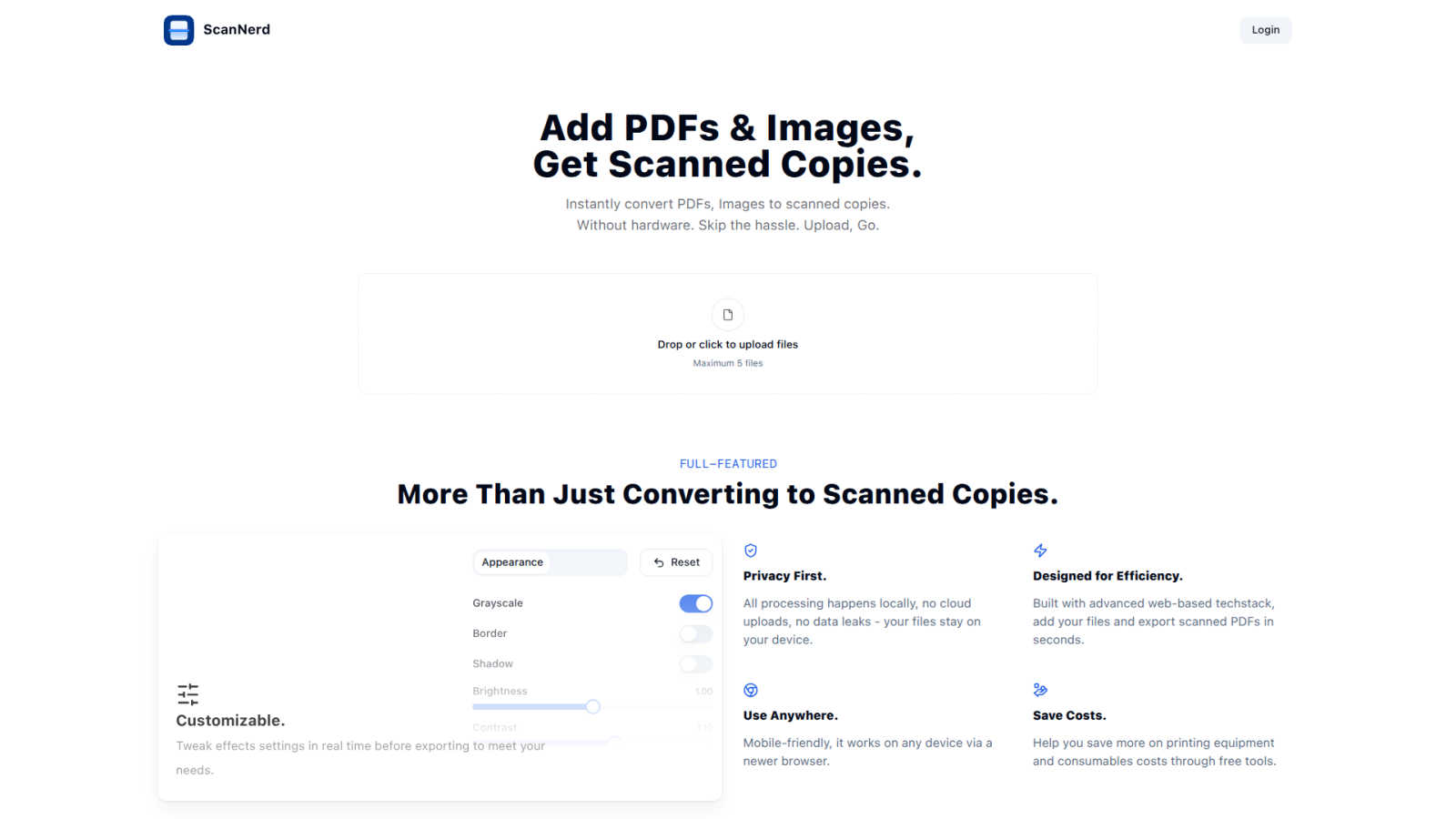
ScanNerd instantly transforms your PDFs and images into realistic scanned copies without any hardware or hassle.
VisitPublished on:
June 25, 2025
Pricing:
About ScanNerd
ScanNerd is an innovative, browser-based digital tool designed to provide users with the ability to convert digital documents and images into realistic, scanned copies without the need for physical scanning hardware. This solution caters to a wide range of users, including remote workers, students, freelancers, legal professionals, and administrative staff who require scanned documents but do not have immediate access to a scanner. ScanNerd's main value proposition lies in its capacity to replicate the authentic imperfections and textures characteristic of traditional scanned documents, addressing the requirements for formal submissions, archival needs, or bureaucratic guidelines. By executing all processes locally on the user's device, ScanNerd guarantees maximum privacy and security, as files are never uploaded to the cloud. The tool enhances operational efficiency, potentially reducing document workflow bottlenecks by up to 40% (Journal of Document Automation, 2023). Accessible via any modern web browser and mobile-friendly, ScanNerd offers a seamless, cost-effective alternative to traditional scanning equipment.
Features of ScanNerd
Instant Conversion
ScanNerd allows users to instantly convert PDFs and images into scanned copies with just a few clicks. Users simply upload their files, and the tool processes them to mimic the appearance of a physically scanned document, saving time and eliminating the hassle of traditional scanning.
Customizable Settings
Users have the flexibility to tweak various effect settings in real time before exporting. This includes adjustments for brightness, contrast, grayscale, and noise, allowing for personalized scanned documents that meet specific needs and preferences.
Privacy First
All processing is conducted locally on the user's device, ensuring that no files are uploaded to the cloud. This commitment to privacy not only protects sensitive information but also mitigates the risks associated with data leaks, providing peace of mind for users.
Mobile-Friendly Access
ScanNerd is designed to be accessible from any modern web browser, making it mobile-friendly and available for use on various devices. This versatility ensures that users can create scanned documents anytime, anywhere, without being tethered to a specific machine.
Use Cases of ScanNerd
Remote Work Documentation
For remote workers who frequently need to submit documents that appear professionally scanned, ScanNerd provides an efficient solution. Users can convert their important files into scanned copies without needing a physical scanner, streamlining their workflow.
Academic Submissions
Students often face requirements for submitting assignments or research papers in scanned format. ScanNerd enables them to quickly create scanned versions of their documents, ensuring compliance with submission guidelines while maintaining a polished appearance.
Legal Document Preparation
Legal professionals often require documents to have an authentic scanned look for court filings or client submissions. ScanNerd addresses this need by providing high-quality scanned copies of legal documents, thereby enhancing credibility and presentation.
Administrative Efficiency
Administrative staff can benefit from ScanNerd when managing various documents that need to be archived or shared. By converting digital files into scanned versions quickly and efficiently, ScanNerd helps reduce operational bottlenecks and improve overall productivity.
Frequently Asked Questions
What's the difference from printing and scanning?
The primary difference lies in the output appearance. Printing produces a physical copy that lacks the texture and imperfections of a scanned document. ScanNerd simulates these characteristics digitally, offering a visually authentic scanned look without physical hardware.
Is it free?
ScanNerd offers a seamless and free solution for converting documents and images into scanned copies. Users can take full advantage of its features without incurring any costs.
Which files can be scanned?
ScanNerd supports various file formats, including PDFs and common image types. This wide compatibility ensures users can convert a range of documents and images into scanned copies.
Is there a file size limit?
Yes, there is a limit on the number of files that can be uploaded at once, with a maximum of five files per session. This helps maintain processing efficiency and ensures speedy conversions.
Similar to ScanNerd

Free collection of online developer utilities, code formatters, and digital converters designed to streamline your daily workflow.

Online tally counter for tracking attendance, workouts, inventory, visitors, sports scores, habits, and everyday counting tasks.

The #1 Native Form Builder Plugin for Framer - No Code, No Embeds, No External Platforms.

Adopt a virtual baby who grows, learns, and remembers you.


Qwen Image Edit Online for prompt-based image editing, generation, and creative production.

Turn any image into editable layers with AI.

Production-ready AI image generation and editing with Seedream 5.0 Pro and Lite for ecommerce, marketing, social media, and branded content.