
Refbox
Refbox keeps your reference images, videos, and notes visible above any workspace for instant access and enhanced.
Visit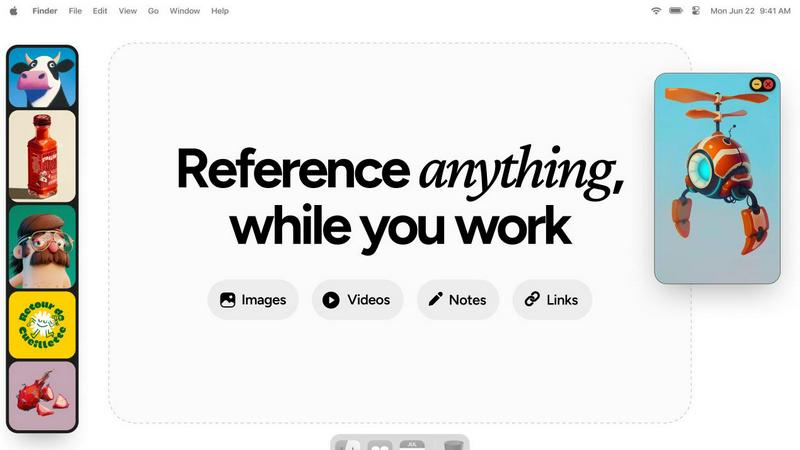
About Refbox
Refbox is a cutting-edge desktop application specifically designed to enhance the workflow of visual creatives by minimizing disruptions that arise from context switching. It serves as a persistent, floating reference panel that allows users to pin their sources of inspiration—such as images, GIFs, videos, and notes—into always-visible windows that stay on top of any application. This innovative design addresses the well-documented productivity costs associated with shifting attention between tasks, a phenomenon that can lead to significant declines in efficiency and increased cognitive load, as highlighted in research on interrupted work. By providing a centralized hub for reference materials, Refbox enables artists, designers, animators, and 3D modelers to sustain a deep focus or "flow," vital for producing high-quality creative output. With features that consolidate media from the web, local files, and the clipboard, users can easily access their visual references without navigating away from their main workspace. The application supports various viewing modes, including a Masonry grid, independent frames, and a full-screen gallery, ensuring that creative professionals can interact with their materials in the manner that best suits their workflow.
Features of Refbox
Floating Reference Panel
Refbox features a unique floating reference panel that allows users to maintain constant visibility of their inspiration while working on other tasks. This minimizes distractions and helps creatives stay focused, thereby enhancing productivity.
Versatile Media Support
The application supports a wide range of media types, including images, GIFs, videos, and markdown notes. This versatility allows users to consolidate their references in one organized space, streamlining the creative process.
Multiple Viewing Modes
Users can choose from different viewing modes, such as a Masonry grid for quick access, independent frames on their desktops, or a full-screen gallery mode for secondary monitors. This flexibility caters to various working styles and preferences.
Seamless Integration and Shortcuts
Refbox allows for easy integration with other applications through the use of keyboard shortcuts. Users can quickly swap out references, minimize frames, and change collections with simple commands, significantly reducing friction in their workflow.
Use Cases of Refbox
Graphic Design
Graphic designers can utilize Refbox to keep essential reference images and color palettes readily accessible while they work on projects. This aids in maintaining a cohesive design vision without the need to constantly switch tabs or applications.
Animation
Animators benefit from Refbox by having access to keyframes, reference videos, and notes that can remain visible throughout their animation process. This continuity helps maintain their creative flow and enhances the quality of their work.
UI/UX Development
UI/UX developers can use Refbox to pin user interface inspirations, color schemes, and user feedback notes in one location. This organized approach facilitates quicker iterations and enhances user experience design.
Concept Art Creation
Concept artists can leverage Refbox to gather and display various artistic influences, sketches, and notes that inspire their work. With everything in one place, they can easily reference materials and maintain their creative momentum.
Frequently Asked Questions
What platforms does Refbox support?
Refbox is designed for desktop use and is compatible with both Windows and macOS operating systems, ensuring a broad user base among visual creatives.
Can I customize the layout of my reference materials?
Yes, Refbox allows users to customize the layout of their reference materials through various viewing modes, including Masonry grid and independent frames, to suit individual preferences.
Is there a way to save my reference materials?
Absolutely. Users can save media items directly to Refbox or copy them to other applications, providing flexibility in managing their reference materials.
Does Refbox offer any collaboration features?
Currently, Refbox focuses on individual workflows, but users can share their reference collections by exporting them or through shared access to their machines, facilitating collaboration indirectly.
Explore more in this category:
Similar to Refbox

No-code 2D game editor: visual node logic, drag-and-drop scenes, live preview. Exports to Windows, macOS, Linux, Android, iOS, Web.

A free launch checklist for SaaS, apps, AI tools and more. Every step says why it matters and when you can skip it.

Free collection of online developer utilities, code formatters, and digital converters designed to streamline your daily workflow.

Online tally counter for tracking attendance, workouts, inventory, visitors, sports scores, habits, and everyday counting tasks.

The #1 Native Form Builder Plugin for Framer - No Code, No Embeds, No External Platforms.


Qwen Image Edit Online for prompt-based image editing, generation, and creative production.
