
HypeShare
HypeShare is a secure file transfer platform that enables fast, encrypted sharing of up to 10GB without requiring an account.
Visit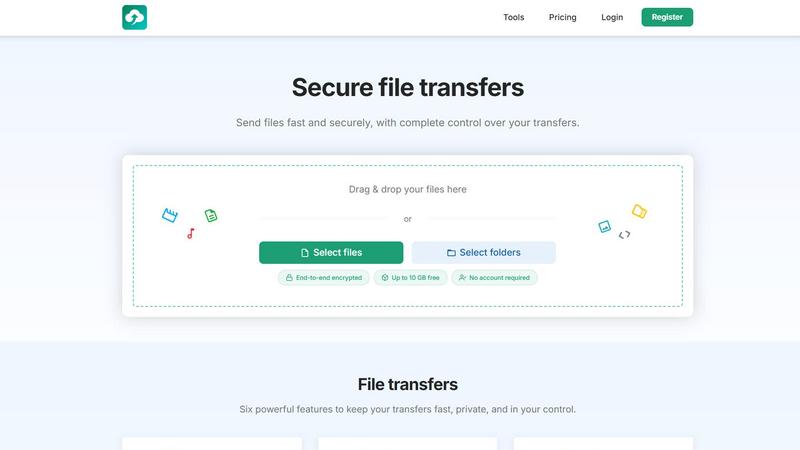
About HypeShare
HypeShare is a secure file transfer platform engineered for speed, privacy, and user control, serving as a direct alternative to bloated tools like WeTransfer, Dropbox, and Google Drive. The platform allows users to send files up to 10 GB without creating an account, or sign up for a free account that provides 20 GB of storage with encrypted transfers, custom expiry links, and file request pages. HypeShare is built for freelancers, agencies, and teams who require a fast, no-friction solution for sharing large files while maintaining complete control over access and data retention. The platform employs end-to-end encryption for all transfers, ensuring that files remain secure from upload to download. Additional security features include password protection, automatic expiration dates, and download limits, allowing users to define precisely how and when their files are accessed. A standout capability is the File Requests feature, which lets users create a personalized upload page with a custom link; anyone can upload files directly to the sender without needing an account on their end. This functionality is ideal for collecting assets from clients, collaborators, or event attendees. HypeShare also offers email notifications for downloads and uploads, transfer analytics, and branded downloads for Pro users. The platform supports all file types, including images, documents, and videos, and provides data retention policies ranging from 7 days for guest users to unlimited retention for Pro subscribers. With a clear focus on eliminating friction and enhancing security, HypeShare positions itself as a credible, research-backed solution for modern file transfer needs.
Features of HypeShare
End-to-End Encryption
All transfers on HypeShare are protected by end-to-end encryption, meaning files are encrypted on the sender's device and only decrypted on the recipient's device. This ensures that no third party, including HypeShare, can access the content during transit or storage. This feature is critical for professionals handling sensitive data, such as legal documents, financial records, or proprietary creative assets.
File Requests with Custom Links
HypeShare allows users to create a dedicated upload page with a unique, shareable link. Anyone with the link can upload files directly to the user's dashboard without needing an account. Users can set an expiration date for the request, accept any file type, and receive email notifications for each upload. This feature streamlines the process of collecting files from clients, team members, or event participants.
Transfer Control Settings
Users can define multiple parameters for each transfer, including automatic expiration dates and download limits. For example, a user can set a link to expire after 24 hours and allow only 5 downloads. This granular control prevents unauthorized access and ensures that files are only available for as long as necessary, aligning with data security best practices.
Password Protection
Every transfer can be secured with an optional password, adding an extra layer of security beyond encryption. Recipients must enter the correct password to access the file, making it suitable for sharing confidential information. This feature is particularly valuable for legal, medical, and financial professionals who must comply with strict data privacy regulations.
Use Cases of HypeShare
Freelance Client Deliverables
Freelancers, such as graphic designers and video editors, can use HypeShare to send large final deliverables to clients. By setting an expiration date and download limit, they ensure that clients can only access the files for a limited time, reducing the risk of unauthorized distribution. The password protection feature adds security, while email notifications confirm when the client has downloaded the file.
Collaborative File Collection from Event Attendees
Event organizers can create a File Request page with a custom link to collect photos, videos, or presentations from attendees. Since no account is needed on the sender's side, anyone can upload files quickly. The organizer can set an expiry date for the request and receive notifications for each new upload, simplifying post-event asset management.
Secure Internal Team File Sharing
Teams within agencies or businesses can use HypeShare to share confidential documents, such as strategic plans or financial reports. By using end-to-end encryption and password protection, they ensure that only authorized team members can access the files. The ability to set download limits prevents files from being shared beyond the intended recipients.
Collecting Client Assets for Projects
Marketing agencies can use File Requests to collect brand assets, logos, and images from clients. The custom link can be shared via email, and clients can upload files without creating an account. This eliminates the friction of traditional file transfer methods and speeds up the project onboarding process.
Frequently Asked Questions
How large of a file can I send with HypeShare without an account?
You can send files up to 10 GB per transfer without creating an account. This limit applies to the Guest plan, which allows 5 transfers per month and 10 files per transfer. For larger transfers, you can sign up for a free account or upgrade to a Pro plan, which supports up to 200 GB per transfer.
Is my data secure during transfer and storage on HypeShare?
Yes, all transfers are protected with end-to-end encryption. Files are encrypted on your device and only decrypted on the recipient's device. HypeShare cannot access your files at any point. Additionally, you can add password protection and set automatic expiration dates to further control access.
How does the File Requests feature work and who can use it?
File Requests allows you to create a custom, shareable link that directs to a personal upload page. Anyone with the link can upload files directly to your HypeShare dashboard without needing an account. You can set an expiration date for the request, accept any file type, and receive email notifications for each upload. This feature is available to all registered users, including those on the free plan.
What happens to my files after the expiration date?
When a transfer or file request reaches its expiration date, the files are automatically deleted from HypeShare's servers. Data retention policies vary by plan: Guest users have 7 days retention, Free users have 30 days, and Pro users have unlimited retention. You can also manually delete files at any time from your dashboard.
Pricing of HypeShare
HypeShare offers three pricing tiers: Guest, Free, and Pro. The Guest plan requires no account and provides 5 transfers per month, 10 files per transfer, 10 GB per transfer, 100 downloads per transfer, 5 emails per transfer, file encryption, custom alias, 0 domains, 7 days data retention, and no ads. The Free plan costs nothing and includes 10 transfers per month, 10 files per transfer, 20 GB storage, 10 GB per transfer, 100 downloads per transfer, 5 emails per transfer, file encryption, custom alias, 0 domains, 30 days data retention, data export, API, download notifications, no ads, file requests, and transfer analytics. The Pro plan is priced at 8.99 USD per month and offers unlimited transfers, unlimited files, 1000 GB storage, 200 GB per transfer, unlimited transfer downloads, 50 emails per transfer, file encryption, custom alias, 5 domains, unlimited data retention, data export, API, download notifications, no ads, file requests, transfer analytics, branded downloads, and priority support.
Similar to HypeShare

Whop Trends identifies trending products daily, enabling you to capitalize on market demand and boost your income.

Blueberry is a unified Mac app that streamlines web app development by integrating editing, terminal, and browsing.

Effortlessly batch compress images and videos on Mac, optimizing quality while saving time and disk space.

Skene is a code-native growth engine that automates product-led growth directly within your codebase.

Yellow Systems delivers tailored AI and software solutions that fuel growth for startups and enterprises alike.

MVPable instantly creates your MVP plan and connects you with the right tools or vetted builders.

Agenta is an open-source LLMOps platform that streamlines collaboration for building and managing reliable LLM.