

Alternatives to Picture Enhancer
Picture Enhancer uses AI to deblur, upscale, and restore photos in your browser with three intensity levels and no software install.
Explore 20 alternatives to Picture Enhancer. Compare features, pricing, and find the best fit for your needs.

Soul Cinema
Turn a written shot into a film-grade AI still: cinematographer lighting, a consistent cast across frames, locked looks, 8K exports, no watermark.
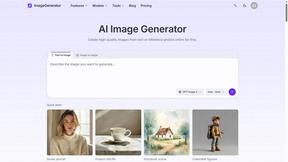
ImageGenerator
Create and edit AI images online with multiple models, text-to-image, image-to-image, background removal, and upscaling.

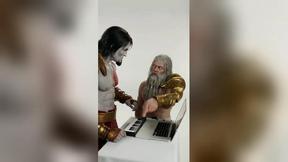
DanseAI - Alors on Danse Video
Make the Alors on Danse AI meme video from two photos, soundtrack included
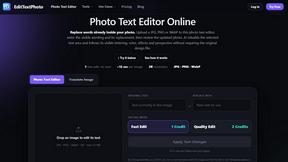
EditTextPhoto
AI-powered image text editor to edit, replace, fix, or translate text in images while preserving the original font, color, size, and style.
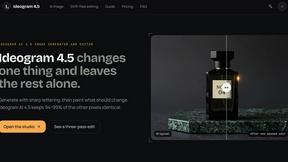
ideogram-45
AI image generation and editing with sharp typography, native 2K output, and localized edits that preserve the rest of your image.

AI Album Cover Maker
Create release-ready album covers from a prompt or photo. Generate, refine, and export art for singles, EPs, mixtapes, and playlists.

Qwen Image Edit
Qwen Image Edit Online for prompt-based image editing, generation, and creative production.


Wan Video
Create Wan AI videos from text, images, references, and clips with Wan 2.7 workflows.

Seedream 5.0
Production-ready AI image generation and editing with Seedream 5.0 Pro and Lite for ecommerce, marketing, social media, and branded content.
Nano Editor
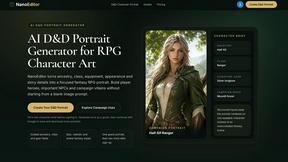
NanoEditor is an AI-powered D&D portrait generator that turns character details like ancestry, class and gear into focused fantasy RPG art.

Vismuse
Create polished AI images and videos from prompts or references for social posts, ads, flyers, album covers, and campaigns.

GPT Image 2 API
Production-ready AI image generation and editing with clear text, consistent styles, and developer-friendly APIs.

UGCad AI
AI UGC video ad Generator which Turn a URL, prompt, or template into a ready video ads

StopScroll
StopScroll is an AI thumbnail maker that generates YouTube thumbnail concepts from a URL, title, or prompt.

HubVanta AI
HubVanta AI helps creators generate images and videos with advanced AI tools for visual content workflows.
Meme Picture
Meme Picture uses AI to transform selfies and pet photos into shareable classic memes with free daily generations and no login required.

Anime Maker
Anime Maker transforms text and photos into AI-generated anime images, characters, and short videos with customizable styles and scenes.
About Picture Enhancer Alternatives
Picture Enhancer is a browser-based AI tool designed to improve the quality of digital images by addressing common issues such as blurriness, low resolution, and age-related degradation. It falls under the broader category of AI-powered image enhancement and restoration software, a segment that has seen rapid growth due to rising demand for high-quality visual content in e-commerce, social media, and personal archiving. While Picture Enhancer offers a compelling free tier with no software installation required, users commonly seek alternatives due to limitations in credit-based pricing models, the need for batch processing beyond ten images, or a desire for more granular control over enhancement parameters like noise reduction or color correction. Others may require integration with professional workflows, such as Adobe Photoshop plugins or API access for automated bulk processing. When evaluating an alternative to Picture Enhancer, users should prioritize tools that offer transparent pricing with no hidden costs for failed enhancements, as well as robust privacy policies regarding uploaded image data. Key features to assess include the range of enhancement modes (deblur, upscale, restore), the availability of a free trial or demo without mandatory account creation, and the flexibility to process various file formats beyond JPG, PNG, and WebP. Additionally, consider whether the tool supports high-resolution output for print use, provides batch processing capabilities without per-image charges, and offers clear before-and-after previews to verify results before downloading. Tools that allow offline processing or provide dedicated desktop applications may also be preferable for users with unstable internet connections or strict data security requirements.
FAQs about Picture Enhancer Alternatives
What is Picture Enhancer?
Picture Enhancer is a free online AI photo enhancer that runs directly in your browser, requiring no software installation. It allows users to upload JPG, PNG, or WebP images and apply one of three enhancement modes: Deblur, Upscale, or Restore. Users can select from three intensity levels—Standard, Strong, or Super—and preview the before-and-after result before downloading a watermark-free image upon successful processing. Credits are charged only when the enhancement succeeds, ensuring users are not billed for failed attempts.
Who is Picture Enhancer for?
Picture Enhancer is designed for creators, sellers, and everyday users who need sharper images quickly. It is ideal for social media posts, e-commerce product listings, screenshot cleanup, and restoring old family photos. The tool caters to both casual users who need a few free enhancements and power users who require batch processing of up to 10 images at once. Its no-signup guest trial makes it accessible for anyone with immediate image quality needs.
Is Picture Enhancer free?
Yes, Picture Enhancer offers a free tier where guests receive three lifetime tries per IP address without requiring any signup. New accounts also receive starter credits upon registration. For continued use, credits are consumed per successful enhancement at rates of 2 credits for Standard, 4 for Strong, and 6 for Super intensity. Paid users can purchase monthly plans that grant credits each cycle or permanent credit packs that never expire, with paid access also unlocking Super tiers and batch enhancement features.
What are the main features of Picture Enhancer?
Picture Enhancer provides three core AI-powered enhancement modes: Deblur to reduce motion blur and camera shake, Upscale to increase image resolution, and Restore to repair damaged or aged photos. Users can choose from Standard, Strong, or Super intensity levels for each mode. The tool offers a convenient before-and-after preview, watermark-free downloads, and supports batch enhancement of up to 10 images for paid users. Credits are only charged on successful jobs, and the service operates entirely within a web browser with no software installation needed.