

Alternatives to ComicsMaker
ComicsMaker is an AI tool that transforms prompts into structured comic strips, manga panels, and storyboards for export-ready drafts.
Explore 20 alternatives to ComicsMaker. Compare features, pricing, and find the best fit for your needs.



ideogram-45
AI image generation and editing with sharp typography, native 2K output, and localized edits that preserve the rest of your image.


AI Album Cover Maker
Create release-ready album covers from a prompt or photo. Generate, refine, and export art for singles, EPs, mixtapes, and playlists.

Qwen Image Edit
Qwen Image Edit Online for prompt-based image editing, generation, and creative production.



Wan Video
Create Wan AI videos from text, images, references, and clips with Wan 2.7 workflows.


Seedream 5.0
Production-ready AI image generation and editing with Seedream 5.0 Pro and Lite for ecommerce, marketing, social media, and branded content.


Presentation Intelligence
AI-native presentation and visual content platform that turns prompts, documents, images, videos, and data into polished, shareable decks.
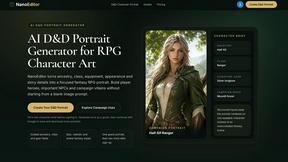
Nano Editor
NanoEditor is an AI-powered D&D portrait generator that turns character details like ancestry, class and gear into focused fantasy RPG art.


Liink
Create a visual link-in-bio page for your links, media, profiles, and projects—free to start.

ToolBench
Free browser-based image tools — convert, compress, resize, crop and watermark. Nothing is uploaded.


Vismuse
Create polished AI images and videos from prompts or references for social posts, ads, flyers, album covers, and campaigns.

Magic Eraser
AI photo editor for removing objects and backgrounds, enhancing images, and creating visuals across web and mobile.
About ComicsMaker Alternatives
ComicsMaker is an AI-powered tool within the image generation and content creation categories, designed to transform text prompts into comic strips, manga panels, storyboards, and export-ready visual drafts. While its focus on rapid ideation and consistent comic-style output makes it valuable for creators and marketers, users commonly seek alternatives due to specific constraints such as pricing models that may not scale with high-volume output, limited customization of character consistency across panels, or platform requirements like integration with existing design pipelines. As the generative AI landscape matures, researchers note that no single tool excels across all dimensions of quality, speed, and cost (Rombach et al., 2022), prompting users to evaluate options based on their unique workflow needs. When choosing an alternative, users should prioritize factors like output resolution and format compatibility for commercial use, the degree of control over panel layout and character rendering, and subscription flexibility for team collaboration. Studies in human-computer interaction emphasize that effective AI design tools must balance automation with user agency (Liapis et al., 2019), so look for platforms that offer prompt refinement, style transfer capabilities, and export formats that integrate with professional software. Additionally, consider the ethical implications of training data and copyright policies, as these can affect the viability of generated content for commercial storytelling or educational materials.
FAQs about ComicsMaker Alternatives
What is ComicsMaker?
ComicsMaker is an AI comic maker that converts text prompts into comic strips, manga panels, storyboards, and export-ready visual drafts. It belongs to the image generation and content creation categories, leveraging generative AI to streamline the transition from script or concept to visual storytelling. The tool is designed to produce consistent comic-style output quickly, bypassing the need for a full traditional production pipeline.
Who is ComicsMaker for?
ComicsMaker is built for creators, marketers, educators, and indie storytellers who need to turn ideas into polished comic visuals efficiently. It supports use cases such as AI comics, manga-style concepts, webtoon experiments, visual campaigns, classroom storytelling, and rapid creative prototyping. The product is particularly useful for teams that want to move from script or concept to visual drafts without extensive artistic or production resources.
Is ComicsMaker free?
Based on the provided product description, ComicsMaker is a commercial tool focused on fast ideation and practical exports, but specific pricing details such as whether it offers a free tier or trial are not explicitly stated. Users should consult the official website or documentation for the most current information on free access, subscription plans, or usage limits. Generally, AI image generation tools in this category often offer tiered pricing based on output volume and feature access.
What are the main features of ComicsMaker?
ComicsMaker's main features include text-to-comic generation for strips, manga panels, and storyboard sequences, along with character scene creation and social-ready visual drafts. It emphasizes fast ideation and consistent comic-style output, enabling users to export polished visuals for commercial, educational, or prototyping needs. The tool is optimized for practical exports so teams can integrate results into broader content workflows without requiring a full production pipeline.