
BlueHumanizer
BlueHumanizer transforms AI text into clear, natural writing with one click, preserving meaning and tone for 100,000+ trusted users.
Visit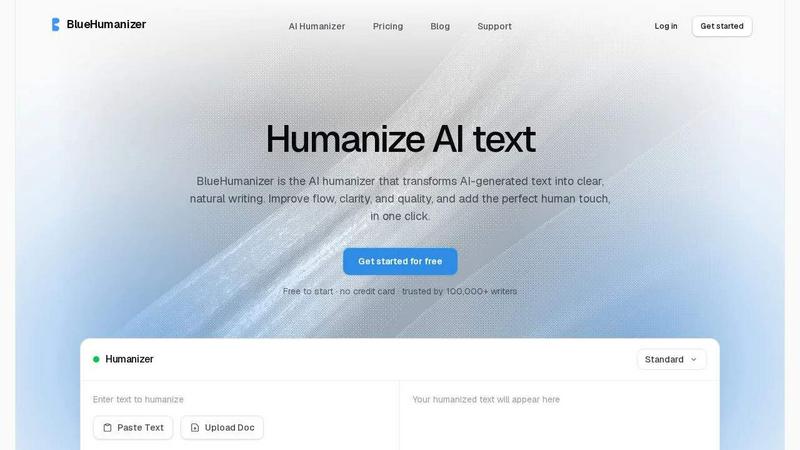
About BlueHumanizer
BlueHumanizer is a specialized AI humanization tool designed to transform AI-generated text into clear, natural, and polished writing with a single click. Unlike basic synonym-swapping tools, BlueHumanizer employs advanced algorithms to reshape sentence structure, restore natural rhythm, and improve overall flow while preserving the original meaning, tone, and key points of the input text. The product supports over 50 languages, offers adjustable humanization levels, and includes tone controls to tailor output for specific contexts. It is trusted by over 100,000 writers worldwide, including students, researchers, marketers, bloggers, and non-native English speakers. BlueHumanizer works seamlessly with outputs from ChatGPT, Claude, Gemini, and other major AI writing models, ensuring that quotes, citations, and references remain untouched during the rewriting process. The tool is free to start with no credit card required, making it accessible for anyone seeking to refine AI-generated drafts into publication-ready content. By focusing on clarity, coherence, and natural phrasing, BlueHumanizer addresses the common problem of stiff or robotic AI output, delivering writing that reads as if composed by a human expert. Whether for academic essays, research papers, marketing copy, or everyday emails, BlueHumanizer provides a reliable solution for enhancing the quality and authenticity of AI-assisted writing.
Features of BlueHumanizer
Humanize AI Text in One Click
BlueHumanizer streamlines the rewriting process with a simple copy-paste interface that requires no setup or learning curve. Users can paste text from ChatGPT, Gemini, Claude, or any AI writer, and the tool instantly transforms it into clear, natural prose. The one-click functionality ensures that even users with minimal technical expertise can achieve polished, human-sounding output in seconds, making it ideal for fast-paced workflows and tight deadlines.
Clearer, Smoother Writing
The tool tightens phrasing, varies sentence rhythm, and improves overall flow without altering the original meaning or intent. BlueHumanizer analyzes sentence structure and restores natural cadence, eliminating the repetitive patterns and awkward constructions common in AI-generated text. This feature ensures that output reads smoothly and naturally, whether for academic, professional, or creative purposes, while maintaining the author's voice and key arguments.
Keeps Your Intent and Tone
BlueHumanizer preserves the original tone, intent, and key points of the input text while refining its clarity and phrasing. Users can select from different tone controls, such as casual or formal, to match the desired style for specific audiences. This capability ensures that the rewritten content remains authentic to the writer's purpose, whether it is a persuasive marketing piece, a formal research abstract, or an informal email.
Leave Citations Untouched
Quotes, citations, and references in academic or research-oriented texts are automatically preserved during the humanization process. BlueHumanizer identifies and excludes these elements from rewriting, ensuring that all scholarly attributions remain accurate and unchanged. This feature is critical for researchers and academics who rely on precise citation formatting and need to avoid unintentional alterations to source material.
Use Cases of BlueHumanizer
Refining AI-Assisted Academic Essays
Students can use BlueHumanizer to refine AI-generated drafts of essays and assignments into clear, well-structured writing that flows naturally. The tool improves sentence variety and clarity while preserving the student's original arguments and evidence, helping to produce polished submissions that meet academic standards. This use case is particularly valuable for managing time constraints and ensuring consistent quality across multiple assignments.
Polishing Research Papers and Abstracts
Researchers and academics can humanize AI-drafted papers, abstracts, and literature reviews into natural, professional prose. BlueHumanizer ensures that all citations, references, and technical terms remain intact while enhancing readability and coherence. This allows scholars to focus on content and analysis while the tool handles stylistic improvements, making the publication process more efficient and reducing the risk of rejection due to writing quality.
Creating On-Brand Marketing Copy
Marketers and content teams can ship blog posts, emails, and landing page copy that reads clearly and matches the tone of their brand. BlueHumanizer's tone controls and humanization levels enable customization for different audiences, from formal B2B communications to casual social media content. The tool helps maintain brand voice consistency while eliminating robotic phrasing, resulting in more engaging and persuasive marketing materials.
Supporting Non-Native English Writers
Non-native English speakers can use BlueHumanizer to make AI-generated English text flow naturally, ensuring their writing reads as fluent and effortless as that of native speakers. The tool corrects grammatical awkwardness, improves sentence structure, and enhances overall clarity without requiring advanced language skills. This use case empowers international students, professionals, and creators to communicate effectively in English across academic, business, and creative contexts.
Frequently Asked Questions
Does BlueHumanizer work with all AI writing tools?
Yes, BlueHumanizer is designed to humanize text from any major AI writing tool, including ChatGPT, Claude, Gemini, Mistral AI, and others. It processes output from these models and rewrites it into clear, natural prose while preserving meaning and tone. The tool is regularly updated to remain compatible with new AI models and platforms.
Is BlueHumanizer free to use?
BlueHumanizer offers a free tier with no credit card required, making it accessible for anyone to try. Users can humanize text within the free limits to experience the tool's capabilities before considering any paid plans. The free version includes core features such as one-click humanization and language support.
Will BlueHumanizer change my quotes or citations?
No, BlueHumanizer automatically detects and preserves quotes, citations, and references during the rewriting process. Only the surrounding writing is modified to improve flow and clarity. This ensures that academic integrity and proper attribution are maintained, making the tool safe for research and scholarly work.
What languages does BlueHumanizer support?
BlueHumanizer supports over 50 languages with automatic detection and natural, human-sounding output. Writers from around the world can use the tool to refine AI-generated text in their native language or in English, with results that read fluently and authentically. Language support is continuously expanded based on user demand.
Pricing of BlueHumanizer
BlueHumanizer offers a free tier to start with no credit card required, allowing users to humanize AI text immediately. The free plan includes core features such as one-click humanization, language support, and basic tone controls. For users who require higher word limits, advanced customization, or priority support, BlueHumanizer provides paid plans with tiered pricing based on usage volume. Specific pricing details for paid plans are available on the BlueHumanizer website, where users can compare features and select the option that best fits their writing needs.
Similar to BlueHumanizer

Free YouTube transcripts on the web, a Chrome extension, and an API + MCP server so AI assistants can read YouTube.

Moderation, routing, intent and scoring for any text over one Jev-compatible API, hosted in the EU.

MiroFish is an AI simulation chat for scenario prediction. Ask a question in plain language and it runs graph building, multi-agent simulation, and re


A directory of AI tools where every listing was opened and used by a person.

An AI tools directory that turns down money. 146 listings, 20 categories, no sponsored placement and no affiliate ordering.