RemoveTexts vs ScanNerd
Side-by-side comparison to help you choose the right product.

RemoveTexts
RemoveTexts is an AI tool that effortlessly removes text from images in seconds, delivering professional results without any design skills required.
Last updated: March 11, 2026

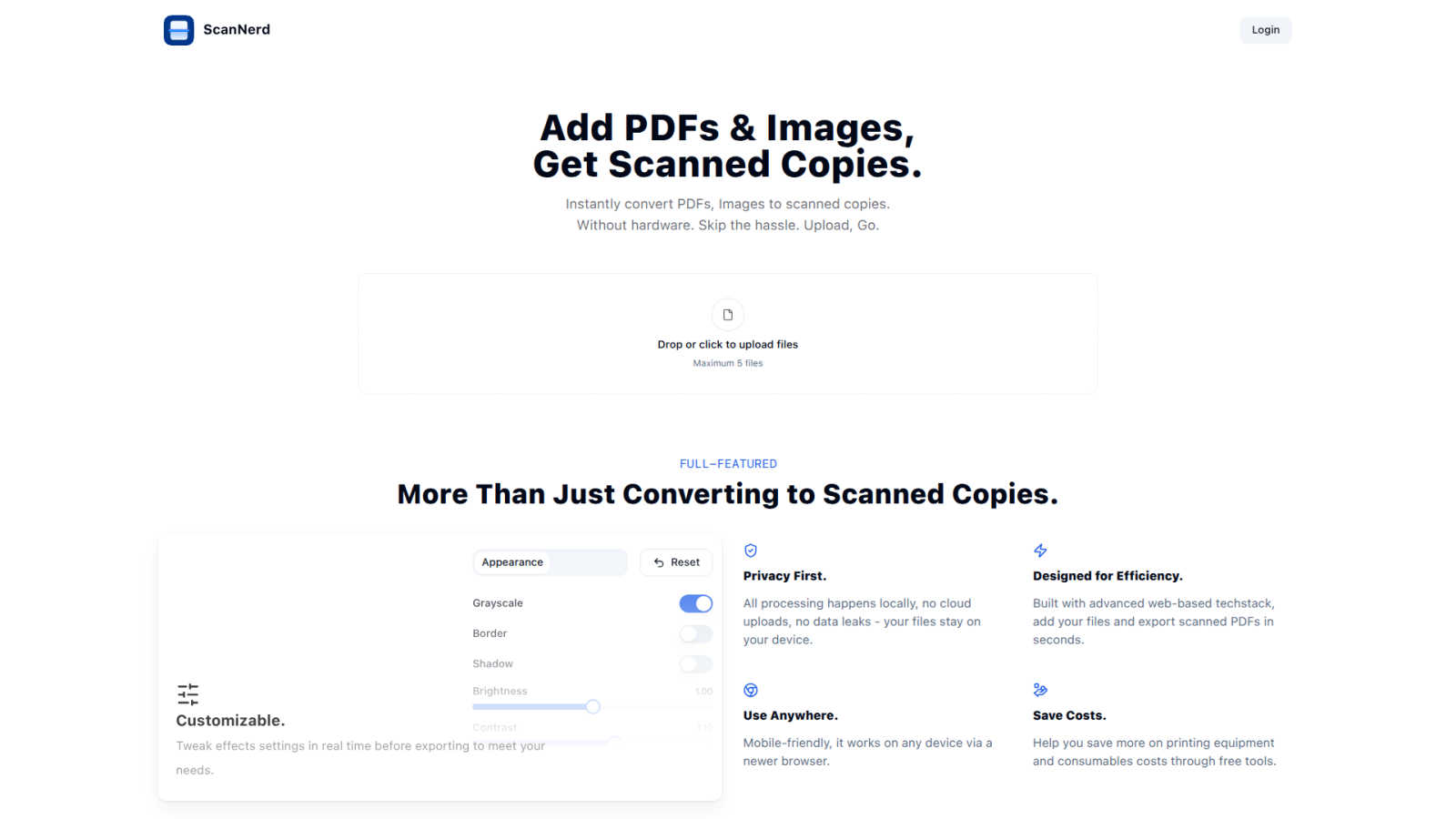
ScanNerd instantly transforms your PDFs and images into realistic scanned copies without any hardware or hassle.
Last updated: March 1, 2026
Visual Comparison
RemoveTexts

ScanNerd
Feature Comparison
RemoveTexts
Paint to Remove
The Paint to Remove feature allows users to brush over specific areas of text they wish to eliminate with precision. This targeted approach ensures that only the selected text is removed, leaving the surrounding image intact. It is particularly useful for images with multiple text elements, allowing users to control the editing process effectively.
Auto Remove All
With the Auto Remove All feature, users benefit from the power of AI to automatically detect and remove every text element within an image. This feature is ideal for users looking for a quick solution to clean up images without the hassle of manual selection, saving valuable time and effort.
Edit & Replace Text
This feature enables users to not only remove existing text but also replace it with new text while matching the original style. This is particularly useful for marketers and designers who need to update promotional materials or graphics without starting from scratch, ensuring brand consistency.
Remove Objects
Beyond text removal, RemoveTexts offers the ability to erase unwanted objects or logos from images. This feature is essential for users who need to clean up product photos or personal images by eliminating distracting elements that may detract from the overall appearance.
ScanNerd
Instant Conversion
ScanNerd allows users to instantly convert PDFs and images into scanned copies with just a few clicks. Users simply upload their files, and the tool processes them to mimic the appearance of a physically scanned document, saving time and eliminating the hassle of traditional scanning.
Customizable Settings
Users have the flexibility to tweak various effect settings in real time before exporting. This includes adjustments for brightness, contrast, grayscale, and noise, allowing for personalized scanned documents that meet specific needs and preferences.
Privacy First
All processing is conducted locally on the user's device, ensuring that no files are uploaded to the cloud. This commitment to privacy not only protects sensitive information but also mitigates the risks associated with data leaks, providing peace of mind for users.
Mobile-Friendly Access
ScanNerd is designed to be accessible from any modern web browser, making it mobile-friendly and available for use on various devices. This versatility ensures that users can create scanned documents anytime, anywhere, without being tethered to a specific machine.
Use Cases
RemoveTexts
Content Creation
Content creators across various platforms rely on RemoveTexts to enhance their visuals by removing distracting watermarks or text overlays. This enables them to present clean and professional images that engage their audience more effectively.
E-commerce Product Images
E-commerce sellers can use RemoveTexts to refine product images by eliminating watermarks and unwanted text, ensuring that their listings appear polished and attractive. Clean visuals can significantly impact sales conversions and customer trust.
Legal Document Redaction
Legal professionals can utilize RemoveTexts to redact sensitive information from documents, such as names or dates, ensuring compliance and privacy without compromising the document's overall integrity. The tool's efficiency allows for quick processing of necessary edits.
Social Media Management
Social media managers can leverage RemoveTexts to create visually appealing posts by removing text from images sourced online. This allows for the creation of unique and customized content that aligns with branding strategies and audience engagement goals.
ScanNerd
Remote Work Documentation
For remote workers who frequently need to submit documents that appear professionally scanned, ScanNerd provides an efficient solution. Users can convert their important files into scanned copies without needing a physical scanner, streamlining their workflow.
Academic Submissions
Students often face requirements for submitting assignments or research papers in scanned format. ScanNerd enables them to quickly create scanned versions of their documents, ensuring compliance with submission guidelines while maintaining a polished appearance.
Legal Document Preparation
Legal professionals often require documents to have an authentic scanned look for court filings or client submissions. ScanNerd addresses this need by providing high-quality scanned copies of legal documents, thereby enhancing credibility and presentation.
Administrative Efficiency
Administrative staff can benefit from ScanNerd when managing various documents that need to be archived or shared. By converting digital files into scanned versions quickly and efficiently, ScanNerd helps reduce operational bottlenecks and improve overall productivity.
Overview
About RemoveTexts
RemoveTexts is a cutting-edge AI-powered image editing tool designed to effortlessly remove unwanted text from images, making it accessible for users of all skill levels. With its intuitive interface, users can simply upload their images and utilize advanced AI technology to eliminate text elements like watermarks, captions, and date stamps in seconds. This tool is particularly beneficial for photographers, marketers, e-commerce sellers, and content creators who need pristine visuals without the distractions of unwanted text. RemoveTexts employs deep learning techniques, specifically inpainting methods similar to those developed by industry leaders such as NVIDIA and Adobe, to reconstruct the original background seamlessly. The main value proposition of RemoveTexts lies in its ability to provide professional-grade results quickly and efficiently, eliminating the need for complex software like Photoshop or any manual editing skills.
About ScanNerd
ScanNerd is an innovative, browser-based digital tool designed to provide users with the ability to convert digital documents and images into realistic, scanned copies without the need for physical scanning hardware. This solution caters to a wide range of users, including remote workers, students, freelancers, legal professionals, and administrative staff who require scanned documents but do not have immediate access to a scanner. ScanNerd's main value proposition lies in its capacity to replicate the authentic imperfections and textures characteristic of traditional scanned documents, addressing the requirements for formal submissions, archival needs, or bureaucratic guidelines. By executing all processes locally on the user's device, ScanNerd guarantees maximum privacy and security, as files are never uploaded to the cloud. The tool enhances operational efficiency, potentially reducing document workflow bottlenecks by up to 40% (Journal of Document Automation, 2023). Accessible via any modern web browser and mobile-friendly, ScanNerd offers a seamless, cost-effective alternative to traditional scanning equipment.
Frequently Asked Questions
RemoveTexts FAQ
How does RemoveTexts work?
RemoveTexts utilizes advanced AI algorithms to analyze surrounding pixels and intelligently reconstruct the background after removing text. This process ensures that the edited area blends seamlessly with the rest of the image.
What types of images can I upload?
You can upload images in JPG, PNG, or WebP formats, with a maximum file size of 10 MB. This compatibility makes it easy to work with various types of images for your editing needs.
Is there a limit to the number of images I can process?
While there is no explicit limit mentioned, users can process multiple images as needed. RemoveTexts is designed to handle batch processing efficiently, making it suitable for high-volume editing tasks.
Do I need any special skills to use RemoveTexts?
No special skills or design experience is required to use RemoveTexts. The tool is designed for users of all levels, making it accessible and easy to use for anyone needing to remove text from images quickly.
ScanNerd FAQ
What's the difference from printing and scanning?
The primary difference lies in the output appearance. Printing produces a physical copy that lacks the texture and imperfections of a scanned document. ScanNerd simulates these characteristics digitally, offering a visually authentic scanned look without physical hardware.
Is it free?
ScanNerd offers a seamless and free solution for converting documents and images into scanned copies. Users can take full advantage of its features without incurring any costs.
Which files can be scanned?
ScanNerd supports various file formats, including PDFs and common image types. This wide compatibility ensures users can convert a range of documents and images into scanned copies.
Is there a file size limit?
Yes, there is a limit on the number of files that can be uploaded at once, with a maximum of five files per session. This helps maintain processing efficiency and ensures speedy conversions.
Alternatives
RemoveTexts Alternatives
RemoveTexts is an AI-powered tool designed for the rapid removal of text from images, making it an essential resource within the image editing category. Users often seek alternatives to RemoveTexts for a variety of reasons, such as pricing concerns, specific feature sets, or compatibility with different platforms. The need for flexibility in editing capabilities, user interface preferences, and additional functionalities can also drive the search for alternatives. When choosing an alternative to RemoveTexts, look for tools that offer similar AI-powered capabilities, ease of use, and high-quality output. Consider features like the ability to remove not just text but also other unwanted elements, as well as the range of languages supported. Additionally, assess the pricing structure and whether there are any free trials or demo versions available.
ScanNerd Alternatives
ScanNerd is an innovative, browser-based digital tool that converts PDFs and images into realistic scanned copies using advanced AI technology. It falls under the category of design tools and productivity management, catering to various users, including remote workers and legal professionals, who require documents to appear as if they have been processed through traditional scanners. Users often seek alternatives to ScanNerd for various reasons, such as pricing, specific feature sets, or compatibility with different platforms and devices. When choosing an alternative, it is essential to consider factors like ease of use, customization options, security measures, and the ability to operate without the need for additional software or hardware.