Proofapp vs ScanNerd
Side-by-side comparison to help you choose the right product.

Proofapp
Proofapp eliminates email feedback loops with visual comments pinned directly to your website.
Last updated: March 4, 2026

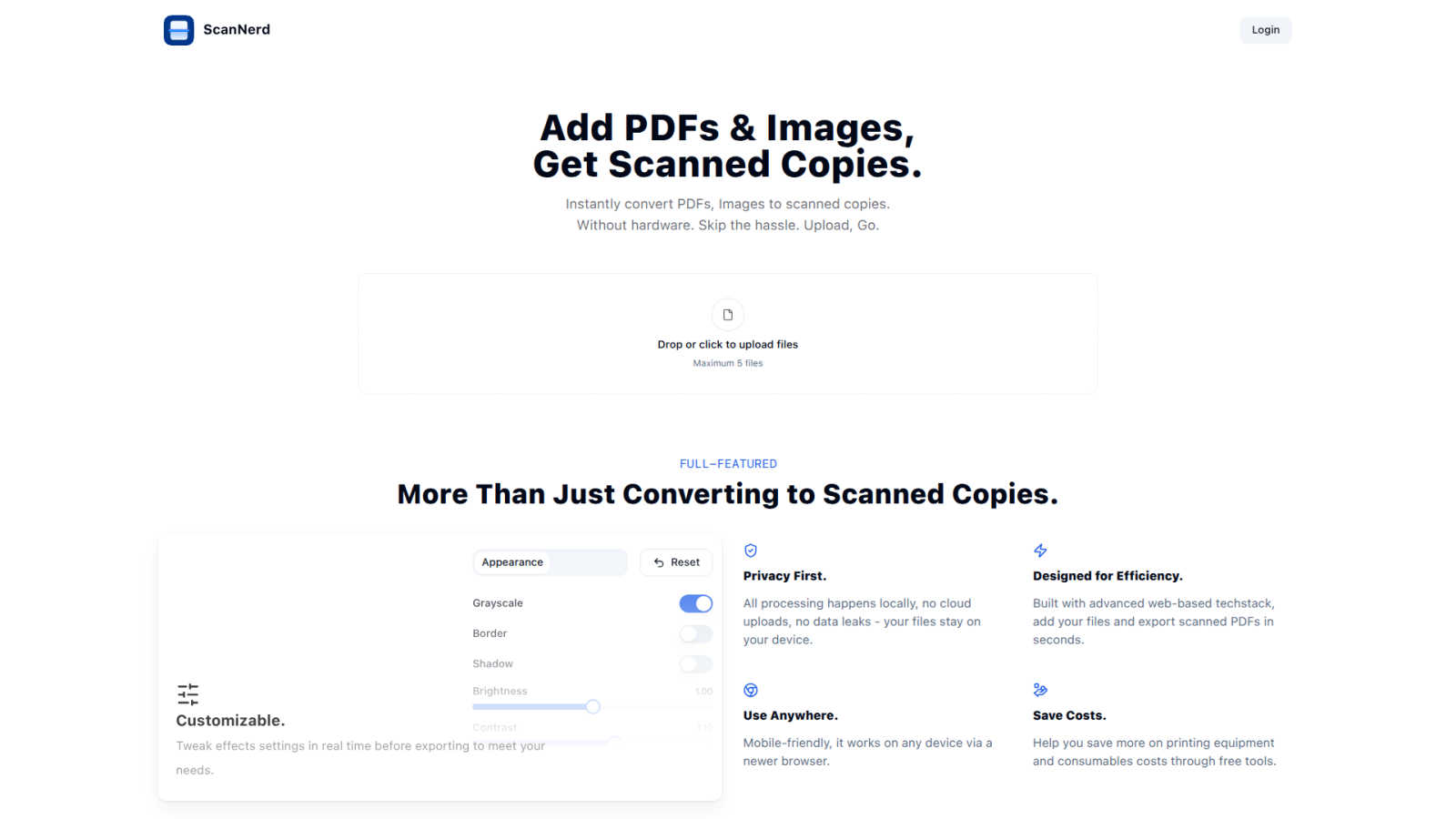
ScanNerd instantly transforms your PDFs and images into realistic scanned copies without any hardware or hassle.
Last updated: March 1, 2026
Visual Comparison
Proofapp

ScanNerd
Feature Comparison
Proofapp
Visual Commenting
This foundational feature allows reviewers to click on any element within an automatically captured website screenshot to leave a pinned comment. This eliminates the ambiguity of textual descriptions like "top left, under the navigation" by providing exact visual context. Each comment initiates a thread where team members can discuss, attach relevant files, and ultimately resolve the feedback, creating a clear audit trail. This precision is critical, as non-visual feedback can result in three times more revision rounds according to platform data.
Multi-Breakpoint Testing
Proofapp automatically captures and presents synchronized screenshots of any submitted URL at both desktop and mobile viewports. This ensures feedback accounts for responsive design behavior across devices without requiring manual screenshot generation from multiple tools or browsers. Teams can toggle between views to ensure UI elements, layouts, and interactions are consistently reviewed, preventing post-launch issues related to device-specific oversights and streamlining the quality assurance process.
Secure, Account-Free Client Sharing
Project owners can generate expirable, secure links to share proofing sessions with clients or external stakeholders. Crucially, reviewers do not need to create a Proofapp account to participate, drastically reducing friction in the feedback collection process. This controlled access method maintains project security while facilitating easy collaboration with non-technical users, a common bottleneck in agency and freelance workflows that Proofapp effectively removes.
Real-Time Collaboration & Notification
All project activity is synchronized in real-time. When a team member or client leaves a comment, others in the project are notified immediately, fostering a dynamic collaborative environment. This live updating eliminates the need for manual refresh cycles and email "ping-pong," allowing for rapid discussion and decision-making. Integrated notifications ensure stakeholders are alerted to new feedback or replies, keeping projects moving forward without delay.
ScanNerd
Instant Conversion
ScanNerd allows users to instantly convert PDFs and images into scanned copies with just a few clicks. Users simply upload their files, and the tool processes them to mimic the appearance of a physically scanned document, saving time and eliminating the hassle of traditional scanning.
Customizable Settings
Users have the flexibility to tweak various effect settings in real time before exporting. This includes adjustments for brightness, contrast, grayscale, and noise, allowing for personalized scanned documents that meet specific needs and preferences.
Privacy First
All processing is conducted locally on the user's device, ensuring that no files are uploaded to the cloud. This commitment to privacy not only protects sensitive information but also mitigates the risks associated with data leaks, providing peace of mind for users.
Mobile-Friendly Access
ScanNerd is designed to be accessible from any modern web browser, making it mobile-friendly and available for use on various devices. This versatility ensures that users can create scanned documents anytime, anywhere, without being tethered to a specific machine.
Use Cases
Proofapp
Freelancer-Client Website Approvals
Freelancers can use Proofapp to present website drafts to clients professionally. Instead of exchanging fragmented emails with attached, annotated images, they share a single secure link. Clients click directly on the live design to leave clear, contextual feedback, which the freelancer can then address and mark as resolved. This streamlines the approval process, reduces miscommunication, and projects a high level of organization, saving hours per project.
In-House Design & Development Team Sprints
During agile sprints, in-house teams require fast, precise feedback on new features or UI changes. Proofapp allows developers to push a staging URL and instantly gather visual feedback from product managers and designers. Comments are pinned to specific code elements or design components, making bug reports and change requests unambiguous and directly actionable, thereby accelerating iteration cycles and reducing the cognitive load of parsing textual feedback.
Marketing Campaign Landing Page Reviews
Marketing teams often need collective input on copy, imagery, and call-to-action placement on campaign landing pages. Proofapp enables the entire team—from copywriters to brand managers—to review the page simultaneously. They can attach brand guidelines, suggest copy edits directly on text blocks, and ensure mobile responsiveness, consolidating all feedback in one visual dashboard to ensure a cohesive and effective final asset.
Agency Managing Multiple Client Projects
Digital agencies juggling multiple client websites benefit from Proofapp's project organization and client-friendly interface. It replaces chaotic email threads and disparate communication tools with a unified platform. Each client project is siloed, with all historical feedback and resolved comments maintained for reference. This centralized system improves accountability, client satisfaction, and operational efficiency at a scale where traditional methods break down.
ScanNerd
Remote Work Documentation
For remote workers who frequently need to submit documents that appear professionally scanned, ScanNerd provides an efficient solution. Users can convert their important files into scanned copies without needing a physical scanner, streamlining their workflow.
Academic Submissions
Students often face requirements for submitting assignments or research papers in scanned format. ScanNerd enables them to quickly create scanned versions of their documents, ensuring compliance with submission guidelines while maintaining a polished appearance.
Legal Document Preparation
Legal professionals often require documents to have an authentic scanned look for court filings or client submissions. ScanNerd addresses this need by providing high-quality scanned copies of legal documents, thereby enhancing credibility and presentation.
Administrative Efficiency
Administrative staff can benefit from ScanNerd when managing various documents that need to be archived or shared. By converting digital files into scanned versions quickly and efficiently, ScanNerd helps reduce operational bottlenecks and improve overall productivity.
Overview
About Proofapp
Proofapp is a specialized visual feedback and website review platform engineered to eliminate the inefficiencies and miscommunication inherent in traditional design and development feedback loops. It serves designers, developers, freelancers, and marketing teams by providing a centralized, visual workspace for collaboration. The core value proposition is replacing scattered email chains and vague textual notes with precise, contextual feedback pinned directly onto live website screenshots. Research indicates that 73% of design revisions are miscommunicated via email, leading to significant productivity losses (Proofapp, 2024). Proofapp directly addresses this by automating screenshot capture at multiple device breakpoints and enabling stakeholders to click and comment directly on the visual interface. This method reduces revision cycles by up to 60% and can save teams over five hours per week previously wasted on clarification and screenshot management. With features like secure shareable links, real-time notifications, and file attachments, Proofapp transforms subjective feedback into organized, actionable tasks, ensuring projects move from URL to shipped with clarity and speed.
About ScanNerd
ScanNerd is an innovative, browser-based digital tool designed to provide users with the ability to convert digital documents and images into realistic, scanned copies without the need for physical scanning hardware. This solution caters to a wide range of users, including remote workers, students, freelancers, legal professionals, and administrative staff who require scanned documents but do not have immediate access to a scanner. ScanNerd's main value proposition lies in its capacity to replicate the authentic imperfections and textures characteristic of traditional scanned documents, addressing the requirements for formal submissions, archival needs, or bureaucratic guidelines. By executing all processes locally on the user's device, ScanNerd guarantees maximum privacy and security, as files are never uploaded to the cloud. The tool enhances operational efficiency, potentially reducing document workflow bottlenecks by up to 40% (Journal of Document Automation, 2023). Accessible via any modern web browser and mobile-friendly, ScanNerd offers a seamless, cost-effective alternative to traditional scanning equipment.
Frequently Asked Questions
Proofapp FAQ
How does Proofapp capture website screenshots?
Proofapp's system automatically navigates to the provided URL and programmatically captures full-page screenshots at pre-defined desktop and mobile breakpoints. This process happens instantly upon project creation or update, ensuring the visual proof always reflects the most current state of the website without any manual intervention required from the user.
Do my clients or reviewers need an account to give feedback?
No, one of Proofapp's core advantages is that reviewers do not need to create an account. Project owners simply generate a secure, shareable link. Anyone with this link can view the captured screenshots and leave visual feedback immediately, significantly lowering the barrier to entry and speeding up the feedback collection process from external stakeholders.
Is Proofapp secure for confidential client projects?
Yes, Proofapp is built with enterprise-grade security considerations for professional use. It offers secure, expirable share links, role-based permissions for team members, and maintains audit logs of all activity. Data is handled with secure protocols, providing peace of mind when collaborating on sensitive or pre-launch website projects.
Can I use Proofapp for applications behind a login or on localhost?
Proofapp is primarily designed for publicly accessible URLs. For reviewing sites behind authentication or on local development environments, users typically need to deploy the site to a publicly accessible staging server or use tunneling services. The platform does not currently have a direct method to bypass login walls for private applications.
ScanNerd FAQ
What's the difference from printing and scanning?
The primary difference lies in the output appearance. Printing produces a physical copy that lacks the texture and imperfections of a scanned document. ScanNerd simulates these characteristics digitally, offering a visually authentic scanned look without physical hardware.
Is it free?
ScanNerd offers a seamless and free solution for converting documents and images into scanned copies. Users can take full advantage of its features without incurring any costs.
Which files can be scanned?
ScanNerd supports various file formats, including PDFs and common image types. This wide compatibility ensures users can convert a range of documents and images into scanned copies.
Is there a file size limit?
Yes, there is a limit on the number of files that can be uploaded at once, with a maximum of five files per session. This helps maintain processing efficiency and ensures speedy conversions.
Alternatives
Proofapp Alternatives
Proofapp is a specialized visual feedback and website review platform within the design tools category. It streamlines collaboration by allowing teams and clients to pin comments directly on automatically captured screenshots, centralizing feedback to replace scattered emails and vague notes. Users explore alternatives for various reasons, including budget constraints, specific feature requirements like advanced video review or native app prototyping, integration needs with existing project management stacks, or differing team size and workflow structures. The search for a better fit is a common step in optimizing a team's operational toolkit. When evaluating alternatives, key considerations should include the core functionality for visual annotation, the ease of use for both internal teams and external clients, integration capabilities, security and permission settings, and the overall value proposition of the pricing tiers relative to your project volume and team size.
ScanNerd Alternatives
ScanNerd is an innovative, browser-based digital tool that converts PDFs and images into realistic scanned copies using advanced AI technology. It falls under the category of design tools and productivity management, catering to various users, including remote workers and legal professionals, who require documents to appear as if they have been processed through traditional scanners. Users often seek alternatives to ScanNerd for various reasons, such as pricing, specific feature sets, or compatibility with different platforms and devices. When choosing an alternative, it is essential to consider factors like ease of use, customization options, security measures, and the ability to operate without the need for additional software or hardware.