documentorium vs ScanNerd
Side-by-side comparison to help you choose the right product.

documentorium
Documentorium generates professional contractor documents and PDFs using guided, trade-specific forms in seconds.
Last updated: March 26, 2026

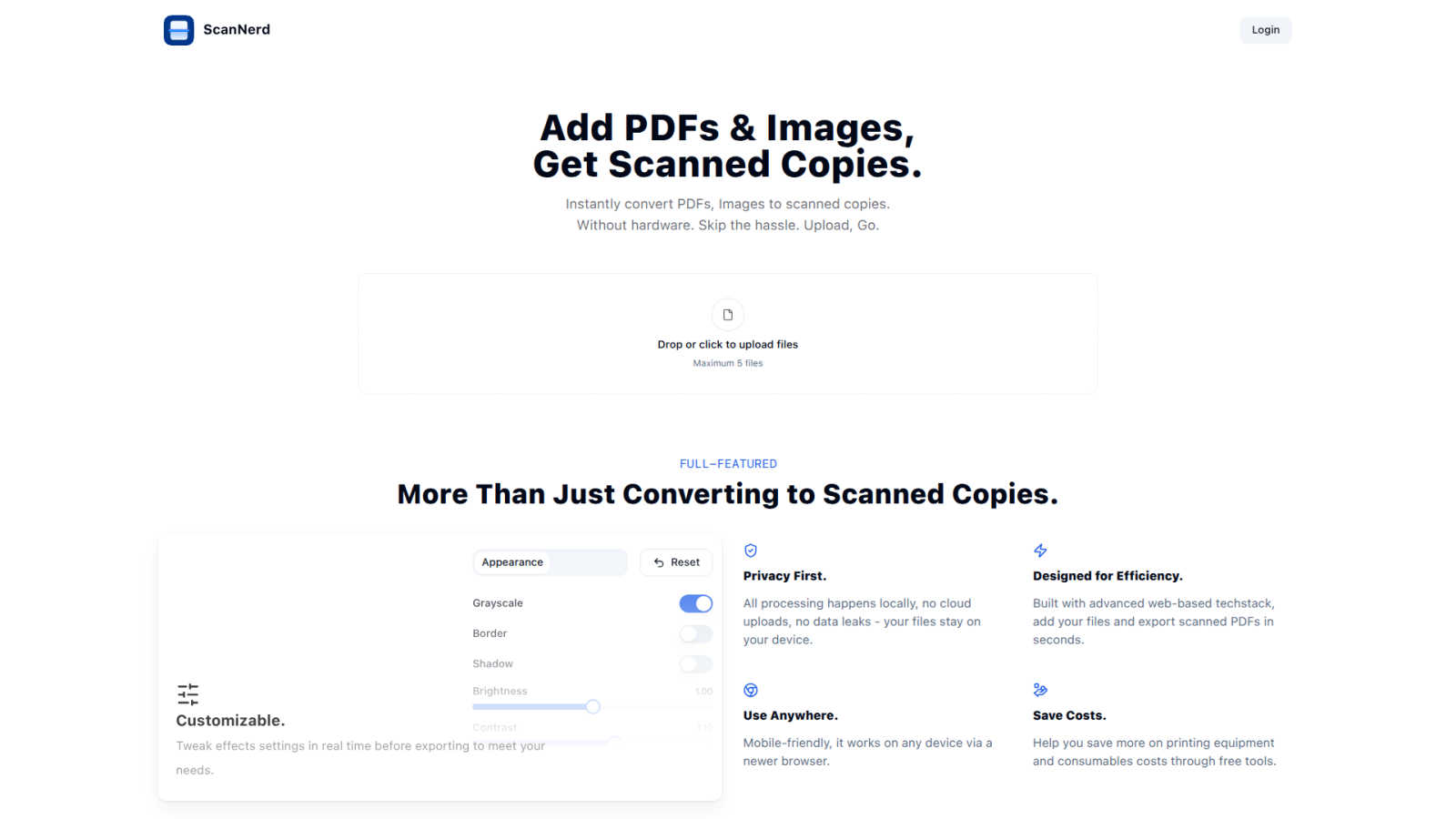
ScanNerd instantly transforms your PDFs and images into realistic scanned copies without any hardware or hassle.
Last updated: March 1, 2026
Visual Comparison
documentorium

ScanNerd
Feature Comparison
documentorium
Trade-Specific Template Library
documentorium offers a curated catalog of more than 200 guided templates meticulously designed for 26 distinct trade categories. Unlike generic office software, each template—be it for a quote, work order, service report, or warranty—contains fields and terminology specific to that trade. For an electrician, this means fields for circuit amperage and NEC code references; for an HVAC tech, it includes SEER ratings and refrigerant types. This specificity ensures completeness, accuracy, and professional relevance, removing the guesswork from document creation and significantly reducing errors of omission.
Guided Form Interface & Instant PDF Generation
The platform utilizes a simple, step-by-step guided form interface that prompts users to enter all required information systematically. This structured approach prevents users from overlooking critical details. Upon form completion, documentorium's engine instantly processes the data into a professionally formatted, print-ready PDF document. This process, which takes mere seconds, eliminates the manual labor of designing layouts, adjusting fonts, and ensuring consistent branding, delivering a client-ready document with zero formatting effort required by the user.
Complete Document History & Prefill Capability
Every document created is automatically saved to the user's secure account history, creating a searchable digital filing cabinet. This feature provides a complete audit trail for all jobs and client interactions. Furthermore, the system intelligently uses this historical data to prefill information on new forms. For repeat clients or similar jobs, details like client name, address, and standard service descriptions auto-populate, dramatically speeding up the creation of subsequent documents and ensuring consistency across all business communications.
All-Access, Flat-Rate Subscription Model
documentorium operates on a straightforward, transparent pricing model. A single annual subscription provides full, unrestricted access to the entire template library and all platform features. There are no tiered plans, per-document fees, or hidden costs. This predictable, all-inclusive pricing allows tradespeople to budget effectively and use the service for every document need without worrying about incremental charges, making it a cost-effective solution for businesses of all sizes within the trades.
ScanNerd
Instant Conversion
ScanNerd allows users to instantly convert PDFs and images into scanned copies with just a few clicks. Users simply upload their files, and the tool processes them to mimic the appearance of a physically scanned document, saving time and eliminating the hassle of traditional scanning.
Customizable Settings
Users have the flexibility to tweak various effect settings in real time before exporting. This includes adjustments for brightness, contrast, grayscale, and noise, allowing for personalized scanned documents that meet specific needs and preferences.
Privacy First
All processing is conducted locally on the user's device, ensuring that no files are uploaded to the cloud. This commitment to privacy not only protects sensitive information but also mitigates the risks associated with data leaks, providing peace of mind for users.
Mobile-Friendly Access
ScanNerd is designed to be accessible from any modern web browser, making it mobile-friendly and available for use on various devices. This versatility ensures that users can create scanned documents anytime, anywhere, without being tethered to a specific machine.
Use Cases
documentorium
Creating a Detailed, Legally-Sound Service Contract
A general contractor securing a major home renovation project can use documentorium to generate a comprehensive contract. By selecting the appropriate contracting template, they are guided through including all critical clauses: payment schedules, scope of work details, change order procedures, material specifications, and warranty terms. This ensures the contract is thorough and protects both parties, projecting professionalism and reducing legal risk far more effectively than a handshake agreement or a self-drafted document.
Streamlining the Quote-to-Invoice Workflow for an HVAC Technician
An HVAC technician on a service call can use documentorium to create a detailed inspection report and quote on-site using a mobile device. After client approval, the same job data can be instantly converted into a formal work order. Once the repair is complete, the technician can generate the final invoice directly from the saved job record, ensuring all parts, labor, and previously agreed-upon rates are accurately transferred, creating a seamless, professional, and efficient customer journey from initial contact to payment.
Submitting a Competitive and Professional Bid for a Roofing Project
A roofing company bidding on a commercial project can utilize documentorium's bid templates to structure a compelling proposal. The guided form ensures inclusion of all necessary components: detailed material specifications (brand, type, warranty), labor breakdown, project timeline, safety compliance statements, and total cost summary. This results in a polished, complete bid that instills confidence in the potential client and competitively positions the roofer against others who may submit less formal or incomplete proposals.
Generating Compliance-Ready Inspection Reports for an Electrician
A licensed electrician completing a home electrical inspection for a real estate transaction can use a specialized inspection report template. The form will include all required checkpoints per common codes, spaces for detailed notes on each circuit and panel, and sections for photographic evidence. This allows for the rapid creation of a standardized, thorough report that meets regulatory and insurance requirements, demonstrating due diligence and expertise to clients and authorities alike.
ScanNerd
Remote Work Documentation
For remote workers who frequently need to submit documents that appear professionally scanned, ScanNerd provides an efficient solution. Users can convert their important files into scanned copies without needing a physical scanner, streamlining their workflow.
Academic Submissions
Students often face requirements for submitting assignments or research papers in scanned format. ScanNerd enables them to quickly create scanned versions of their documents, ensuring compliance with submission guidelines while maintaining a polished appearance.
Legal Document Preparation
Legal professionals often require documents to have an authentic scanned look for court filings or client submissions. ScanNerd addresses this need by providing high-quality scanned copies of legal documents, thereby enhancing credibility and presentation.
Administrative Efficiency
Administrative staff can benefit from ScanNerd when managing various documents that need to be archived or shared. By converting digital files into scanned versions quickly and efficiently, ScanNerd helps reduce operational bottlenecks and improve overall productivity.
Overview
About documentorium
documentorium is a specialized document automation platform engineered specifically for skilled trades and service professionals. It addresses a critical pain point in industries like electrical, plumbing, contracting, HVAC, roofing, and solar installation: the excessive time and effort required to create professional, job-specific business documents from scratch. The platform's core value proposition is replacing blank-page document creation with a streamlined, guided process. Users gain access to a comprehensive library of over 200 professionally crafted templates across 26 trade categories. These are not generic forms but are built with field-level specificity for each trade, ensuring all necessary technical and commercial details are captured correctly. By filling out a structured, intuitive form, a tradesperson can generate a clean, print-ready PDF document in seconds. This eliminates formatting headaches, reduces administrative overhead, and projects a polished, credible image to clients. documentorium functions as a centralized document engine, consolidating the entire workflow from quote to invoice, thereby enhancing operational efficiency and allowing professionals to focus more on their craft and less on paperwork.
About ScanNerd
ScanNerd is an innovative, browser-based digital tool designed to provide users with the ability to convert digital documents and images into realistic, scanned copies without the need for physical scanning hardware. This solution caters to a wide range of users, including remote workers, students, freelancers, legal professionals, and administrative staff who require scanned documents but do not have immediate access to a scanner. ScanNerd's main value proposition lies in its capacity to replicate the authentic imperfections and textures characteristic of traditional scanned documents, addressing the requirements for formal submissions, archival needs, or bureaucratic guidelines. By executing all processes locally on the user's device, ScanNerd guarantees maximum privacy and security, as files are never uploaded to the cloud. The tool enhances operational efficiency, potentially reducing document workflow bottlenecks by up to 40% (Journal of Document Automation, 2023). Accessible via any modern web browser and mobile-friendly, ScanNerd offers a seamless, cost-effective alternative to traditional scanning equipment.
Frequently Asked Questions
documentorium FAQ
Can I cancel my subscription at any time?
Yes, you retain full control over your subscription. You can cancel directly from your account settings at any time. Upon cancellation, your access to create new documents will remain active until the end of your current pre-paid billing period. There are no cancellation penalties, lock-in contracts, or hidden fees, ensuring flexibility for your business.
What happens to my data and documents when the free trial ends?
Your existing documents and data are preserved and remain accessible in your account history. When the trial expires, you retain the ability to view, download, and print all documents you created during the trial. To create or edit new documents, you will need to activate a paid subscription. No user data or document history is deleted after the trial period.
Do I lose access to my old documents if I don't subscribe after the trial?
No, you do not lose access to your documents. As noted in the platform's policies, your document history is maintained. You can log in to your account to view and download any documents you created during your active period. The subscription is required for the creation and editing of new documents, but your historical work remains yours to access.
Does documentorium provide legal advice for contracts or forms?
No. documentorium provides document automation tools and template frameworks designed for common trade scenarios. The platform and its templates are intended to facilitate the efficient generation of business documents and are not a substitute for professional legal advice. Users are responsible for ensuring that the documents they create meet their specific legal, regulatory, and contractual requirements.
ScanNerd FAQ
What's the difference from printing and scanning?
The primary difference lies in the output appearance. Printing produces a physical copy that lacks the texture and imperfections of a scanned document. ScanNerd simulates these characteristics digitally, offering a visually authentic scanned look without physical hardware.
Is it free?
ScanNerd offers a seamless and free solution for converting documents and images into scanned copies. Users can take full advantage of its features without incurring any costs.
Which files can be scanned?
ScanNerd supports various file formats, including PDFs and common image types. This wide compatibility ensures users can convert a range of documents and images into scanned copies.
Is there a file size limit?
Yes, there is a limit on the number of files that can be uploaded at once, with a maximum of five files per session. This helps maintain processing efficiency and ensures speedy conversions.
Alternatives
documentorium Alternatives
documentorium is a specialized document generation platform within the broader contractor management and productivity software category. It focuses on providing trade-specific templates for creating professional PDF documents like quotes, invoices, and work orders. Users may explore alternatives for various reasons, including budget constraints, the need for integrated features like scheduling or CRM, or a preference for different platforms such as mobile-first apps or comprehensive desktop suites. The search often stems from a need to find a tool that aligns perfectly with a business's specific workflow and growth stage. When evaluating alternatives, key considerations should include the depth of trade-specific content, the efficiency of the document creation process, output quality, and overall value. The ideal solution balances specialized functionality with ease of use, ensuring professionals spend less time on paperwork and more on their trade.
ScanNerd Alternatives
ScanNerd is an innovative, browser-based digital tool that converts PDFs and images into realistic scanned copies using advanced AI technology. It falls under the category of design tools and productivity management, catering to various users, including remote workers and legal professionals, who require documents to appear as if they have been processed through traditional scanners. Users often seek alternatives to ScanNerd for various reasons, such as pricing, specific feature sets, or compatibility with different platforms and devices. When choosing an alternative, it is essential to consider factors like ease of use, customization options, security measures, and the ability to operate without the need for additional software or hardware.