

Alternatives to RoomCreator
RoomCreator instantly transforms any photo into a stunning, professional-grade interior design using advanced AI, requiring no prior skills.
Explore 20 alternatives to RoomCreator. Compare features, pricing, and find the best fit for your needs.

JevModel
Jev turns text or JSON into Choice, Score and Noul answers with probabilities. Build decision flows and call the API.

Nijia
Native macOS disk analysis, careful cleanup, file organization, and developer-workspace storage. Includes a 7-day full-feature trial.

Orlyn
Privacy-first, cookieless web analytics that ties your traffic and marketing channels to real Stripe revenue.

Egmatic
No-code 2D game editor: visual node logic, drag-and-drop scenes, live preview. Exports to Windows, macOS, Linux, Android, iOS, Web.
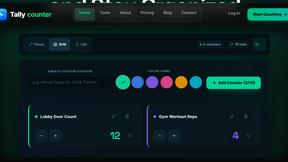
Gamespad Taster
Online tally counter for tracking attendance, workouts, inventory, visitors, sports scores, habits, and everyday counting tasks.

Gamespad Taster
Test your game controller online and check buttons, analog sticks, triggers, D-pad inputs, and controller response without installing software.


AudioVideo
Turn podcasts, narration, voice recordings, or music into visual content with AudioVideo AI.

AkraLabs
Where modern software products get discovered, launched, and distributed. Explore verified AI tools, SaaS startups, and developer software.



Labrynth AI
AI regulatory intelligence platform that turns complex requirements into cited, audit-ready outputs.



Free Gemini Omni
Create and edit cinematic AI videos from text, images, audio, and video prompts.

GPT Image 2 API
Production-ready AI image generation and editing with clear text, consistent styles, and developer-friendly APIs.



About RoomCreator Alternatives
RoomCreator is an AI-powered interior design application that falls within the category of consumer-grade home visualization software. It allows users to upload a photograph of a room and receive AI-generated redesign concepts in seconds, focusing on speed, simplicity, and accessibility for non-designers. This type of tool has become increasingly popular for homeowners and DIY enthusiasts seeking to visualize potential renovations without the need for professional skills or complex software. Users may explore alternatives to RoomCreator for several well-documented reasons in the software evaluation space. Common drivers include seeking different pricing models or subscription tiers, requiring more advanced or specialized features for complex projects, or needing compatibility with specific operating systems or professional workflows. Some users may prioritize tools with deeper integration into furniture retail ecosystems or those offering more granular control over the design process. When evaluating alternatives, key considerations should include the tool's core functionality relative to your project type, the realism and quality of its visual outputs, its ease of use, and the overall value proposition of its cost structure.
FAQs about RoomCreator Alternatives
What is RoomCreator?
RoomCreator is an AI-driven room design tool that simplifies home renovation visualization. Users can upload a single photo of a space—such as a kitchen, bedroom, living room, or exterior—and the platform generates realistic redesign concepts in approximately 10 seconds. It is designed specifically for homeowners and DIY lovers with no prior design skills, enabling quick experimentation with layouts, colors, and furnishings.
Who is RoomCreator for?
RoomCreator is ideally suited for homeowners, renters, and DIY enthusiasts who want to visualize design changes before committing to physical renovations or purchases. It is particularly useful for individuals planning quick updates, working with small spaces, or testing various aesthetic ideas like wall colors, flooring, and furniture arrangements. The tool's simplicity makes it accessible to users without any professional interior design background.
Is RoomCreator free to use?
RoomCreator operates on a freemium model, offering a free trial that allows users to experience its core functionality. This typically includes uploading a photo and generating initial AI redesigns. For continued access to advanced features, higher-resolution outputs, or unlimited projects, a paid subscription plan is generally required, as is standard with most professional-grade visualization software.
What are the main features of RoomCreator?
The platform's key features include AI-generated room designs from a single photo in 10 seconds, smart layout suggestions to improve flow, and instant visualizations for wall colors, flooring, and furniture swaps. It also offers specialized redesigns for kitchens and bedrooms, an exterior paint color visualizer, realistic 3D previews with natural lighting, and a side-by-side before-and-after comparison tool to clearly assess design changes.