
SpeedTestry
SpeedTestry provides an independent, accurate internet speed test for unbiased performance verification.
Visit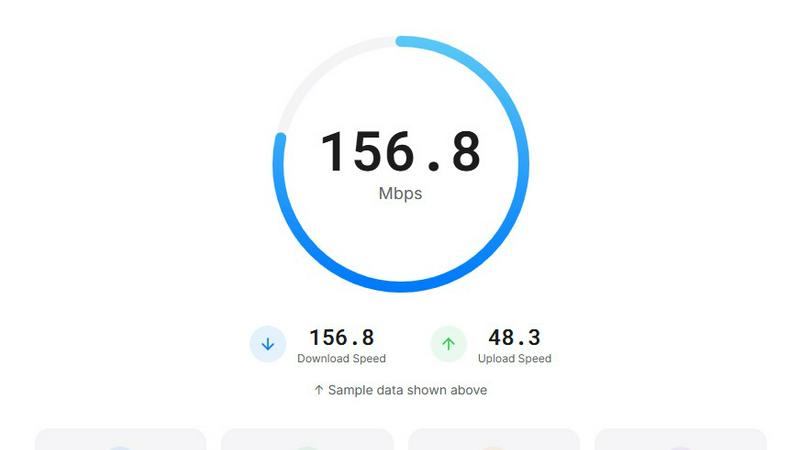
About SpeedTestry
SpeedTestry is an independent, web-based internet performance diagnostic tool designed to provide users with a fast, accurate, and unbiased assessment of their network connection. It serves as a critical resource for both everyday consumers and IT professionals seeking to validate the quality of service provided by their Internet Service Provider (ISP). The tool's core function is to measure and report on four key network performance indicators: download speed, upload speed, ping (latency), and jitter. By delivering these results in a clear, user-friendly interface within approximately 30 seconds, SpeedTestry demystifies internet performance, empowering users to make data-driven decisions. Its primary value proposition lies in its independence from ISPs, ensuring results are not influenced by provider-specific servers or optimizations, a common critique of tools like the Spectrum speed test. Furthermore, SpeedTestry prioritizes user privacy by operating on a no-logging principle, meaning personal data and test results are not stored or shared. Backed by a global server infrastructure powered by Cloudflare's edge network, it offers reliable and geographically relevant testing, making it a trustworthy alternative for anyone needing to troubleshoot connectivity issues, verify service plan adherence, or simply understand their internet's capabilities.
Features of SpeedTestry
Comprehensive Performance Metrics
SpeedTestry provides a complete picture of your internet health by measuring four essential metrics. It tests download speed (data received), crucial for streaming and browsing; upload speed (data sent), important for video calls and file sharing; ping (latency), the reaction time of your connection vital for online gaming; and jitter, the consistency of your ping which affects call and stream stability. This holistic view, as noted in network performance analyses, is necessary for accurate troubleshooting beyond just raw speed.
Independent and Unbiased Testing
Unlike ISP-provided tools that may use optimized servers, SpeedTestry operates as a completely independent third-party service. This architecture is designed to prevent the "speed test friendly" traffic shaping some ISPs employ, ensuring the results reflect your genuine internet performance as experienced by other online services. This provides a critical second opinion to verify if you are receiving the bandwidth stipulated in your service contract.
Privacy-First Data Policy
In an era of increased data sensitivity, SpeedTestry distinguishes itself with a strict privacy-first approach. The service explicitly states it does not store personal information or historical speed test data. This contrasts with some ISP tools that may log and utilize test data. Users can run tests with the assurance that their IP address, location, and performance results are not retained or shared with third parties.
Global Server Network Powered by Cloudflare
To ensure accuracy and low latency, SpeedTestry leverages a worldwide network of test servers hosted on Cloudflare's extensive edge network. This allows the tool to connect you to a geographically proximate server, reducing variables that can skew results and providing a more realistic measurement of how your connection performs with content delivery networks (CDNs) commonly used by websites and apps globally.
Use Cases of SpeedTestry
Validating ISP Service Tier Adherence
Consumers can use SpeedTestry to objectively verify that the download and upload speeds they are experiencing align with the service tier they are paying for from their ISP (e.g., Spectrum, Comcast, etc.). Running tests at different times of day provides evidence to support discussions with customer service if consistent discrepancies are found, ensuring you get the value you pay for.
Troubleshooting Network Performance Issues
When experiencing slow browsing, buffering videos, or laggy video calls, SpeedTestry serves as a first-line diagnostic tool. By checking ping and jitter alongside speed, users can determine if an issue is related to bandwidth congestion, high latency, or an unstable connection, helping to narrow down whether the problem lies with the ISP, home Wi-Fi, or a specific device.
Pre- and Post-Equipment Upgrade Evaluation
Before upgrading a router, modem, or internet plan, users can establish a performance baseline with SpeedTestry. After implementing the upgrade, running the test again provides quantifiable data on the improvement (or lack thereof), offering a clear return-on-investment assessment for hardware or service changes.
Gamers and Remote Workers Optimizing Connectivity
For online gamers, low ping and jitter are critical for competitive play. Remote workers relying on VoIP and video conferencing require stable upload speeds and low jitter. SpeedTestry allows these users to routinely check their connection's suitability for real-time applications and identify the optimal time of day for high-performance tasks or if a network adjustment is needed.
Frequently Asked Questions
How accurate is the SpeedTestry speed test?
SpeedTestry is designed for high accuracy by using adaptive algorithms and connecting to a global network of servers via Cloudflare. For the most accurate results, it is recommended to use a wired Ethernet connection, close other bandwidth-consuming applications, and run multiple tests at different times. Its independence from ISPs also contributes to an unbiased measurement compared to provider-specific tools.
Why is my speed test result slower than the speed I'm paying for?
This is common and can be due to several factors. Wi-Fi interference, outdated router/modem hardware, household bandwidth congestion from other devices, and network congestion at the ISP level during peak hours can all reduce speeds. A wired connection test helps isolate if the issue is with your Wi-Fi. Consistently low speeds via Ethernet may indicate an ISP problem.
What is a good ping speed test result?
For general browsing, a ping under 100 milliseconds (ms) is acceptable. For online gaming and real-time communication like VoIP, a ping under 20-30 ms is ideal for a responsive experience. SpeedTestry provides your ping result, and lower values always indicate a more responsive connection between your device and the server.
How often should I run a speed test?
It is useful to run a test when you first sign up for service to establish a baseline, and then periodically (e.g., monthly) or whenever you experience performance issues. Running tests at different times (peak evening hours vs. early morning) can help you understand your connection's consistency. Regular testing creates a history of evidence if you need to contact your ISP about service quality.