
SparkPix
SparkPix is a powerful online AI photo editor that transforms images through simple text commands, enhancing quality and changing styles effortlessly.
Visit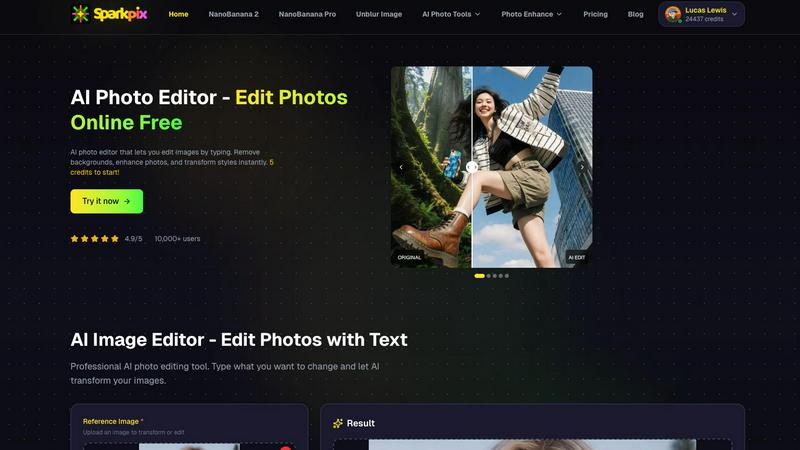
About SparkPix
SparkPix is an innovative AI-powered photo editing tool designed to simplify the editing process for users of all skill levels. Whether you are a professional photographer, a social media influencer, or just someone looking to enhance personal photos, SparkPix enables you to edit images effortlessly by simply typing instructions. The platform eliminates the need for extensive Photoshop skills, making advanced photo editing accessible to everyone. With a free-to-start model and various credit-based plans, SparkPix allows users to apply a wide range of edits in less than 30 seconds. Its intuitive interface and powerful AI capabilities make it an ideal solution for anyone looking to enhance, restore, or creatively transform their images without the steep learning curve associated with traditional editing software.
Features of SparkPix
AI Photo Editor
With SparkPix's AI Photo Editor, you can quickly apply edits by typing commands such as "remove background" or "enhance colors." The AI processes these instructions and delivers results in under 30 seconds, allowing for rapid and effective editing.
Background Remover
The one-click background removal feature is a standout capability of SparkPix. It allows users to easily isolate subjects in portraits, product photos, or complex scenes, creating clean and professional-looking images without any hassle.
Unblur Image
SparkPix's Unblur Image feature leverages advanced AI algorithms to fix issues related to motion blur, out-of-focus shots, and compression artifacts. This tool ensures that your images maintain clarity and sharpness, improving overall quality.
Photo Restoration
Ideal for preserving family memories, SparkPix offers a photo restoration feature that can repair old, faded, scratched, or damaged photos. This functionality is perfect for users looking to revive cherished images from the past.
Use Cases of SparkPix
Social Media Content Creation
Content creators can leverage SparkPix to enhance their photographs before posting on social media. By using features like background removal and style transfer, users can create visually striking posts that attract more engagement.
E-commerce Product Photography
Online sellers can utilize SparkPix to create professional product images that stand out in a crowded marketplace. The AI background remover and photo enhancer tools ensure that product photos are eye-catching and high-quality.
Personal Photo Restoration
Individuals looking to restore old family photos can benefit from SparkPix's photo restoration capabilities. This use case is especially valuable for those wanting to preserve family history and memories for future generations.
Artistic Transformation
Photographers and artists can experiment with SparkPix's style transfer feature to transform their images into various art forms, including anime, watercolor, and oil painting styles. This opens up new creative avenues for artistic expression.
Frequently Asked Questions
How does SparkPix work?
SparkPix uses advanced AI algorithms to interpret text commands entered by the user. Once a command is given, the AI processes the image and applies the specified edits, delivering results in a matter of seconds.
Is SparkPix free to use?
Yes, SparkPix offers a free tier that provides users with 5 credits to start editing. No credit card is required, making it easy for new users to try the service without financial commitment.
Can I use SparkPix on mobile devices?
Absolutely. SparkPix is web-based and is compatible with desktop, iPhone, and Android devices. This means you can edit your photos anytime and anywhere without needing to download software.
What types of edits can I perform with SparkPix?
SparkPix allows users to perform a range of edits, including background removal, image unblurring, photo restoration, style transfers, and object removal, among others. This versatility caters to various editing needs.
Similar to SparkPix

Turn a written shot into a film-grade AI still: cinematographer lighting, a consistent cast across frames, locked looks, 8K exports, no watermark.

Create and edit AI images online with multiple models, text-to-image, image-to-image, background removal, and upscaling.

AI pet photo to pictures and short animations

AI-powered image text editor to edit, replace, fix, or translate text in images while preserving the original font, color, size, and style.


AI image generation and editing with sharp typography, native 2K output, and localized edits that preserve the rest of your image.

Remove unwanted objects, people, text and watermarks from photos with AI

Qwen Image Edit Online for prompt-based image editing, generation, and creative production.