
Sketch To
Sketch To instantly transforms images into stunning artistic sketches, perfect for creators of all levels.
Visit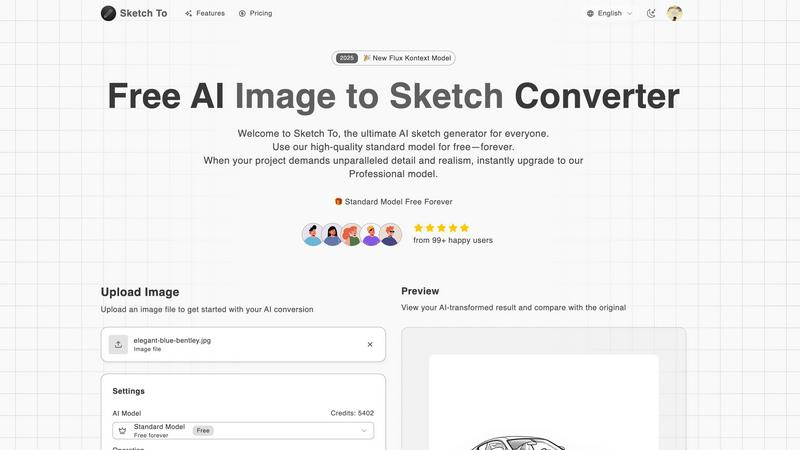
About Sketch To
Sketch To is a state-of-the-art, cloud-based AI platform that seamlessly integrates the realms of digital photography and traditional sketching. Its primary function is to serve as a versatile AI generator, allowing users to transform photographs into a variety of artistic sketch styles or convert hand-drawn sketches into highly detailed, photorealistic images. This platform caters to a diverse audience, ranging from hobbyists and students to seasoned artists, designers, and commercial creators. The main value proposition of Sketch To lies in its tiered model system, which provides users with a perpetually free Standard Model for everyday creative projects. For those requiring exceptional detail and realism, the option to upgrade to a Professional Model is readily available. This flexible approach eliminates the need for software installation and mandatory subscriptions, democratizing advanced AI image processing. As a result, over 500,000 creators globally have access to professional-grade artistic conversion tools, empowering them to unleash their creativity without limitations.
Features of Sketch To
Image to Sketch Conversion
Sketch To enables users to convert digital photographs into various artistic sketch styles effortlessly. This feature utilizes advanced AI technology to create high-quality pencil sketches, charcoal drawings, and more, catering to artists and designers looking to explore new creative avenues.
Sketch to Image AI
With the powerful Sketch to Image feature, users can transform their hand-drawn sketches into realistic images. This function applies intricate details and textures, elevating the quality of artwork to professional standards, ideal for commercial use and professional projects.
Trial Credits Model
New users are welcomed with trial credits that allow them to explore the capabilities of the Standard Model without financial commitment. This feature is perfect for hobbyists and students who wish to experiment with AI-driven art conversion before opting for a paid plan.
Instant Processing
Sketch To boasts an instant processing feature that ensures users receive their transformed images in mere seconds. This efficiency is facilitated by a robust cloud-based AI processing engine, making it a go-to tool for those who need quick turnaround times for their creative projects.
Use Cases of Sketch To
Social Media Content Creation
Creators can utilize Sketch To to generate eye-catching, artistic content for social media platforms. By converting photos into unique sketches, they can enhance their online presence and engage their audience with visually appealing posts.
Educational Projects
Students and educators can take advantage of the platform for various educational projects, transforming photographs into sketches for presentation materials or art assignments. This feature fosters creativity and provides a unique approach to learning visual arts.
Professional Art and Design
Professional artists and graphic designers can leverage the Sketch to Image AI to create detailed, realistic representations of their sketches. This capability allows them to produce high-quality artwork suitable for commercial use, opening new avenues for their creative expression.
Personalized Gifts and Merchandise
Individuals can use Sketch To to create personalized gifts by transforming cherished photographs into custom sketches. These unique creations can be printed on various merchandise items, making thoughtful gifts for friends and family.
Frequently Asked Questions
How does Sketch To work?
Sketch To utilizes advanced artificial intelligence algorithms to analyze images and sketches, applying artistic styles to convert them seamlessly. Users simply upload their files, select a style, and the AI processes the transformation instantly.
What types of artistic styles are available?
The platform offers a wide range of artistic styles, including pencil sketches, charcoal sketches, ink sketches, comic sketches, and watercolor effects. Users can choose the style that best fits their creative vision.
Is there a limit on file size for uploads?
Yes, the maximum file size for uploads is 5MB. Users should ensure their images or sketches adhere to this limit to successfully utilize the AI conversion features.
Can I upgrade from the Standard Model to the Professional Model later?
Absolutely! Users can start with the free Standard Model and later upgrade to the Professional Model as needed. This flexibility allows for scalability depending on the project's requirements.
Similar to Sketch To

Qwen Image Edit Online for prompt-based image editing, generation, and creative production.

Turn any image into editable layers with AI.

Production-ready AI image generation and editing with Seedream 5.0 Pro and Lite for ecommerce, marketing, social media, and branded content.

NanoEditor is an AI-powered D&D portrait generator that turns character details like ancestry, class and gear into focused fantasy RPG art.

Free browser-based image tools — convert, compress, resize, crop and watermark. Nothing is uploaded.

AI photo editor for removing objects and backgrounds, enhancing images, and creating visuals across web and mobile.

Production-ready AI image generation and editing with clear text, consistent styles, and developer-friendly APIs.

Turn table photos and screenshots into editable Excel files with Photo to Excel. Merge images, remove duplicates, preview, download free.