SVG to 3D vs VideoAny
Side-by-side comparison to help you choose the right product.

SVG to 3D
Effortlessly transform your SVG designs into high-quality 3D models with advanced controls and fast processing.
Last updated: February 27, 2026

VideoAny is a comprehensive AI studio that consolidates video, image, and audio generation into one powerful, video-first platform for creators.
Last updated: April 13, 2026
Visual Comparison
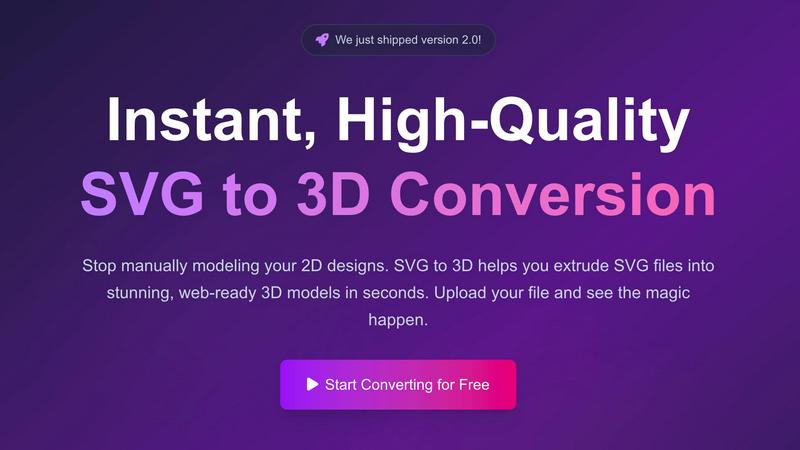
SVG to 3D
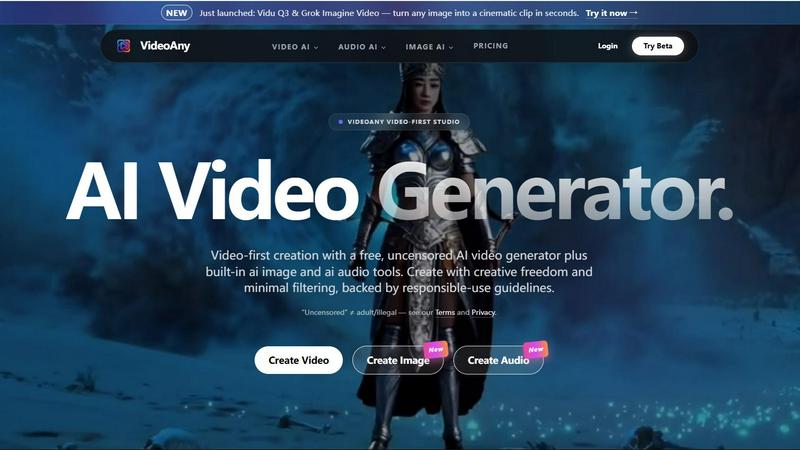
VideoAny
Feature Comparison
SVG to 3D
One-Click to GLB for the Web
This feature allows users to export 3D models as GLB files with just a single click, making it incredibly efficient for web developers. The GLB format is optimized for integration into web projects, allowing for seamless incorporation into platforms like Three.js and React Three Fiber, thus enriching websites with interactive 3D elements.
3D-Print Ready
SVG to 3D supports clean STL exports, making it an excellent choice for 3D printing applications. Users can directly use the exported STL files with slicer software, ensuring that their designs are ready for fabrication. This feature simplifies the workflow for creators looking to turn digital designs into physical objects.
Advanced Material System
Users can apply realistic Physically Based Rendering (PBR) materials and custom textures to their models. This feature enhances the visual quality of the 3D creations, allowing for professional lighting effects that make models truly stand out. With PBR materials, the 3D output appears more lifelike and polished.
Lightning-Fast Processing
The optimized algorithms of SVG to 3D enable rapid conversion of SVG files into 3D models, often in just a few seconds. This speed is crucial for professionals who require quick turnaround times without sacrificing quality, making it one of the fastest online SVG to 3D conversion tools available.
VideoAny
Unified AI Video, Image, and Audio Studio
VideoAny consolidates three critical creative modalities into one seamless interface. Users can generate AI videos from text prompts or existing images, create high-fidelity AI images with upscaling and style control, and produce custom audio tracks including text-to-music and sound effects. This integrated approach, as highlighted on the platform, is designed to "replace your entire creative stack," significantly reducing the need to switch between multiple specialized applications and streamlining the content production pipeline from conception to final asset.
Access to Cutting-Edge AI Models
The platform provides direct access to a curated selection of top-tier generative AI models, acting as a centralized hub. This includes newly launched models like Kling 3 for bringing images to life with motion, Vidu Q3 and Grok Imagine Video for cinematic clip generation, and Seedance 2.0. By aggregating these models, VideoAny ensures creators can leverage the latest technological advancements and choose the best tool for their specific creative vision without managing separate subscriptions or interfaces for each model.
Extensive Library of AI Video Effects
VideoAny offers a suite of over 60 one-click AI video effects designed to add dynamic motion and engagement to static content. These pre-built effects allow users to easily make subjects in photos dance, hug, kiss, or perform other actions, enabling rapid creation of engaging, shareable content without requiring advanced technical skills in animation or video editing. This feature lowers the barrier to creating professional-looking, animated social media content.
Uncensored Creation Mode with Guidelines
A defining feature of VideoAny is its support for an "uncensored" mode, which applies minimal content filtering to maximize creative freedom. The platform explicitly clarifies that this does not equate to permission for adult or illegal content, operating instead within a framework of responsible-use guidelines. This mode is specifically supported by the native VideoAny model, offering creators an alternative to platforms with stricter, more restrictive content policies, while third-party integrated models follow their own respective safety standards.
Use Cases
SVG to 3D
Create Interactive 3D Logos and Icons for Web
Web developers can easily convert SVG icons into 3D models, ready for use in interactive web applications. This use case enhances user engagement and provides a modern aesthetic to websites, allowing businesses to stand out in their digital presence.
From Digital Design to Physical Object: SVG to STL for 3D Printing
Artists and engineers can take advantage of the SVG to STL export feature for creating tangible products. This use case is particularly beneficial for prototyping and custom part fabrication, allowing users to bring their designs to life without the need for complicated CAD software.
Add Depth to Your UI/UX Designs
Designers can leverage the tool to create 3D elements for user interfaces, enhancing the overall user experience. By incorporating depth and realistic lighting, designers can impress clients and stakeholders, making presentations more captivating and effective.
Rapid Prototyping for Product Development
Product designers can utilize SVG to 3D for quick prototyping, enabling them to visualize and iterate on concepts swiftly. The ability to export models in various formats facilitates collaboration with developers and manufacturers, streamlining the product development process.
VideoAny
Social Media Content and Viral Marketing
Creators and marketing teams can use VideoAny to rapidly produce a high volume of engaging, platform-optimized video clips, images, and audio for campaigns. The ability to quickly turn text ideas or product images into professional videos with effects makes it ideal for creating trending TikTok/Reels content, promotional ads, and brand storytelling designed to capture attention and drive shares in fast-paced social media environments.
Prototyping and Storyboarding for Film & Media
Filmmakers, animators, and game developers can utilize VideoAny's text-to-video and image-to-video capabilities to visualize concepts, create dynamic storyboards, and prototype scenes. Generating quick cinematic clips from script excerpts or concept art allows for efficient pre-visualization, client presentations, and creative iteration before committing to expensive production shoots or complex 3D animation.
Personalized Audio-Visual Content Creation
Podcasters, educators, and influencers can leverage the integrated audio and video tools to create cohesive multimedia content. This includes generating custom background music or sound effects for videos, cloning voices for narration, and transforming blog posts or scripts into narrated video summaries with accompanying visuals, all within a single workflow to enhance production value and audience engagement.
E-commerce and Product Visualization
Online retailers and brands can employ VideoAny to create compelling product showcases. By uploading product images, they can generate videos that show items in use, apply engaging AI effects to highlight features, and create consistent branded imagery and audio for advertising. This transforms static catalog photos into dynamic, conversion-optimized content for websites, marketplaces, and social media ads.
Overview
About SVG to 3D
SVG to 3D is an innovative online tool designed to revolutionize how designers and developers convert 2D SVG vector graphics into compelling 3D models. This tool addresses a common pain point in the creative industry: the lengthy and complex process of using heavyweight software such as Blender or Cinema 4D for simple tasks like extruding logos or icons. With SVG to 3D, users can quickly upload their SVG files and transform them into high-quality 3D models in mere seconds, significantly enhancing productivity. Ideal for web developers, graphic designers, and 3D printing enthusiasts, this tool not only streamlines the conversion process but also offers advanced features for fine-tuning model details. The primary value proposition lies in its ability to provide a fast, user-friendly interface that delivers professional-grade results without the need for extensive software knowledge.
About VideoAny
VideoAny is a comprehensive, video-first AI creative studio designed to consolidate the entire content creation workflow into a single, powerful platform. It integrates state-of-the-art AI video, image, and audio generation tools, offering creators a unified environment to produce high-quality, viral-ready content. The platform distinguishes itself by emphasizing creative freedom with "minimal filtering," operating under a framework of responsible-use guidelines that prohibit illegal content while allowing for a broader range of creative expression compared to heavily censored alternatives. VideoAny aggregates access to leading AI models like Kling 3.0, Vidu Q3, Grok Imagine, and Seedance 2.0, enabling users to generate fluid, high-definition videos from text or images, create detailed AI images, and produce custom audio including music and sound effects. It is built for a wide range of users, from social media creators and digital marketers to storytellers and advertisers, who seek an efficient, all-in-one solution to replace fragmented creative software stacks. According to its official documentation, the platform's core value proposition is providing "everything you need to go viral" by streamlining production and leveraging the latest advancements in generative AI technology.
Frequently Asked Questions
SVG to 3D FAQ
What file formats can I export my 3D models in?
SVG to 3D allows users to export their 3D models in multiple formats, including GLB, GLTF, OBJ, and STL. This versatility ensures compatibility with a wide range of applications and 3D frameworks.
Is my data secure when using SVG to 3D?
Yes, SVG to 3D prioritizes user privacy and security. Files are processed locally in your browser whenever possible, meaning that your designs are not uploaded to external servers, keeping your data secure.
Do I need to install any software to use SVG to 3D?
No, SVG to 3D is a browser-based tool, which means there is no software installation required. Users can access the tool directly through their web browser, making it convenient and easy to use.
How long does it take to convert an SVG file to a 3D model?
The conversion process is lightning-fast, typically taking only a few seconds to transform your SVG file into a high-quality 3D model. This efficiency allows users to focus on their creative process without unnecessary delays.
VideoAny FAQ
What is VideoAny's "uncensored" mode?
VideoAny's "uncensored" mode refers to its native AI model operating with minimal content filtering to provide greater creative freedom, as defined in its responsible-use guidelines. It is crucial to note the platform explicitly states this "does not equal adult/illegal" content, which remains prohibited. Importantly, third-party models integrated into VideoAny, such as Kling or Vidu, follow their own platform policies and may apply additional safety filters or refuse certain prompts, independent of VideoAny's settings.
Is there a free version of VideoAny?
Yes, VideoAny offers a free tier that provides access to core features, allowing users to generate content with certain limitations. This enables experimentation and basic creation without financial commitment. For enhanced capabilities like higher resolution outputs, batch processing, and priority access to generation queues, users must subscribe to one of VideoAny's paid plans.
Can I use content generated on VideoAny for commercial purposes?
Commercial usage rights depend on the user's subscription plan. According to the platform's FAQ, paid subscribers typically receive broader licenses for commercial use of generated content. Users on the free tier are generally limited to personal and non-commercial projects. It is essential to review the specific Terms of Service associated with your active plan to understand the exact scope of permitted use.
How does VideoAny handle data privacy and security?
VideoAny states that user uploads are encrypted during transit to protect data. The platform's data handling practices are governed by its published Privacy Policy. Users retain control over their content, deciding what to publish or share. For specific details on data storage, processing, and retention, creators are directed to consult the official Privacy and Terms documents provided by VideoAny.
Alternatives
SVG to 3D Alternatives
SVG to 3D is a specialized tool designed to transform 2D SVG vector graphics into high-quality 3D models, belonging to the category of AI Assistants. Users often seek alternatives to this tool due to various factors such as pricing, specific feature sets, or compatibility with different platforms. For example, some may desire additional functionalities that cater to niche requirements, while others may prefer software that integrates seamlessly with their existing workflows. When choosing an alternative, it is essential to consider the usability of the interface, the range of features offered, and the compatibility with various file formats. Additionally, performance factors such as export quality and speed can significantly influence the decision-making process, ensuring that users find a solution that meets their design and production needs efficiently.
VideoAny Alternatives
VideoAny is a comprehensive AI video and image generation platform, categorized as an AI-powered creative studio. It integrates video, image, and audio synthesis tools, emphasizing creative freedom with minimal content filtering to support a wide range of creator visions. Users may seek alternatives for various reasons, including budget constraints, specific feature requirements like advanced editing controls or different AI model access, or a need for platforms with more robust moderation for brand-safe content. The search often stems from a mismatch between a tool's capabilities and a project's unique demands. When evaluating alternatives, key considerations include the quality and realism of AI-generated outputs, the range of supported media types (video, image, audio), pricing transparency and scalability, the specific AI models available, and the platform's content policies to ensure alignment with your intended use case and audience.