RocketShare vs SupaSidebar
Side-by-side comparison to help you choose the right product.

RocketShare
RocketShare enables secure file sharing with zero-knowledge encryption, ensuring your data remains private and.
Last updated: March 4, 2026

SupaSidebar
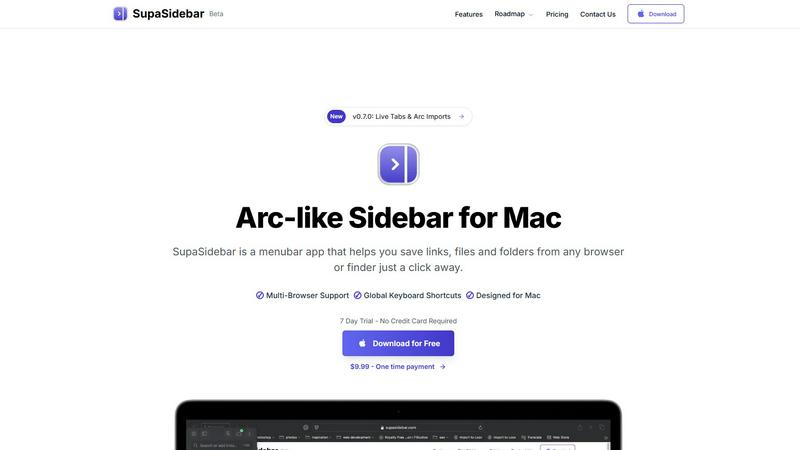
SupaSidebar boosts Mac productivity by providing instant access to files, links, and folders from any app with ease.
Last updated: February 28, 2026
Visual Comparison
RocketShare

SupaSidebar
Feature Comparison
RocketShare
Zero-Knowledge Encryption
RocketShare employs a zero-knowledge encryption model, ensuring that files are encrypted before they leave your device. This means that not even RocketShare can access your data, providing maximum security and privacy for every file shared.
Peer-to-Peer Sharing
The platform offers local peer-to-peer sharing options, allowing users to send files directly to each other without relying on cloud storage. This feature enhances speed and security, as files do not traverse the internet, reducing exposure to potential threats.
EU-Based Data Storage
With all data stored securely in the EU, RocketShare complies with stringent data protection regulations. This commitment to legal compliance ensures that your files are handled according to the highest standards of data security.
User-Friendly Interface
RocketShare boasts an intuitive interface that simplifies the file-sharing process. Users can easily upload and share files with just a few clicks, making it accessible for individuals of all technical backgrounds while maintaining robust security measures.
SupaSidebar
Natural Swipe & Show on Finder
This feature allows users to quickly access their saved links, files, and folders with a simple swipe gesture. The integration with Finder enhances usability, making it easy to manage all digital assets in one place without leaving the current workspace.
Global Keyboard Shortcuts
SupaSidebar empowers users with global keyboard shortcuts enabling them to save URLs and files instantly. For instance, pressing CMD CTRL S saves a URL, while CMD CTRL C copies the current website link to the sidebar, significantly speeding up the workflow.
Recents Tracking
The Recents feature tracks every website used in the past 48 hours, providing a quick way to revisit recent work. This helps users avoid the hassle of searching through numerous tabs, ensuring that they can find their work instantly when needed.
Unlimited Spaces
With the Pro version of SupaSidebar, users can create unlimited spaces, allowing them to organize links and files according to their specific needs. This flexibility is perfect for users who require customized setups for different projects or areas of focus.
Use Cases
RocketShare
Legal Document Sharing
Law firms can utilize RocketShare to send sensitive legal documents and case files to clients or colleagues securely. The zero-knowledge encryption ensures that client confidentiality is maintained throughout the sharing process.
Creative Portfolio Delivery
Photographers and videographers can leverage RocketShare to deliver large galleries and video files to clients without compromising quality or security. The platform's ease of use and robust encryption make it an ideal choice for creative professionals.
Confidential Team Collaboration
Marketing agencies and remote teams can use RocketShare to collaborate on confidential projects, exchanging important files securely. The ability to share large files without worrying about data breaches fosters a more productive work environment.
Secure Health Information Exchange
Healthcare professionals can share patient data and medical records securely using RocketShare. The compliance with EU data protection regulations ensures that sensitive health information is handled appropriately and safely.
SupaSidebar
Research Projects
For students and researchers, SupaSidebar simplifies the process of collecting and organizing online resources. Users can save relevant links and files in dedicated spaces, making it easier to compile information for reports or presentations.
Creative Workflows
Graphic designers, writers, and other creatives can leverage SupaSidebar to manage their assets efficiently. By pinning frequently used resources and files, they can minimize distractions and streamline their creative processes, enhancing productivity.
Multitasking Professionals
Professionals who juggle multiple tasks can benefit from SupaSidebar’s ability to keep essential files and links at their fingertips. The fast search functionality ensures that they can switch between projects without losing their focus or wasting time.
Educational Use
Teachers and students alike can utilize SupaSidebar for lesson planning and study resources. By organizing links to educational materials and tools, users create an efficient and accessible repository for learning and teaching.
Overview
About RocketShare
RocketShare is a cutting-edge file-sharing platform that prioritizes user privacy and security at its core. Designed for individuals and businesses alike, it facilitates the transfer of files of any size with an assurance that your data remains private and inaccessible to unauthorized parties, including RocketShare itself. The platform employs a zero-knowledge encryption model, meaning that files are encrypted on the user's device before being transmitted over the internet. This robust encryption ensures that even the servers handling the data can only interact with encrypted information. Ideal for a variety of professionals—from lawyers sharing sensitive legal documents to photographers delivering client portfolios—RocketShare emphasizes simplicity and security. With options for both cloud-based and local peer-to-peer sharing, and data stored securely within the EU, RocketShare is the perfect tool for those who demand top-tier security without the complexity often associated with enterprise-level solutions.
About SupaSidebar
SupaSidebar is a cutting-edge sidebar application designed exclusively for macOS users, inspired by the Arc browser's interface. This innovative tool is crafted to enhance productivity by offering a unified platform for managing links, files, and folders from various browsers such as Safari, Chrome, Firefox, Brave, and Arc. Ideal for researchers, creatives, and multitaskers, SupaSidebar allows users to effortlessly save, access, and organize their digital assets using intuitive keyboard shortcuts. The application is built to help users maintain focus and improve organization, ensuring that crucial resources are always just a click away. With its lightweight, native design, SupaSidebar integrates seamlessly into the macOS environment, transforming the way users manage their online resources and workflows. Whether you are navigating the web for research or juggling multiple projects, SupaSidebar serves as an indispensable tool to streamline your digital management tasks.
Frequently Asked Questions
RocketShare FAQ
What is zero-knowledge encryption?
Zero-knowledge encryption is a security model where only the user has access to the encryption key. In the case of RocketShare, files are encrypted on your device, ensuring that no one, not even RocketShare, can access the content of your files.
Is my data stored securely?
Yes, RocketShare stores all data securely in the EU, adhering to stringent data protection laws. This ensures that your files are handled with the utmost care and comply with the highest security standards.
Can I share large files using RocketShare?
Absolutely! RocketShare allows users to send files of any size, making it suitable for a variety of professional needs, from sending large video files to comprehensive legal documents.
Do I need a credit card to use RocketShare?
No, RocketShare offers a straightforward sign-up process that does not require a credit card. You can start using the platform and enjoy its features without any upfront payment.
SupaSidebar FAQ
Is SupaSidebar a browser extension?
No, SupaSidebar is a standalone menubar application designed exclusively for macOS. It integrates with multiple browsers but operates independently, ensuring user data remains private and secure.
Which browsers does SupaSidebar work with?
SupaSidebar supports all major browsers, including Safari, Chrome, Firefox, Brave, and Arc. This versatility allows users to manage their links and files seamlessly across different platforms.
What macOS version do I need?
To use SupaSidebar, you need macOS 13 or later. The application is optimized for the latest macOS features, providing a smooth user experience.
Where is my data stored?
All data is stored locally on your Mac, ensuring privacy and security. SupaSidebar does not collect or store user data online, giving users peace of mind while managing their digital assets.
Alternatives
RocketShare Alternatives
RocketShare is a secure file-sharing platform that prioritizes user privacy through its innovative zero-knowledge encryption model. It is designed for individuals and businesses to share files of any size while ensuring that no unauthorized access occurs, not even from RocketShare itself. As users increasingly recognize the importance of data security, many seek alternatives that may better fit their specific needs, whether it be pricing, features, or compatibility with existing platforms. When searching for alternatives to RocketShare, it is essential to consider factors such as the level of encryption offered, ease of use, customer support, and compliance with data protection regulations. Users should also assess whether the alternative provides flexibility in file-sharing options, such as cloud-based versus peer-to-peer sharing, and whether it meets their specific security requirements while remaining user-friendly.
SupaSidebar Alternatives
SupaSidebar is a cutting-edge sidebar application designed to enhance productivity for macOS users. It falls under the productivity and management category, offering a streamlined interface that allows users to access links, files, and folders from various web browsers simultaneously. This innovative tool is particularly beneficial for individuals who frequently conduct research or work on creative projects, as it helps keep essential resources organized and readily available. Users often seek alternatives to SupaSidebar for various reasons, including pricing, feature sets, and specific platform requirements. When choosing an alternative, it is crucial to consider factors such as ease of integration with existing workflows, the ability to customize features according to personal needs, and the overall user experience. Evaluating these aspects can help users find a solution that aligns with their productivity goals.