
SupaSidebar
SupaSidebar boosts Mac productivity by providing instant access to files, links, and folders from any app with ease.
Visit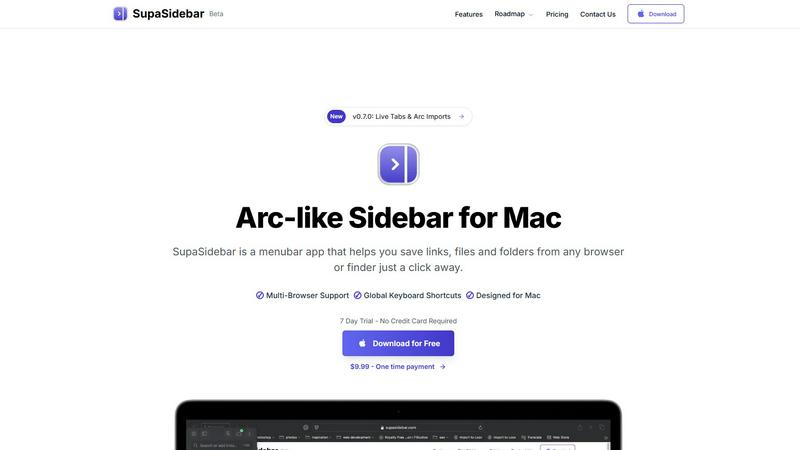
About SupaSidebar
SupaSidebar is a cutting-edge sidebar application designed exclusively for macOS users, inspired by the Arc browser's interface. This innovative tool is crafted to enhance productivity by offering a unified platform for managing links, files, and folders from various browsers such as Safari, Chrome, Firefox, Brave, and Arc. Ideal for researchers, creatives, and multitaskers, SupaSidebar allows users to effortlessly save, access, and organize their digital assets using intuitive keyboard shortcuts. The application is built to help users maintain focus and improve organization, ensuring that crucial resources are always just a click away. With its lightweight, native design, SupaSidebar integrates seamlessly into the macOS environment, transforming the way users manage their online resources and workflows. Whether you are navigating the web for research or juggling multiple projects, SupaSidebar serves as an indispensable tool to streamline your digital management tasks.
Features of SupaSidebar
Natural Swipe & Show on Finder
This feature allows users to quickly access their saved links, files, and folders with a simple swipe gesture. The integration with Finder enhances usability, making it easy to manage all digital assets in one place without leaving the current workspace.
Global Keyboard Shortcuts
SupaSidebar empowers users with global keyboard shortcuts enabling them to save URLs and files instantly. For instance, pressing CMD CTRL S saves a URL, while CMD CTRL C copies the current website link to the sidebar, significantly speeding up the workflow.
Recents Tracking
The Recents feature tracks every website used in the past 48 hours, providing a quick way to revisit recent work. This helps users avoid the hassle of searching through numerous tabs, ensuring that they can find their work instantly when needed.
Unlimited Spaces
With the Pro version of SupaSidebar, users can create unlimited spaces, allowing them to organize links and files according to their specific needs. This flexibility is perfect for users who require customized setups for different projects or areas of focus.
Use Cases of SupaSidebar
Research Projects
For students and researchers, SupaSidebar simplifies the process of collecting and organizing online resources. Users can save relevant links and files in dedicated spaces, making it easier to compile information for reports or presentations.
Creative Workflows
Graphic designers, writers, and other creatives can leverage SupaSidebar to manage their assets efficiently. By pinning frequently used resources and files, they can minimize distractions and streamline their creative processes, enhancing productivity.
Multitasking Professionals
Professionals who juggle multiple tasks can benefit from SupaSidebar’s ability to keep essential files and links at their fingertips. The fast search functionality ensures that they can switch between projects without losing their focus or wasting time.
Educational Use
Teachers and students alike can utilize SupaSidebar for lesson planning and study resources. By organizing links to educational materials and tools, users create an efficient and accessible repository for learning and teaching.
Frequently Asked Questions
Is SupaSidebar a browser extension?
No, SupaSidebar is a standalone menubar application designed exclusively for macOS. It integrates with multiple browsers but operates independently, ensuring user data remains private and secure.
Which browsers does SupaSidebar work with?
SupaSidebar supports all major browsers, including Safari, Chrome, Firefox, Brave, and Arc. This versatility allows users to manage their links and files seamlessly across different platforms.
What macOS version do I need?
To use SupaSidebar, you need macOS 13 or later. The application is optimized for the latest macOS features, providing a smooth user experience.
Where is my data stored?
All data is stored locally on your Mac, ensuring privacy and security. SupaSidebar does not collect or store user data online, giving users peace of mind while managing their digital assets.
Pricing of SupaSidebar
SupaSidebar offers a range of pricing options to suit different user needs. The free version provides access to essential features, while the Pro version, priced at $19.99 monthly or $13.99 annually, offers unlimited spaces and early access to new features. Users can also opt for a lifetime license for $49.99, ensuring they own the software forever. For a limited time, a beta discount of 30% is available by using the code BETA30. Additionally, a 14-day money-back guarantee allows users to try the product risk-free.
Explore more in this category:
Similar to SupaSidebar

Free collection of online developer utilities, code formatters, and digital converters designed to streamline your daily workflow.

Online tally counter for tracking attendance, workouts, inventory, visitors, sports scores, habits, and everyday counting tasks.

The #1 Native Form Builder Plugin for Framer - No Code, No Embeds, No External Platforms.


PerPageFax lets you send a fax online from any browser for a flat $0.50 per page — no account, no subscription, no fax machine.

Track staff & time. Free trial. Cloud/on-prem.