AssiPilot vs Sketch To
Side-by-side comparison to help you choose the right product.

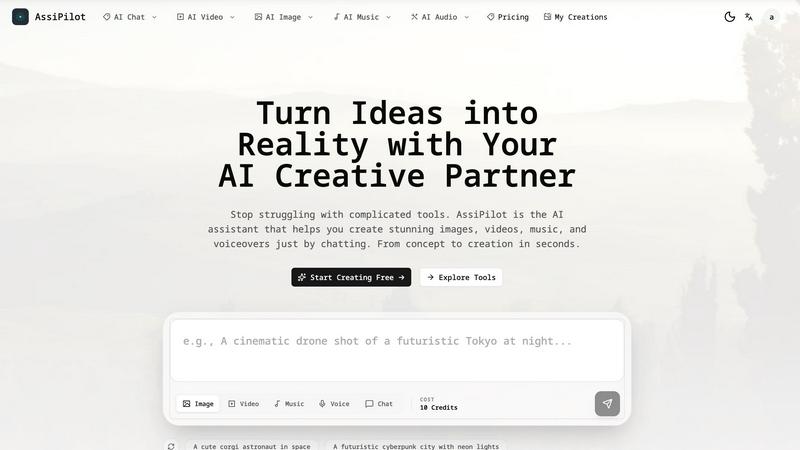
AssiPilot is an all-in-one AI platform that transforms your ideas into images, videos, music, and voiceovers through simple conversation.
Last updated: March 11, 2026
Sketch To
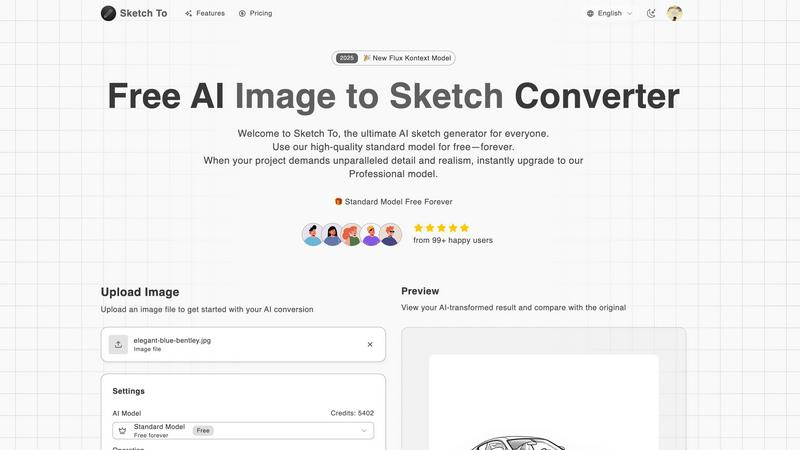
Sketch To instantly transforms images into stunning artistic sketches, perfect for creators of all levels.
Last updated: March 2, 2026
Visual Comparison
AssiPilot
Sketch To
Feature Comparison
AssiPilot
Unified Multi-Modal AI Studio
AssiPilot integrates over 50 state-of-the-art AI models into one browser-based interface, eliminating the need for multiple subscriptions. The platform intelligently routes user requests to specialized engines like Flux for images, Kling for video, and ElevenLabs for voice, ensuring users always have access to the best-in-class technology for each creative modality without needing to manage separate accounts or workflows.
Conversational Prompt Interface
The platform features a built-in AI chat assistant that guides the creative process. Users can describe their vision in simple, conversational language (e.g., "I need a video for my travel vlog"), and AssiPilot helps refine the idea and translate it into detailed, effective prompts. This smart prompting system lowers the barrier to entry, making professional-grade results accessible to non-experts.
Seamless Asset Integration & Iteration
Created assets are not siloed. Users can seamlessly move outputs between tools, such as using a generated image as an input for a video or adding a synthesized voiceover to a music track. The platform also supports rapid, conversational refinement—users can simply ask for changes like "make it brighter" or "slower pace" to iterate towards the perfect final asset.
Commercial Rights & High-Definition Export
AssiPilot grants users 100% commercial ownership of all generated content, enabling use in client work, monetized YouTube channels, and advertising campaigns. All assets can be exported in professional-quality formats, including 1080p/4K video and high-resolution images suitable for both digital and print media, with automatic cloud storage for all creations.
Sketch To
Image to Sketch Conversion
Sketch To enables users to convert digital photographs into various artistic sketch styles effortlessly. This feature utilizes advanced AI technology to create high-quality pencil sketches, charcoal drawings, and more, catering to artists and designers looking to explore new creative avenues.
Sketch to Image AI
With the powerful Sketch to Image feature, users can transform their hand-drawn sketches into realistic images. This function applies intricate details and textures, elevating the quality of artwork to professional standards, ideal for commercial use and professional projects.
Trial Credits Model
New users are welcomed with trial credits that allow them to explore the capabilities of the Standard Model without financial commitment. This feature is perfect for hobbyists and students who wish to experiment with AI-driven art conversion before opting for a paid plan.
Instant Processing
Sketch To boasts an instant processing feature that ensures users receive their transformed images in mere seconds. This efficiency is facilitated by a robust cloud-based AI processing engine, making it a go-to tool for those who need quick turnaround times for their creative projects.
Use Cases
AssiPilot
Rapid Prototyping for Indie Products
Indie hackers and startup founders can use AssiPilot to quickly generate logo concepts, app interface mockups, and product demo videos. This allows for fast validation of ideas and the creation of compelling pitch materials without the need for expensive design agencies or lengthy production timelines, significantly reducing time-to-market.
Dynamic Content for Social Media Marketers
Digital marketers and social media managers can leverage the platform to produce a high volume of A/B testable ad creatives, engaging short-form videos, and branded graphics. The ability to quickly generate variations in style, tone, and format enables data-driven optimization of campaigns and consistent content output.
Production for Content Creators
Video bloggers, educators, and influencers can streamline their production pipeline by generating custom background music, creating B-roll or intro sequences from text prompts, and producing clear voiceovers in multiple languages. This consolidates post-production tasks into one tool, cutting down editing time and resource requirements.
Efficient Storyboarding & Pre-Visualization
Creative teams and agencies can use AssiPilot to rapidly visualize concepts and create detailed storyboards for client presentations or internal planning. Generating scene imagery, mood-setting audio, and narrative voiceovers on-demand facilitates clearer communication and alignment before committing to full-scale production.
Sketch To
Social Media Content Creation
Creators can utilize Sketch To to generate eye-catching, artistic content for social media platforms. By converting photos into unique sketches, they can enhance their online presence and engage their audience with visually appealing posts.
Educational Projects
Students and educators can take advantage of the platform for various educational projects, transforming photographs into sketches for presentation materials or art assignments. This feature fosters creativity and provides a unique approach to learning visual arts.
Professional Art and Design
Professional artists and graphic designers can leverage the Sketch to Image AI to create detailed, realistic representations of their sketches. This capability allows them to produce high-quality artwork suitable for commercial use, opening new avenues for their creative expression.
Personalized Gifts and Merchandise
Individuals can use Sketch To to create personalized gifts by transforming cherished photographs into custom sketches. These unique creations can be printed on various merchandise items, making thoughtful gifts for friends and family.
Overview
About AssiPilot
AssiPilot is a comprehensive, all-in-one AI creative platform engineered to democratize high-quality content production. It consolidates multiple generative AI capabilities—including image, video, music, and voice synthesis—into a single, intuitive workflow powered by natural language prompts. This unified approach directly addresses the significant inefficiency and cost associated with managing disparate, specialized AI tools, a common pain point identified in creative workflows. The platform is strategically designed for agile creators and businesses, including indie hackers, SaaS founders, content creators, and digital marketers, who require rapid, cost-effective production of marketing visuals, demo videos, background scores, and voiceovers. Its core value proposition lies in drastically reducing the time, technical complexity, and financial investment needed to go from a conceptual idea to polished, commercially viable assets, thereby accelerating product launches and promotional campaigns.
About Sketch To
Sketch To is a state-of-the-art, cloud-based AI platform that seamlessly integrates the realms of digital photography and traditional sketching. Its primary function is to serve as a versatile AI generator, allowing users to transform photographs into a variety of artistic sketch styles or convert hand-drawn sketches into highly detailed, photorealistic images. This platform caters to a diverse audience, ranging from hobbyists and students to seasoned artists, designers, and commercial creators. The main value proposition of Sketch To lies in its tiered model system, which provides users with a perpetually free Standard Model for everyday creative projects. For those requiring exceptional detail and realism, the option to upgrade to a Professional Model is readily available. This flexible approach eliminates the need for software installation and mandatory subscriptions, democratizing advanced AI image processing. As a result, over 500,000 creators globally have access to professional-grade artistic conversion tools, empowering them to unleash their creativity without limitations.
Frequently Asked Questions
AssiPilot FAQ
What commercial rights do I have for content created with AssiPilot?
You retain full, 100% commercial ownership of all images, videos, music, and voiceovers you generate on the AssiPilot platform. This means you are free to use the assets for any purpose, including client projects, commercial advertising, YouTube monetization, and product branding, without owing royalties or requiring additional licenses.
How does AssiPilot ensure the quality of its AI-generated outputs?
AssiPilot aggregates and provides access to dozens of leading, cutting-edge AI models, such as Flux for images and ElevenLabs for voice. By continuously integrating top-tier technologies, the platform ensures users receive state-of-the-art results. Furthermore, the conversational prompt helper refines basic ideas into detailed instructions optimized for these models, enhancing output quality.
Can I edit or refine my creations after the initial generation?
Yes, iterative refinement is a core functionality. The chat-based interface allows for continuous editing through natural language commands. You can ask for specific adjustments like changing colors, altering the pacing of a video, adjusting the emotion of a voiceover, or generating new variations until the asset meets your exact specifications.
Is there a limit to how many assets I can create?
Asset generation operates on a credit-based system, which varies by subscription plan. Details on credit allowances, rollover policies, and the resolution of outputs are clearly outlined in the platform's pricing tiers. Users can monitor their credit usage within their account dashboard to manage their creative workflow effectively.
Sketch To FAQ
How does Sketch To work?
Sketch To utilizes advanced artificial intelligence algorithms to analyze images and sketches, applying artistic styles to convert them seamlessly. Users simply upload their files, select a style, and the AI processes the transformation instantly.
What types of artistic styles are available?
The platform offers a wide range of artistic styles, including pencil sketches, charcoal sketches, ink sketches, comic sketches, and watercolor effects. Users can choose the style that best fits their creative vision.
Is there a limit on file size for uploads?
Yes, the maximum file size for uploads is 5MB. Users should ensure their images or sketches adhere to this limit to successfully utilize the AI conversion features.
Can I upgrade from the Standard Model to the Professional Model later?
Absolutely! Users can start with the free Standard Model and later upgrade to the Professional Model as needed. This flexibility allows for scalability depending on the project's requirements.
Alternatives
AssiPilot Alternatives
AssiPilot is an all-in-one AI creative platform that allows users to generate images, videos, music, and voiceovers through natural language prompts. It belongs to the category of multimodal AI assistants, which aim to consolidate multiple creative workflows into a single, streamlined interface. This consolidation is its primary value proposition, designed to save time and reduce the complexity of managing separate specialized tools. Users may explore alternatives to AssiPilot for various reasons. Common considerations include specific budgetary constraints, the need for more advanced features in a particular creative domain like high-fidelity image generation or professional-grade audio editing, or a preference for a different user interface and workflow. Some may also seek tools that offer greater transparency in data usage or different subscription models. When evaluating an alternative, it's crucial to assess your core creative needs. Determine if you require a true all-in-one solution or if a collection of best-in-class, specialized tools would yield better results. Key factors to compare include output quality across different media types, the flexibility of pricing plans, integration capabilities with your existing software stack, and the overall user experience that aligns with your technical proficiency.
Sketch To Alternatives
Sketch To is an innovative AI-powered tool that falls within the realm of image conversion and artistic rendering. Designed to seamlessly transition between digital photography and traditional sketching, it allows users to transform images into various artistic styles and vice versa. This tool caters to a diverse audience, from amateur creators to professional artists, by providing a flexible, accessible model for art creation. Users often seek alternatives to Sketch To for various reasons, including pricing, feature sets, and specific platform compatibility. When searching for an alternative, it's essential to consider the quality of output, ease of use, and the availability of both free and premium options. Additionally, look for tools that offer a comprehensive range of artistic styles and robust support for different artistic workflows.