RocketShare vs securememo.app
Side-by-side comparison to help you choose the right product.

RocketShare
RocketShare enables secure file sharing with zero-knowledge encryption, ensuring your data remains private and.
Last updated: March 4, 2026
securememo.app
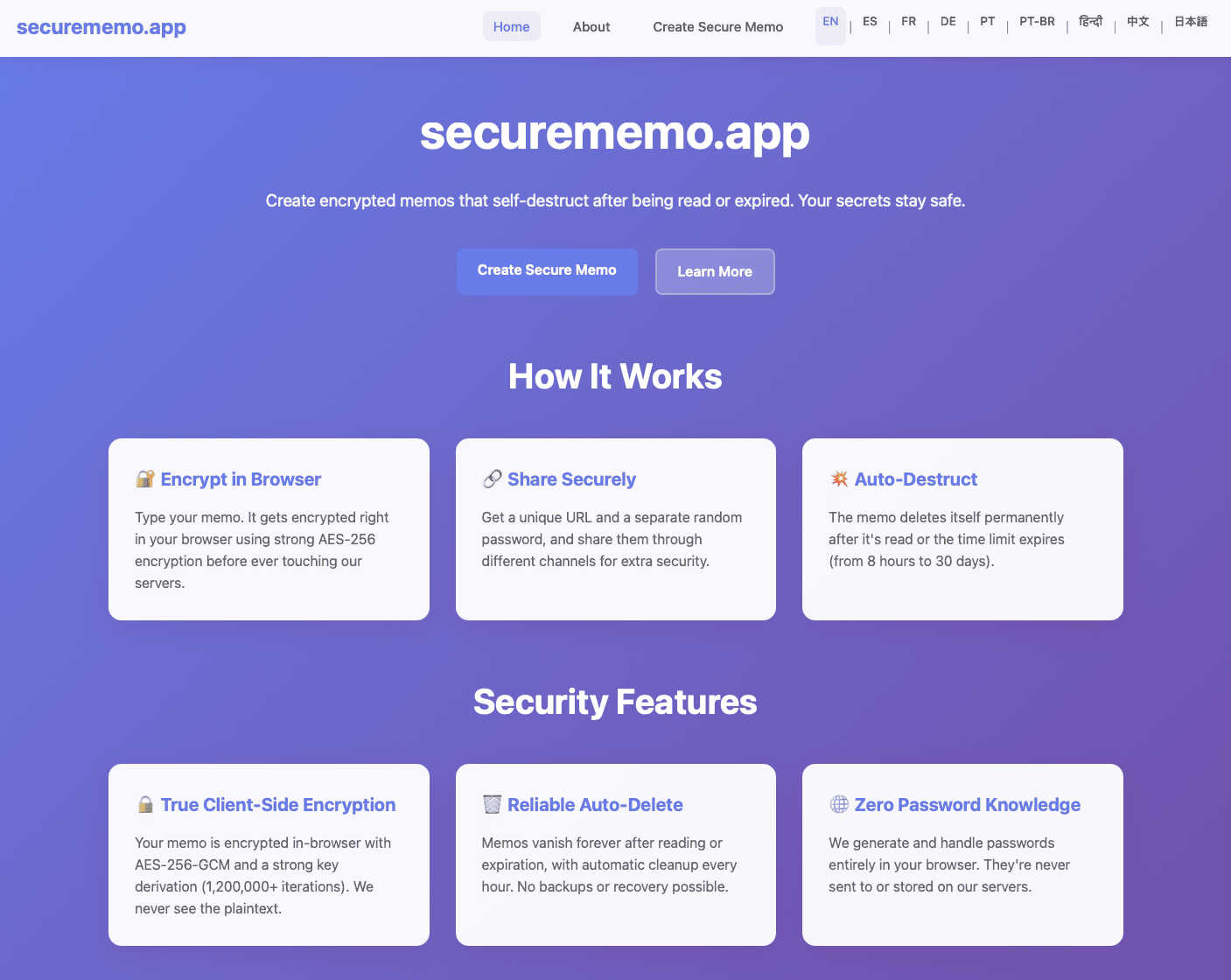
Securememo.app offers secure, client-side encrypted memo storage with no accounts or tracking for complete privacy.
Visual Comparison
RocketShare

securememo.app
Feature Comparison
RocketShare
Zero-Knowledge Encryption
RocketShare employs a zero-knowledge encryption model, ensuring that files are encrypted before they leave your device. This means that not even RocketShare can access your data, providing maximum security and privacy for every file shared.
Peer-to-Peer Sharing
The platform offers local peer-to-peer sharing options, allowing users to send files directly to each other without relying on cloud storage. This feature enhances speed and security, as files do not traverse the internet, reducing exposure to potential threats.
EU-Based Data Storage
With all data stored securely in the EU, RocketShare complies with stringent data protection regulations. This commitment to legal compliance ensures that your files are handled according to the highest standards of data security.
User-Friendly Interface
RocketShare boasts an intuitive interface that simplifies the file-sharing process. Users can easily upload and share files with just a few clicks, making it accessible for individuals of all technical backgrounds while maintaining robust security measures.
securememo.app
Client-Side Encryption
Securememo.app employs state-of-the-art client-side encryption, ensuring that all notes are encrypted in the user's browser before they are transmitted to the server. This security measure protects sensitive information from being accessed by third parties, including the service itself.
Self-Destructing Notes
Users can create self-destructing notes that automatically delete themselves after being viewed or after a specified time. This feature adds an extra layer of security, ensuring that sensitive information does not linger longer than necessary.
Unique Link and Password Generation
When sharing a memo, Securememo.app generates a unique link along with a strong, random password. This password is created entirely on the user's device and must be shared through a separate channel, enhancing security by ensuring that only the intended recipient can access the note.
Multi-Language Support
To cater to a diverse global audience, Securememo.app is available in over 20 languages. This accessibility ensures that users from different linguistic backgrounds can utilize the service effectively without language barriers.
Use Cases
RocketShare
Legal Document Sharing
Law firms can utilize RocketShare to send sensitive legal documents and case files to clients or colleagues securely. The zero-knowledge encryption ensures that client confidentiality is maintained throughout the sharing process.
Creative Portfolio Delivery
Photographers and videographers can leverage RocketShare to deliver large galleries and video files to clients without compromising quality or security. The platform's ease of use and robust encryption make it an ideal choice for creative professionals.
Confidential Team Collaboration
Marketing agencies and remote teams can use RocketShare to collaborate on confidential projects, exchanging important files securely. The ability to share large files without worrying about data breaches fosters a more productive work environment.
Secure Health Information Exchange
Healthcare professionals can share patient data and medical records securely using RocketShare. The compliance with EU data protection regulations ensures that sensitive health information is handled appropriately and safely.
securememo.app
Secure Communication for Journalists
Journalists can use Securememo.app to communicate sensitive information with sources securely. The self-destructing feature ensures that notes do not remain accessible after use, protecting both the journalist and their sources from potential leaks.
Confidential Work Collaborations
Teams working on sensitive projects can leverage Securememo.app to share confidential notes and ideas without the risk of unauthorized access. The unique link and password system allows for controlled access to crucial information.
Personal Note Taking
Individuals looking for a secure way to jot down personal notes or thoughts can benefit from Securememo.app. The privacy-focused design allows users to document sensitive information without worrying about data breaches.
Temporary Information Sharing
Securememo.app is ideal for temporary information sharing, such as sending passwords or confidential instructions. The self-destructing nature of the notes ensures that the information is only available for the necessary duration.
Overview
About RocketShare
RocketShare is a cutting-edge file-sharing platform that prioritizes user privacy and security at its core. Designed for individuals and businesses alike, it facilitates the transfer of files of any size with an assurance that your data remains private and inaccessible to unauthorized parties, including RocketShare itself. The platform employs a zero-knowledge encryption model, meaning that files are encrypted on the user's device before being transmitted over the internet. This robust encryption ensures that even the servers handling the data can only interact with encrypted information. Ideal for a variety of professionals—from lawyers sharing sensitive legal documents to photographers delivering client portfolios—RocketShare emphasizes simplicity and security. With options for both cloud-based and local peer-to-peer sharing, and data stored securely within the EU, RocketShare is the perfect tool for those who demand top-tier security without the complexity often associated with enterprise-level solutions.
About securememo.app
Securememo.app is a cutting-edge memo service designed with a strong emphasis on privacy and security. It allows users to create and share encrypted, self-destructing notes directly from their web browsers. This platform targets individuals and organizations that prioritize confidentiality, such as journalists, activists, and anyone who deals with sensitive information. The main value proposition of Securememo.app lies in its client-side encryption, which ensures that all data is encrypted on the user's device before it is sent to the server. This means that even the service provider cannot access the content of the notes, guaranteeing complete privacy. With no requirement to create an account, users can maintain their anonymity while enjoying a seamless and user-friendly experience. Securememo.app is available in over 20 languages, making it accessible to a global audience.
Frequently Asked Questions
RocketShare FAQ
What is zero-knowledge encryption?
Zero-knowledge encryption is a security model where only the user has access to the encryption key. In the case of RocketShare, files are encrypted on your device, ensuring that no one, not even RocketShare, can access the content of your files.
Is my data stored securely?
Yes, RocketShare stores all data securely in the EU, adhering to stringent data protection laws. This ensures that your files are handled with the utmost care and comply with the highest security standards.
Can I share large files using RocketShare?
Absolutely! RocketShare allows users to send files of any size, making it suitable for a variety of professional needs, from sending large video files to comprehensive legal documents.
Do I need a credit card to use RocketShare?
No, RocketShare offers a straightforward sign-up process that does not require a credit card. You can start using the platform and enjoy its features without any upfront payment.
securememo.app FAQ
How does client-side encryption work?
Client-side encryption means that data is encrypted on the user's device before it is sent to the server. This ensures that the service provider cannot access the content of the notes, providing maximum security for users.
Can I retrieve a self-destructed note?
Once a self-destructing note has been viewed and deleted or has reached its expiration time, it cannot be retrieved. This feature is designed to enhance privacy and security, ensuring that sensitive information is not stored permanently.
Is Securememo.app free to use?
Yes, Securememo.app is free to use. Users can create and share notes without needing to create an account, making it accessible for anyone who values privacy.
How can I ensure my password is secure?
When generating a password for sharing a memo, Securememo.app creates a strong, random password on your device. To enhance security, it is recommended to share the password through a separate communication channel instead of sending it alongside the memo link.