OpenMark AI vs Quickfix AI
Side-by-side comparison to help you choose the right product.

OpenMark AI benchmarks over 100 LLMs on your specific tasks, delivering rapid insights into cost, speed, quality, and stability without setup.
Last updated: March 26, 2026

Quickfix AI
Quickfix AI provides instant, easy-to-understand diagnostics for your computer's performance and health issues.
Last updated: February 28, 2026
Visual Comparison
OpenMark AI
Quickfix AI
Feature Comparison
OpenMark AI
User-Friendly Task Configuration
OpenMark AI features an intuitive task configuration interface that allows users to describe their benchmarking tasks in simple language. This accessibility ensures that even those without extensive technical knowledge can effectively set up their tests and receive meaningful results.
Comprehensive Model Comparison
The platform supports benchmarking against over 100 different AI models, enabling users to gain a comprehensive understanding of which models perform best for their specific tasks. This wide-ranging comparison helps teams make informed decisions based on real-world performance metrics.
Real-Time API Results
OpenMark AI provides side-by-side results of real API calls, ensuring that users receive accurate data reflective of actual performance. This real-time feedback is crucial for developers looking to understand how different models behave under similar conditions.
Cost Efficiency Analysis
One of the standout features of OpenMark AI is its ability to analyze the cost efficiency of different models. Users can see not only the quality of outputs but also how the costs compare against each model, enabling them to make financially sound decisions when selecting an AI solution.
Quickfix AI
AI-Powered Communication Assistant
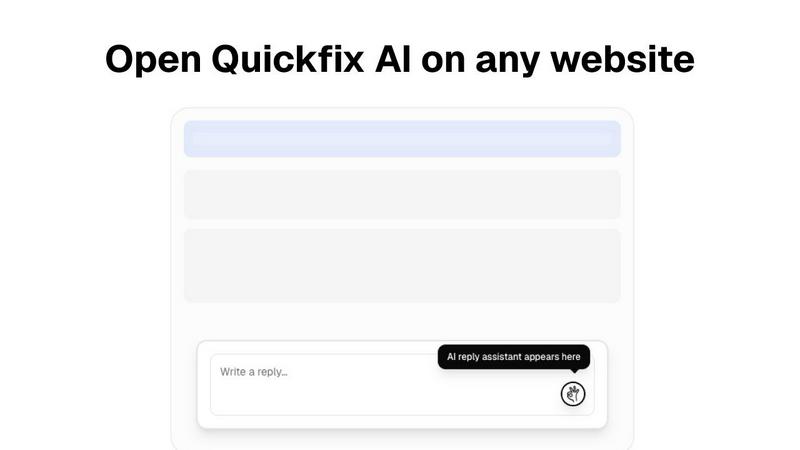
Quickfix AI's browser extension leverages advanced language models to generate contextually relevant responses across various platforms. This feature eliminates the need for manual typing, allowing users to focus on more critical tasks while ensuring prompt communication.
Comprehensive System Diagnostics
The diagnostics tool provides instant analysis of device performance, security, and overall health. It scans essential components such as CPU, memory, and storage, presenting the findings in a user-friendly dashboard that simplifies complex data.
Integrated AI Assistant
The built-in AI assistant interprets technical data and offers clear, actionable recommendations in plain English. This feature is particularly beneficial for non-technical users, enabling them to understand their system’s performance without requiring specialized knowledge.
Real-Time Performance Monitoring
Quickfix AI continuously monitors system performance metrics, including CPU usage, memory pressure, and network speed. Users receive real-time updates and alerts, allowing them to address potential issues before they escalate into more significant problems.
Use Cases
OpenMark AI
Model Selection for AI Features
Developers can utilize OpenMark AI to select the most appropriate model for their AI-driven features by benchmarking performance on specific tasks. This ensures that the chosen model aligns with both performance goals and budget constraints.
Pre-Deployment Validation
Product teams can validate their model choices before deployment by testing outputs for consistency and quality. This capability reduces the risk associated with deploying a less effective model, ensuring a smoother transition from development to production.
Cost-Benefit Analysis
Businesses seeking to optimize their AI spending can leverage OpenMark AI to perform a detailed cost-benefit analysis. By comparing the actual costs of API calls with the outputs generated, organizations can identify the best value options.
Research and Development
Researchers can use OpenMark AI to experiment with various models for academic or product development purposes. The tool allows for thorough testing of hypotheses regarding model performance across different tasks and environments.
Quickfix AI
Troubleshooting Technical Issues
Quickfix AI empowers users experiencing system slowdowns or errors to quickly diagnose issues without needing extensive technical expertise. The platform's diagnostics provide actionable insights to resolve problems efficiently.
Enhancing Remote Work Productivity
For remote employees, Quickfix AI streamlines communication by generating responses for emails and messages in real-time. This ensures that professionals can maintain productivity and responsiveness, even from a distance.
Supporting IT Teams
IT support teams can use Quickfix AI to remotely diagnose and resolve issues on users' machines. By sharing a link and utilizing a unique code, support staff can quickly access system diagnostics, improving response times and user satisfaction.
Empowering Non-Technical Users
Individuals with limited technical knowledge can leverage Quickfix AI to gain insights into their systems. The AI assistant demystifies complex data, allowing users to make informed decisions about system maintenance and improvements.
Overview
About OpenMark AI
OpenMark AI is an innovative web application designed specifically for task-level benchmarking of large language models (LLMs). It allows users to articulate their testing requirements in plain language, facilitating the benchmarking of over 100 AI models within a single session. By running identical prompts across multiple models, users can effectively compare key metrics such as cost per request, latency, scored quality, and stability, providing insights into the variance of model outputs rather than relying on potentially misleading singular results. This is particularly valuable for developers and product teams who need to evaluate or validate AI models before deploying features that incorporate artificial intelligence.
OpenMark AI eliminates the complexity of managing multiple API keys by using a credit system for hosted benchmarking, making it easier to conduct comprehensive comparisons without the need for extensive configuration. Users benefit from real-time results based on actual API calls rather than pre-cached marketing data, making the tool essential for those who prioritize cost efficiency and consistent performance over simply choosing the lowest-priced token option. The platform supports a wide array of models and is designed to assist teams in pre-deployment decisions, ensuring they select the most suitable model for their specific workflow while maintaining budget considerations. OpenMark AI offers both free and paid plans, providing flexibility according to user needs.
About Quickfix AI
Quickfix AI is a versatile productivity platform engineered to streamline both written communication and system diagnostics. At its core, Quickfix AI features an AI-powered browser extension that revolutionizes how professionals manage their digital correspondence. This tool intelligently generates context-aware replies for a variety of platforms, including emails, social media, and customer support, thus significantly reducing the time spent on repetitive communication tasks. Research from McKinsey Digital indicates that such automation can save employees up to 5 hours per week. Additionally, Quickfix AI offers a comprehensive system diagnostics tool compatible with both Windows and macOS. This feature delivers instant, AI-driven assessments of device performance, security, and health, transforming complex technical data into easily understandable insights for users of all skill levels. Whether you're an individual troubleshooting an issue or part of an IT support team, Quickfix AI is designed to enhance productivity and efficiency across the board.
Frequently Asked Questions
OpenMark AI FAQ
What types of models can I benchmark with OpenMark AI?
OpenMark AI supports a wide variety of models from leading AI providers, including OpenAI, Anthropic, and Google, enabling users to benchmark over 100 different LLMs.
Do I need to manage multiple API keys to use OpenMark AI?
No, OpenMark AI streamlines the process by utilizing a credit system for hosted benchmarking, which means you do not need to configure separate API keys for each model comparison.
Is OpenMark AI suitable for non-technical users?
Yes, the user-friendly interface allows individuals without extensive technical knowledge to easily describe tasks and benchmark models, making it accessible to a broader audience.
What kind of results can I expect from OpenMark AI?
Users can expect detailed results that include cost per request, latency, scored quality, and stability metrics, allowing for a comprehensive evaluation of model performance based on real API calls.
Quickfix AI FAQ
Is Quickfix AI free?
Yes, Quickfix AI offers a free version that allows users to access its essential features, including the AI-powered diagnostics tool and browser extension, making it accessible to a broad audience.
Is my data secure?
Quickfix AI prioritizes user privacy and data security. The platform employs industry-standard encryption and adheres to strict data protection regulations to ensure that your information remains safe.
Do I need technical knowledge to use Quickfix AI?
No, Quickfix AI is designed for users of all skill levels. The platform presents complex technical data in plain English, allowing anyone to understand their system's performance without needing specialized knowledge.
What platforms are supported?
Quickfix AI is compatible with both Windows and macOS devices. This cross-platform functionality ensures that users from various backgrounds and environments can benefit from its powerful features.
Alternatives
OpenMark AI Alternatives
OpenMark AI is a powerful web application designed for benchmarking over 100 large language models (LLMs) on various tasks, focusing on key metrics such as cost, speed, quality, and stability. This tool is particularly beneficial for developers and product teams seeking to make informed decisions about AI model selection before deploying features. Users often search for alternatives to OpenMark AI due to factors like pricing, specific feature sets, or platform compatibility that may better suit their unique project needs. When considering alternatives, it is essential to evaluate the specific functionalities offered, such as user interface design, supported models, and benchmarking capabilities. Additionally, users should assess the pricing structure, including free and paid plans, and the degree of support provided for integration and usage. Ultimately, finding the right tool hinges on identifying a solution that aligns with both project requirements and budget constraints.
Quickfix AI Alternatives
Quickfix AI is a productivity platform that combines an AI-powered browser extension for enhancing written communication with an advanced system diagnostics tool for Windows and macOS. This dual functionality appeals to a broad range of users, from professionals looking to streamline their digital correspondence to IT teams needing detailed system health assessments. Users often seek alternatives to Quickfix AI for various reasons, including pricing considerations, specific feature sets, or compatibility with particular platforms. When evaluating alternatives, it's essential to consider factors like ease of use, integration capabilities, the scope of features offered, and the overall value in relation to your specific needs, ensuring that the chosen solution aligns with your workflow and objectives.