LinkedInPro vs Proofapp
Side-by-side comparison to help you choose the right product.
Instantly elevate your image with LinkedInPro, turning casual photos into polished LinkedIn headshots using AI.
Last updated: February 28, 2026

Proofapp
Proofapp eliminates email feedback loops with visual comments pinned directly to your website.
Last updated: March 4, 2026
Visual Comparison
LinkedInPro
Proofapp

Feature Comparison
LinkedInPro
AI-Powered Image Enhancement
LinkedInPro employs state-of-the-art artificial intelligence algorithms to enhance photos automatically. This feature analyzes the uploaded image, adjusting lighting, contrast, and sharpness to deliver studio-quality results that highlight the subject's authentic features.
User-Friendly Interface
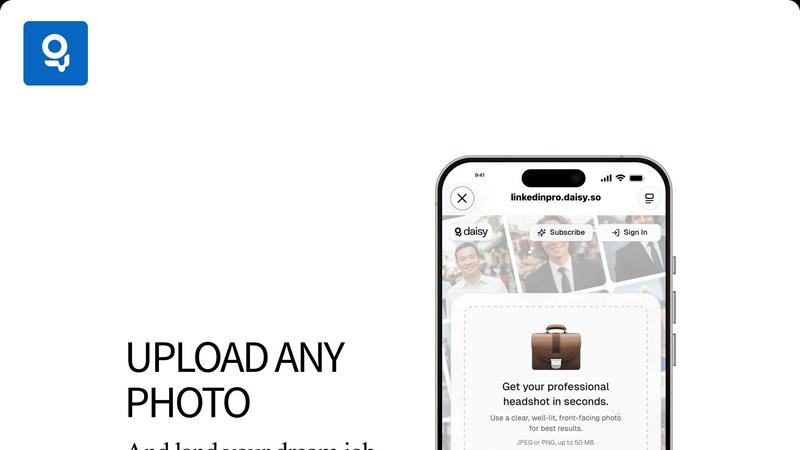
The platform is designed with usability in mind, allowing users to upload their photos easily. With intuitive navigation, individuals can complete the process of transforming their images into professional headshots in just a few clicks, making it accessible for all skill levels.
Quick Processing Time
LinkedInPro is known for its rapid processing capabilities, enabling users to receive their professionally enhanced headshots in seconds. This feature is particularly beneficial for those who need to update their profiles quickly in response to job opportunities or networking events.
Versatile File Support
The platform supports a variety of image formats, including JPEG and PNG, with a maximum file size of 50 MB. This versatility allows users to upload existing images or capture new ones directly through the platform, ensuring that everyone can find a suitable option for their needs.
Proofapp
Visual Commenting
This foundational feature allows reviewers to click on any element within an automatically captured website screenshot to leave a pinned comment. This eliminates the ambiguity of textual descriptions like "top left, under the navigation" by providing exact visual context. Each comment initiates a thread where team members can discuss, attach relevant files, and ultimately resolve the feedback, creating a clear audit trail. This precision is critical, as non-visual feedback can result in three times more revision rounds according to platform data.
Multi-Breakpoint Testing
Proofapp automatically captures and presents synchronized screenshots of any submitted URL at both desktop and mobile viewports. This ensures feedback accounts for responsive design behavior across devices without requiring manual screenshot generation from multiple tools or browsers. Teams can toggle between views to ensure UI elements, layouts, and interactions are consistently reviewed, preventing post-launch issues related to device-specific oversights and streamlining the quality assurance process.
Secure, Account-Free Client Sharing
Project owners can generate expirable, secure links to share proofing sessions with clients or external stakeholders. Crucially, reviewers do not need to create a Proofapp account to participate, drastically reducing friction in the feedback collection process. This controlled access method maintains project security while facilitating easy collaboration with non-technical users, a common bottleneck in agency and freelance workflows that Proofapp effectively removes.
Real-Time Collaboration & Notification
All project activity is synchronized in real-time. When a team member or client leaves a comment, others in the project are notified immediately, fostering a dynamic collaborative environment. This live updating eliminates the need for manual refresh cycles and email "ping-pong," allowing for rapid discussion and decision-making. Integrated notifications ensure stakeholders are alerted to new feedback or replies, keeping projects moving forward without delay.
Use Cases
LinkedInPro
Job Seekers
Job seekers can use LinkedInPro to create polished headshots that enhance their professional profiles, making a strong first impression on potential employers. A compelling image can significantly boost their chances of standing out in a competitive job market.
Entrepreneurs
Entrepreneurs looking to establish their brand can leverage LinkedInPro to develop a consistent and professional visual identity. High-quality headshots can help convey credibility and attract investors or clients, enhancing their overall business presence.
Professionals Updating Profiles
Professionals who have not updated their profile pictures in years can utilize LinkedInPro to refresh their online presence. A modern, high-quality headshot can reflect their current career stage and personal growth, making them more relatable to their network.
Social Media Influencers
Social media influencers can benefit from LinkedInPro by obtaining high-quality headshots that complement their personal brand across various platforms. Professional images can enhance their engagement and appeal, attracting more followers and collaboration opportunities.
Proofapp
Freelancer-Client Website Approvals
Freelancers can use Proofapp to present website drafts to clients professionally. Instead of exchanging fragmented emails with attached, annotated images, they share a single secure link. Clients click directly on the live design to leave clear, contextual feedback, which the freelancer can then address and mark as resolved. This streamlines the approval process, reduces miscommunication, and projects a high level of organization, saving hours per project.
In-House Design & Development Team Sprints
During agile sprints, in-house teams require fast, precise feedback on new features or UI changes. Proofapp allows developers to push a staging URL and instantly gather visual feedback from product managers and designers. Comments are pinned to specific code elements or design components, making bug reports and change requests unambiguous and directly actionable, thereby accelerating iteration cycles and reducing the cognitive load of parsing textual feedback.
Marketing Campaign Landing Page Reviews
Marketing teams often need collective input on copy, imagery, and call-to-action placement on campaign landing pages. Proofapp enables the entire team—from copywriters to brand managers—to review the page simultaneously. They can attach brand guidelines, suggest copy edits directly on text blocks, and ensure mobile responsiveness, consolidating all feedback in one visual dashboard to ensure a cohesive and effective final asset.
Agency Managing Multiple Client Projects
Digital agencies juggling multiple client websites benefit from Proofapp's project organization and client-friendly interface. It replaces chaotic email threads and disparate communication tools with a unified platform. Each client project is siloed, with all historical feedback and resolved comments maintained for reference. This centralized system improves accountability, client satisfaction, and operational efficiency at a scale where traditional methods break down.
Overview
About LinkedInPro
LinkedInPro is a cutting-edge AI-powered tool that revolutionizes the way professionals present themselves online by transforming ordinary photos into stunning, professional-grade headshots in mere seconds. This innovative platform is specifically designed for job seekers, entrepreneurs, and professionals who aspire to enhance their digital presence on LinkedIn and other networking platforms. By eliminating the need for expensive photography sessions, LinkedInPro offers an accessible solution for creating high-quality images that reflect authenticity and professionalism. Utilizing advanced algorithms, the tool meticulously processes uploaded photos to enhance lighting, clarity, and presentation, ensuring that users showcase their best selves. With LinkedInPro, individuals can effortlessly update their professional images, reinforcing their personal brand and increasing their competitiveness in today's job market. This user-friendly service caters to anyone looking to elevate their online persona without the hassle and cost associated with traditional photography.
About Proofapp
Proofapp is a specialized visual feedback and website review platform engineered to eliminate the inefficiencies and miscommunication inherent in traditional design and development feedback loops. It serves designers, developers, freelancers, and marketing teams by providing a centralized, visual workspace for collaboration. The core value proposition is replacing scattered email chains and vague textual notes with precise, contextual feedback pinned directly onto live website screenshots. Research indicates that 73% of design revisions are miscommunicated via email, leading to significant productivity losses (Proofapp, 2024). Proofapp directly addresses this by automating screenshot capture at multiple device breakpoints and enabling stakeholders to click and comment directly on the visual interface. This method reduces revision cycles by up to 60% and can save teams over five hours per week previously wasted on clarification and screenshot management. With features like secure shareable links, real-time notifications, and file attachments, Proofapp transforms subjective feedback into organized, actionable tasks, ensuring projects move from URL to shipped with clarity and speed.
Frequently Asked Questions
LinkedInPro FAQ
How does LinkedInPro ensure photo quality?
LinkedInPro uses advanced AI algorithms to analyze and enhance uploaded images, optimizing factors like lighting, sharpness, and contrast to produce a professional-grade headshot that maintains authenticity.
What types of images are best for uploading?
For optimal results, users should upload clear, well-lit, front-facing photos. This ensures that the AI can effectively enhance the image while preserving the subject's natural features.
Can I use LinkedInPro for images other than headshots?
While LinkedInPro specializes in creating professional headshots, the platform's capabilities can be extended to other types of portraits. However, its primary focus remains on enhancing images suitable for professional networking.
Is my data secure with LinkedInPro?
LinkedInPro is committed to user privacy and data security. The platform adheres to strict privacy policies and terms of use, ensuring that all uploaded images and personal information are handled with care and confidentiality.
Proofapp FAQ
How does Proofapp capture website screenshots?
Proofapp's system automatically navigates to the provided URL and programmatically captures full-page screenshots at pre-defined desktop and mobile breakpoints. This process happens instantly upon project creation or update, ensuring the visual proof always reflects the most current state of the website without any manual intervention required from the user.
Do my clients or reviewers need an account to give feedback?
No, one of Proofapp's core advantages is that reviewers do not need to create an account. Project owners simply generate a secure, shareable link. Anyone with this link can view the captured screenshots and leave visual feedback immediately, significantly lowering the barrier to entry and speeding up the feedback collection process from external stakeholders.
Is Proofapp secure for confidential client projects?
Yes, Proofapp is built with enterprise-grade security considerations for professional use. It offers secure, expirable share links, role-based permissions for team members, and maintains audit logs of all activity. Data is handled with secure protocols, providing peace of mind when collaborating on sensitive or pre-launch website projects.
Can I use Proofapp for applications behind a login or on localhost?
Proofapp is primarily designed for publicly accessible URLs. For reviewing sites behind authentication or on local development environments, users typically need to deploy the site to a publicly accessible staging server or use tunneling services. The platform does not currently have a direct method to bypass login walls for private applications.
Alternatives
LinkedInPro Alternatives
LinkedInPro is an innovative AI-driven tool designed to transform casual photos into professional headshots, primarily targeted at job seekers, entrepreneurs, and professionals aiming to enhance their online presence. This product falls under the category of productivity and management, as it helps users create visually appealing images that can significantly impact their professional branding on platforms like LinkedIn. Users often seek alternatives to LinkedInPro for various reasons, including pricing, specific feature sets, or compatibility with different platforms. When looking for an alternative, it is crucial to consider factors such as ease of use, the quality of transformation, variety in styles, and the overall value offered in comparison to the features provided by LinkedInPro. A suitable alternative should meet your individual needs while ensuring that you can achieve a polished and professional image.
Proofapp Alternatives
Proofapp is a specialized visual feedback and website review platform within the design tools category. It streamlines collaboration by allowing teams and clients to pin comments directly on automatically captured screenshots, centralizing feedback to replace scattered emails and vague notes. Users explore alternatives for various reasons, including budget constraints, specific feature requirements like advanced video review or native app prototyping, integration needs with existing project management stacks, or differing team size and workflow structures. The search for a better fit is a common step in optimizing a team's operational toolkit. When evaluating alternatives, key considerations should include the core functionality for visual annotation, the ease of use for both internal teams and external clients, integration capabilities, security and permission settings, and the overall value proposition of the pricing tiers relative to your project volume and team size.