Gaffa vs Playwriter
Side-by-side comparison to help you choose the right product.

Gaffa enables effortless web data automation with a simple API for real browser control and seamless data extraction.
Last updated: March 1, 2026

Playwriter
Playwriter empowers agents to control your existing Chrome browser with AI, utilizing full Playwright API without headless instances or bot detection.
Last updated: March 18, 2026
Visual Comparison
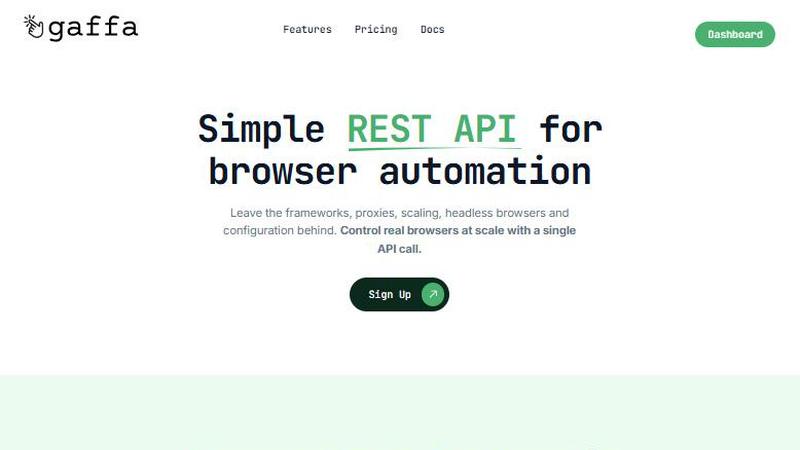
Gaffa
Playwriter

Feature Comparison
Gaffa
Simple REST API
Gaffa simplifies browser automation with a straightforward REST API, allowing users to control real browsers at scale with just a single API call. This eliminates the need for complex frameworks and configurations, enabling quick integration.
Automate Real Browsers in Minutes
With Gaffa, users can automate tasks such as scraping, printing web pages, taking screenshots, and converting content to LLM-ready markdown effortlessly. This feature facilitates rapid deployment of web automation tasks, saving valuable time.
Ready to Scale
Gaffa is built to handle large-scale web data projects without the complexity of scaling concerns. Users can focus on their data needs while Gaffa manages the necessary infrastructure to ensure reliability and performance.
Full Observability
Gaffa offers full observability by recording automation processes, allowing users to easily monitor and analyze what is happening during their web interactions. This feature enhances transparency and helps troubleshoot any issues that may arise.
Playwriter
Seamless Browser Integration
With Playwriter, agents operate within your existing Chrome browser session. This means that all your logins, cookies, and extensions are accessible, allowing for a smoother and more efficient browsing experience without the need to log in repeatedly or deal with bot detection.
Full Automation API Access
Playwriter grants agents complete access to the Playwright API through a single execute tool. This eliminates the need for multiple wrappers or tools, reducing context usage and simplifying the automation process. You can execute any Playwright code directly within your browser.
Real-time Collaboration
One of the standout features of Playwriter is its real-time collaboration capability. You can observe your agent's actions as they occur, allowing you to intervene whenever necessary, such as when encountering captchas or consent walls, ensuring a human touch in automated processes.
Enhanced Debugging and Editing Tools
Playwriter includes a powerful debugger and live code editor that allows developers to set breakpoints, intercept network requests, and edit code on the fly. This capability is essential for troubleshooting and refining automation scripts, making it a valuable tool for developers and testers.
Use Cases
Gaffa
Market Research
Gaffa can be utilized by businesses for market research, enabling them to gather competitive intelligence and analyze market trends by extracting data from various websites efficiently.
Content Aggregation
Developers can use Gaffa to automate the aggregation of content from multiple sources, simplifying the process of collecting and curating information for blogs, news sites, or research purposes.
E-commerce Price Monitoring
Retailers can employ Gaffa to monitor pricing changes across competitor websites, allowing them to adjust their pricing strategies dynamically and maintain competitive advantage in the marketplace.
Academic Research
Researchers can leverage Gaffa for academic purposes, facilitating the extraction of data from various online sources for analysis, data validation, or to support their research findings with real-world data.
Playwriter
Automated Web Testing
Playwriter can be used for comprehensive automated web testing, allowing QA teams to execute tests in real time within the actual browser environment. This approach helps identify issues that may arise only in specific browser conditions.
Data Scraping
Developers can leverage Playwriter for effective data scraping tasks. By using the agent to navigate websites while maintaining session integrity, users can extract data more efficiently without triggering bot detection mechanisms.
Performance Profiling
With full API access, teams can use Playwriter to profile web performance more effectively. They can set breakpoints and monitor network requests, gaining insights into how web applications behave under different conditions.
Interactive User Simulation
Playwriter is ideal for simulating real user interactions on web applications. By allowing agents to operate within the browser, businesses can test user flows accurately and identify potential usability issues before they impact users.
Overview
About Gaffa
Gaffa is a robust API designed to streamline the process of web data extraction and browser automation, catering to businesses, developers, and researchers seeking reliable access to web data at scale. This platform addresses the complexities typically associated with web scraping by abstracting technical challenges like managing residential proxies, scaling infrastructure, handling failures, and parsing data. As a result, users can concentrate on their core business objectives without the burden of maintaining scraping pipelines. Gaffa empowers users to perform various actions such as scrolling, clicking, and data extraction in a way that mimics human browsing behavior. Its stealth mode leverages real browsers and effectively solves CAPTCHAs, ensuring seamless data acquisition from even the most challenging websites. With Gaffa, users can automate web interactions efficiently, making it an invaluable tool for those who require extensive data collection and analysis.
About Playwriter
Playwriter is an innovative tool designed for developers and teams that require seamless interaction between AI agents and web browsers. Unlike traditional AI agents that lack robust browsing capabilities, Playwriter enables agents to operate within your actual browser session, complete with existing logins, extensions, and cookies. This functionality eliminates the constraints imposed by fresh browser instances, such as immediate bot detection and the inability to use user-specific tools. Playwriter serves as a bridge between your browser and the Playwright API, allowing for full automation capabilities while maintaining real-time collaboration. Ideal for developers, QA teams, and automation experts, Playwriter enhances productivity by allowing agents to handle repetitive tasks while humans remain in control for complex interactions.
Frequently Asked Questions
Gaffa FAQ
What is a credit worth?
Credits are used to charge for browser requests based on request length and proxy bandwidth usage. Each request is billed at 1 credit per 30 seconds of execution time, and proxy usage incurs additional credit costs.
Does this app offer a free trial period?
Yes, Gaffa allows users to sign up for free and experiment with its key features on the demo site, enabling them to explore the API's capabilities before committing to a paid plan.
What's the refund policy?
Gaffa offers a refund policy that allows users to request a refund before using any credits in the current month, ensuring customer satisfaction and flexibility in usage.
Do credits rollover?
No, Gaffa's policy states that any unused credits at the end of the billing cycle will not roll over to the next month, encouraging users to utilize their credits within the allotted time frame.
Playwriter FAQ
What browsers does Playwriter support?
Playwriter currently supports Google Chrome, providing a robust environment for web automation and testing. Future updates may include support for other browsers.
How does Playwriter ensure security?
Playwriter operates entirely on your local machine, with no remote servers involved. This design minimizes security risks associated with data leakage, as sensitive information remains within your control.
Can multiple agents use Playwriter at the same time?
Yes, Playwriter supports multiplexing, allowing multiple agents or CLI instances to work with the same browser session simultaneously. This feature enhances collaboration and productivity.
Is Playwriter open source?
Yes, Playwriter is open source and is licensed under the MIT License. This allows developers to contribute to its development and customize it according to their needs.
Alternatives
Gaffa Alternatives
Gaffa is a robust API designed to streamline web data automation and browser control, making it a popular choice among businesses, developers, and researchers. As an efficient tool for data extraction, Gaffa simplifies the complexities associated with web scraping, providing users with a reliable means to interact with websites at scale. However, users frequently seek alternatives due to various factors such as pricing, specific feature sets, or compatibility with their existing platforms. When choosing an alternative to Gaffa, it is essential to consider aspects such as ease of use, scalability, and the ability to handle JavaScript-rendered content effectively. Additionally, evaluating the level of support and documentation available can significantly impact the user experience and overall satisfaction with the chosen solution.
Playwriter Alternatives
Playwriter is an innovative tool that falls within the automation category, specifically designed to enhance control over Chrome through AI via command line interface (CLI) or multi-channel platform (MCP). Its unique capability allows AI agents to utilize the user's actual browser session, circumventing limitations of traditional AI browsing which often lacks essential logins, extensions, and is prone to bot detection. Users often seek alternatives to Playwriter for various reasons, including pricing concerns, specific feature sets, or compatibility with different platforms. When evaluating potential alternatives, it is crucial to consider factors such as the breadth of automation capabilities, ease of integration with existing workflows, and the support for necessary features like debugging, network interception, and accessibility options.