
Decode This Text vs Quickfix AI
Side-by-side comparison to help you choose the right product.

Decode This Text
Decode This Text provides quick, human-like analyses of conversations in just 30 seconds for ultimate clarity and.
Last updated: February 28, 2026

Quickfix AI
Quickfix AI provides instant, easy-to-understand diagnostics for your computer's performance and health issues.
Last updated: February 28, 2026
Visual Comparison
Decode This Text

Quickfix AI
Feature Comparison
Decode This Text
Comprehensive Analysis
Decode This Text offers a thorough examination of messages, highlighting emotional tones, intentions, and contextual elements. This feature ensures that users grasp the nuances behind any communication, enabling them to respond appropriately.
Visual Input Capability
Users can conveniently upload screenshots of conversations, allowing the tool to analyze the text without requiring manual input. This feature simplifies the process for those who prefer visual communication, making it easier to decode complex interactions.
Emotional Tone Detection
This feature assesses the emotional temperature of messages, categorizing them as cold, sarcastic, or friendly. By understanding the emotional context, users can avoid misinterpretations and respond in a manner that aligns with the sender's mood.
Response Suggestions
For users unsure about how to reply, Decode This Text provides three tailored response options—calm, direct, or firm. This feature equips users with the confidence to engage in conversations effectively, regardless of the message's complexity.
Quickfix AI
AI-Powered Communication Assistant
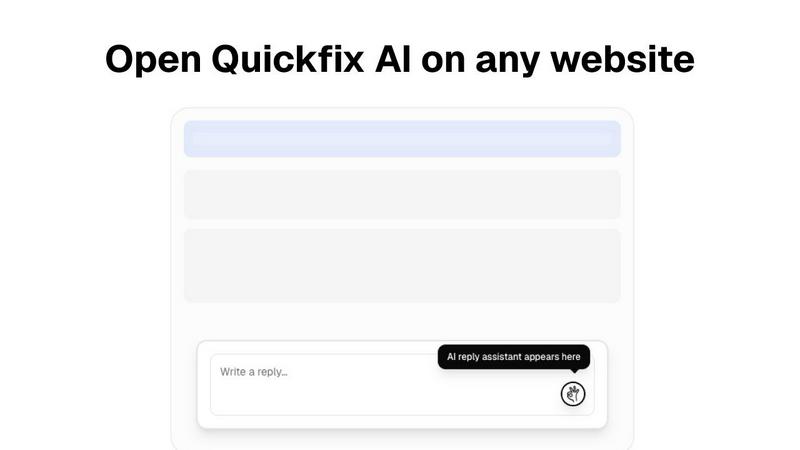
Quickfix AI's browser extension leverages advanced language models to generate contextually relevant responses across various platforms. This feature eliminates the need for manual typing, allowing users to focus on more critical tasks while ensuring prompt communication.
Comprehensive System Diagnostics
The diagnostics tool provides instant analysis of device performance, security, and overall health. It scans essential components such as CPU, memory, and storage, presenting the findings in a user-friendly dashboard that simplifies complex data.
Integrated AI Assistant
The built-in AI assistant interprets technical data and offers clear, actionable recommendations in plain English. This feature is particularly beneficial for non-technical users, enabling them to understand their system’s performance without requiring specialized knowledge.
Real-Time Performance Monitoring
Quickfix AI continuously monitors system performance metrics, including CPU usage, memory pressure, and network speed. Users receive real-time updates and alerts, allowing them to address potential issues before they escalate into more significant problems.
Use Cases
Decode This Text
Navigating Ambiguous Texts
Decode This Text is invaluable when dealing with vague texts from friends or colleagues. By providing a clear interpretation, users can avoid unnecessary confusion and maintain healthy communication.
Professional Email Clarification
In the workplace, ambiguous emails can lead to miscommunication. This tool helps users decipher the true meaning behind brief or unclear messages, ensuring that responses are appropriate and informed.
Family Communication Enhancement
Family dynamics can be complicated by misunderstandings. Decode This Text assists users in interpreting family messages, promoting better understanding and reducing potential conflicts.
Relationship Insights
For those in romantic relationships, Decode This Text can help clarify intentions behind messages that may seem evasive or confusing. This insight fosters healthier conversations and strengthens connections.
Quickfix AI
Troubleshooting Technical Issues
Quickfix AI empowers users experiencing system slowdowns or errors to quickly diagnose issues without needing extensive technical expertise. The platform's diagnostics provide actionable insights to resolve problems efficiently.
Enhancing Remote Work Productivity
For remote employees, Quickfix AI streamlines communication by generating responses for emails and messages in real-time. This ensures that professionals can maintain productivity and responsiveness, even from a distance.
Supporting IT Teams
IT support teams can use Quickfix AI to remotely diagnose and resolve issues on users' machines. By sharing a link and utilizing a unique code, support staff can quickly access system diagnostics, improving response times and user satisfaction.
Empowering Non-Technical Users
Individuals with limited technical knowledge can leverage Quickfix AI to gain insights into their systems. The AI assistant demystifies complex data, allowing users to make informed decisions about system maintenance and improvements.
Overview
About Decode This Text
Decode This Text is a cutting-edge communication tool designed to assist users in unraveling the often ambiguous meanings behind various messages. Whether you're struggling to interpret a cryptic email from your boss, a vague text from a friend, or a confusing message from a client, this innovative tool provides essential clarity. By simply pasting the text or describing the context, users receive an insightful analysis of the sender's underlying intentions, emotional tone, and appropriate response strategies. This tool is particularly beneficial for anyone looking to enhance their communication skills, foster better relationships, and eliminate misunderstandings. With a user-friendly interface and rapid analysis, Decode This Text empowers you to navigate your interactions confidently, alleviating the stress of overanalyzing every word.
About Quickfix AI
Quickfix AI is a versatile productivity platform engineered to streamline both written communication and system diagnostics. At its core, Quickfix AI features an AI-powered browser extension that revolutionizes how professionals manage their digital correspondence. This tool intelligently generates context-aware replies for a variety of platforms, including emails, social media, and customer support, thus significantly reducing the time spent on repetitive communication tasks. Research from McKinsey Digital indicates that such automation can save employees up to 5 hours per week. Additionally, Quickfix AI offers a comprehensive system diagnostics tool compatible with both Windows and macOS. This feature delivers instant, AI-driven assessments of device performance, security, and health, transforming complex technical data into easily understandable insights for users of all skill levels. Whether you're an individual troubleshooting an issue or part of an IT support team, Quickfix AI is designed to enhance productivity and efficiency across the board.
Frequently Asked Questions
Decode This Text FAQ
How does Decode This Text ensure user privacy?
Decode This Text guarantees 100% anonymity. No human reads your texts, ensuring that your conversations remain private and secure.
What types of messages can I analyze with Decode This Text?
You can analyze any written communication, including text messages, emails, and social media messages. The tool is designed to handle a wide variety of contexts and formats.
How quickly can I expect to receive an analysis?
The tool typically provides a comprehensive analysis within 30 seconds, allowing users to gain clarity rapidly and respond in a timely manner.
Is there any limit to the number of messages I can decode?
Currently, there is no specified limit on the number of messages you can analyze. Users can decode as many conversations as they need to enhance their communication skills.
Quickfix AI FAQ
Is Quickfix AI free?
Yes, Quickfix AI offers a free version that allows users to access its essential features, including the AI-powered diagnostics tool and browser extension, making it accessible to a broad audience.
Is my data secure?
Quickfix AI prioritizes user privacy and data security. The platform employs industry-standard encryption and adheres to strict data protection regulations to ensure that your information remains safe.
Do I need technical knowledge to use Quickfix AI?
No, Quickfix AI is designed for users of all skill levels. The platform presents complex technical data in plain English, allowing anyone to understand their system's performance without needing specialized knowledge.
What platforms are supported?
Quickfix AI is compatible with both Windows and macOS devices. This cross-platform functionality ensures that users from various backgrounds and environments can benefit from its powerful features.
Alternatives
Decode This Text Alternatives
Decode This Text is an innovative tool in the productivity and management category, designed to help users decipher the true meanings behind confusing conversations. By providing quick, human-like analyses of messages, it offers insights that can enhance understanding and communication. Users often seek alternatives to Decode This Text for various reasons, including pricing concerns, feature sets, specific platform compatibility, or personal preferences in user interface design. When selecting an alternative, it's essential to consider factors such as the depth of analysis provided, user-friendliness, response time, and whether the tool meets your specific communication needs. Additionally, evaluating customer support options and user reviews can offer insight into the effectiveness and reliability of the alternative tool, ensuring that it aligns with your expectations.
Quickfix AI Alternatives
Quickfix AI is a productivity platform that combines an AI-powered browser extension for enhancing written communication with an advanced system diagnostics tool for Windows and macOS. This dual functionality appeals to a broad range of users, from professionals looking to streamline their digital correspondence to IT teams needing detailed system health assessments. Users often seek alternatives to Quickfix AI for various reasons, including pricing considerations, specific feature sets, or compatibility with particular platforms. When evaluating alternatives, it's essential to consider factors like ease of use, integration capabilities, the scope of features offered, and the overall value in relation to your specific needs, ensuring that the chosen solution aligns with your workflow and objectives.