

Alternatives to QuickSigner
QuickSigner enables secure, fast electronic signatures for documents online, ensuring a legally binding process with seamless integration and.
Explore 20 alternatives to QuickSigner. Compare features, pricing, and find the best fit for your needs.
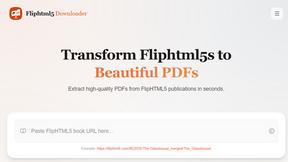
FlipHTML5 Downloader
Paste a FlipHTML5 link and get a clean, watermark-free PDF in seconds. Free and open-source, no registration - everything runs in your browser.

How Long How Many Tool
Timers and hourly checks to figure how out long until a certain time or how many days away.

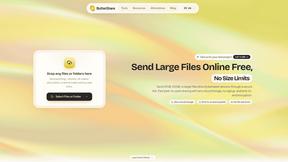
ButterShare
Send files straight between two browsers with a 6-digit key. No signup, no install, nothing stored on a server.
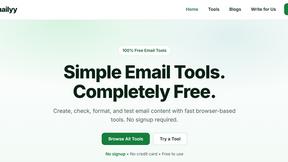
Emailyy
Free email tools for signatures, subject lines, HTML previews, word counts, and email headers. Browser-based, simple to use, and no signup required.
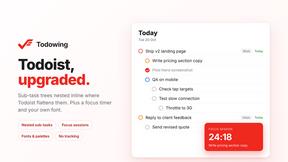
Todowing
Chrome extension for Todoist that shows nested sub-tasks inline in Today, Upcoming, Filter and Label views. Free, with a $19.99 lifetime unlock.
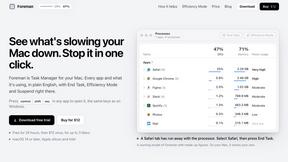
Foreman
See every app and what it's using in plain English, and end or slow down the one that's hogging your Mac.
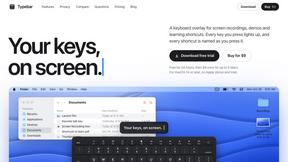
Typebar
Every key you press lights up on an on-screen keyboard, and each shortcut is named. For screen recordings, demos and learning shortcuts.

Uniclip
Clip pages, take full-page screenshots and batch-capture list data to Notion, Feishu, Obsidian, Markdown, CSV or JSON.

TroveKey
Search tabs, Chrome bookmarks and history, run browser commands, and save webpages and social posts locally—no account.

Notchpals
Little characters peek out of your Mac's notch to remind you to drink water, eat, sit up and get to bed. Quiet during calls. $4.99 once.
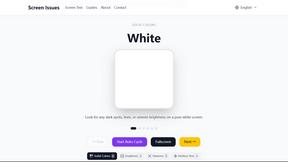
Screen Issues
Free Online Screen Test Tool - Instantly diagnose dead pixels, lines, color issues, and flickering. Multiple test modes, no download needed.

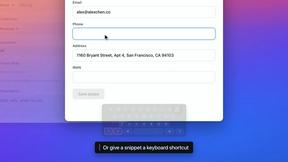
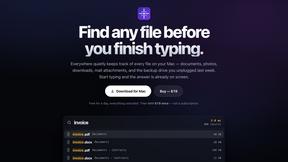
Everywhere
Fast file search for the Mac. Results as you type, files inside Mail and Photos, works with Wi-Fi off. $19 once.
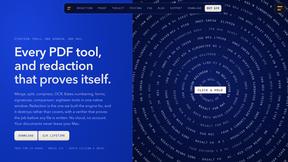
Basalt
Eighteen PDF tools in one native Mac window: merge, split, compress, OCR, Bates numbering, forms, signing and redaction. Offline. $29 once.

Voice Keyboard Pro
Hold a key, say what you mean, let go. Clean, punctuated text lands at the cursor in any app on your Mac or iPhone.

Mainspring
Mainspring turns the settings macOS hides into 90+ one-click, fully reversible power-ups for Finder, Dock, screenshots and more. $29 once.
About QuickSigner Alternatives
QuickSigner is an online eSigning solution that streamlines the process of signing, sending, and finalizing documents, effectively reducing what typically takes days into mere minutes. It falls under the category of productivity and management tools, offering essential features such as electronic signatures approved by the Adobe Approved Trust List and ISO 27001 certification for data security. Users often seek alternatives to QuickSigner for various reasons, including pricing considerations, specific feature requirements, or compatibility needs with other platforms. When evaluating alternatives, it's crucial to look for solutions that offer robust security measures, user-friendly interfaces, and integration capabilities with existing tools. Additionally, consider the level of customer support provided and whether the alternative aligns with your organizational needs and workflow. Assessing these factors will help ensure that you choose an eSigning solution that meets your requirements effectively.
FAQs about QuickSigner Alternatives
What is QuickSigner?
QuickSigner is an online eSigning platform designed to simplify the signing process of documents. It allows users to sign, send, and finalize documents quickly, transforming what traditionally takes considerable time into a matter of minutes. The platform is designed for both individual and organizational use, facilitating efficient document management.
Who is QuickSigner for?
QuickSigner is suitable for individuals, small businesses, and large enterprises that require a reliable and efficient method for electronic signatures. Professionals in various sectors, including legal, real estate, and finance, can benefit from its capabilities to expedite document workflows. The platform is particularly valuable for those looking to enhance productivity and reduce turnaround times.
Is QuickSigner free?
QuickSigner does not offer a completely free version, but it may provide a trial period or tiered pricing plans that cater to different user needs. Prospective users should review the pricing structure on the official website to determine the best plan based on their requirements. Investing in a reliable eSigning solution can offer significant time-saving benefits.
What are the main features of QuickSigner?
QuickSigner includes several key features designed to enhance the eSigning process. These features encompass Adobe Approved Trust List electronic signatures, ensuring compliance with industry standards and regulations. Additionally, the platform boasts ISO 27001 certification, providing users with peace of mind regarding data security and privacy. QuickSigner also offers an intuitive user interface and integration capabilities with various productivity tools.