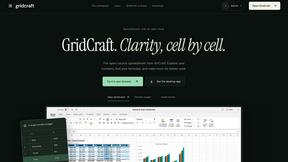
GridCraf
Free, open-source spreadsheet app for exploring, editing, and analyzing XLSX workbooks.

Free, open-source spreadsheet app for exploring, editing, and analyzing XLSX workbooks.
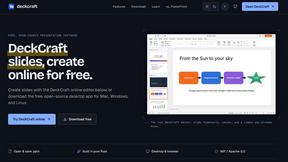
Free, open-source presentation editor for browser and desktop, with PowerPoint support, themes, layouts, charts, images, notes, and animations.
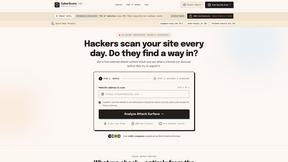
Free outside-in security check for small businesses: email spoofing, website settings, known flaws and exposed services, with plain-English fixes.

Greatooly is a curated directory of small, useful apps — discover focused tools for art, learning, money, health, travel and everyday life.

VD6S is a free online YouTube video downloader that supports HD, 4K and up to 8K downloads. Save videos in MP4 or audio in multiple formats.

AI-powered platform that evaluates the safety of LinkedIn automation tools and helps reduce the risk of account restrictions.
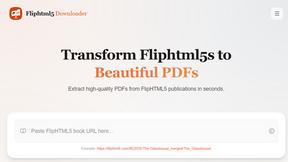
Paste a FlipHTML5 link and get a clean, watermark-free PDF in seconds. Free and open-source, no registration - everything runs in your browser.
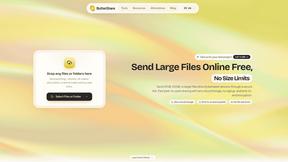
Send files straight between two browsers with a 6-digit key. No signup, no install, nothing stored on a server.

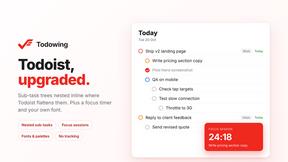
Chrome extension for Todoist that shows nested sub-tasks inline in Today, Upcoming, Filter and Label views. Free, with a $19.99 lifetime unlock.
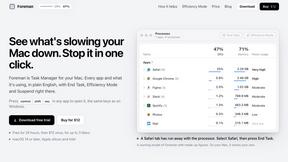
See every app and what it's using in plain English, and end or slow down the one that's hogging your Mac.
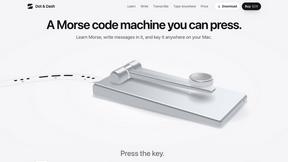
Learn Morse code on a machine you can press. Write and send messages, turn Morse into text and back, and key Morse in any app on your Mac.
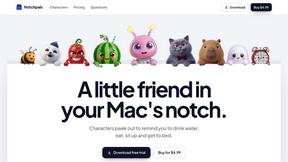
Little characters peek out of your Mac's notch to remind you to drink water, eat, sit up and get to bed. Quiet during calls. $4.99 once.
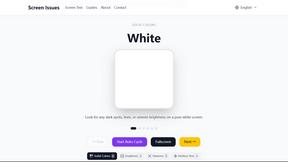
Free Online Screen Test Tool - Instantly diagnose dead pixels, lines, color issues, and flickering. Multiple test modes, no download needed.
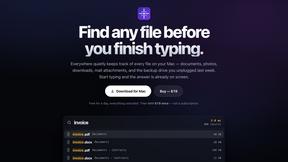
Fast file search for the Mac. Results as you type, files inside Mail and Photos, works with Wi-Fi off. $19 once.
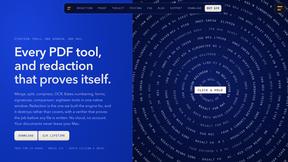
Eighteen PDF tools in one native Mac window: merge, split, compress, OCR, Bates numbering, forms, signing and redaction. Offline. $29 once.
Plate Photo AI is a specialized software tool that uses artificial intelligence to transform ordinary smartphone photographs of food into professional-grade, menu-ready images in a matter of seconds. It falls within the growing category of AI-driven image enhancement and editing platforms, specifically tailored for the restaurant and food service industry. Users commonly seek alternatives to Plate Photo AI for several reasons, including the need for a different pricing structure, such as a one-time purchase instead of a per-image fee, or the requirement for more granular control over the editing process that a fully automated AI tool may not offer. Others might look for solutions that integrate more deeply with their existing point-of-sale or website management systems, or they may need a platform that supports a higher volume of batch processing without incurring significant costs. When evaluating an alternative to Plate Photo AI, it is critical to prioritize tools that deliver consistent, high-resolution output suitable for both digital menus and print marketing materials. Look for solutions that offer robust customization options, such as the ability to manually adjust lighting, background, and composition, as well as automated features that can maintain brand consistency across a large catalog of images. Pricing transparency is another key factor; assess whether the alternative charges per image, per month, or through a flat fee, and ensure it aligns with your expected volume of use. Additionally, consider the platform’s integration capabilities with your existing tech stack, such as direct import from Google Maps or website galleries, and verify that the output is optimized for delivery app specifications and social media dimensions to maximize order conversion rates.
Plate Photo AI is an artificial intelligence-powered food photography tool designed to convert everyday smartphone photos of dishes into professional, menu-ready images in seconds. It eliminates the need for a photographer, studio, or any design skills by using AI to apply consistent lighting, angles, and backgrounds. The tool is specifically built for restaurants, food brands, and marketers who need high-quality food imagery on demand.
Plate Photo AI is primarily designed for restaurant owners, chefs, food delivery operators, and marketing professionals who need to create or update menu imagery quickly and cost-effectively. It is also suitable for food bloggers, social media managers, and any business that relies on appetizing food photos for customer engagement. The tool is built for users who want studio-quality results without hiring a professional photographer or learning complex editing software.
Plate Photo AI is not a free service; it operates on a per-image pricing model at $0.33 per image. This cost is significantly lower than traditional food photography, which can range from $500 to $2,000 per photo shoot. The platform offers a cost-effective solution for businesses that need to produce large volumes of high-quality food images without the upfront investment of a professional shoot.
Key features include the ability to upload a photo of a dish and apply professional styles such as Cafe, Fine Dining, Menu Zoom, or Delivery App, with the option to create custom styles. Users can edit photos using simple text prompts to change lighting, remove ingredients, or add garnishes without using Photoshop or Canva. The platform also allows one-click import of existing photos from a website or Google Maps and ensures consistent lighting, angles, and backgrounds across all images to maintain brand identity.