

Alternatives to Easymotion - AI Motion Graphic Generator
Easymotion uses AI to turn static images, data, or ideas into professional motion graphics and map animations in minutes.
Explore 20 alternatives to Easymotion - AI Motion Graphic Generator. Compare features, pricing, and find the best fit for your needs.
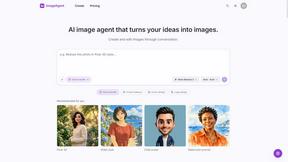
ImageAgent
Create and edit AI images through conversation, using text or reference images and refining results in chat.

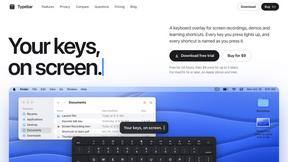
Typebar
Every key you press lights up on an on-screen keyboard, and each shortcut is named. For screen recordings, demos and learning shortcuts.
GenX
All-in-one AI workspace to generate images, videos, and audio with multiple leading AI models.

Bloom
An adaptive AI tutor that turns topics or your materials into courses, lessons, and answers tailored to how you learn.

AppIconGenerator
Generate iOS and Android app icons from any image and export all platform sizes for free.
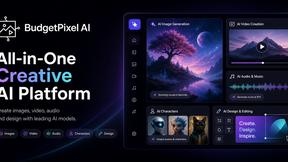
Budgetpixel AI
Create AI images, videos, music, and designs in one workspace with multiple models, powerful editing tools, and API access.

Nano AI
Create and edit AI images, generate videos, and compare models in one creative workbench.
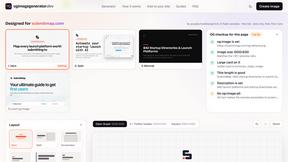
ogimagegenerator.dev
Paste a URL and AI designs on-brand Open Graph images from your page's colours, fonts and logo. Free, no sign-up.

PinsDownload
Free online Pinterest downloader for videos, images and GIFs in HD up to 4K. No watermark, no login needed.

Tip Toe AI
Upload a Dancer photo and a Partner photo and get your own AI Tip Toe barn-dance video. Free 5s preview, 12s HD from $4.90. No subscription.

Ozil Goal AI
Turn one photo into the viral Özil goal meme video: you, your dog, a toy or a drawing scores. Free 5s preview, 10s 720p from $4.90. No subscription.

FreeVideoGenerator
Free AI video generator to turn text prompts and photos into clips with Sora 2, Veo 3.1, Wan and more. Free starter credits, no watermark downloads.
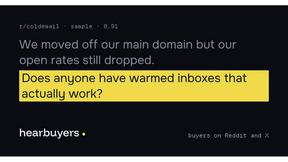
HearBuyers
AI social listening agent: finds people on Reddit and X describing the problem you solve, scores buying intent and drafts a reply your team approves.
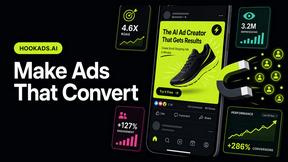
HookAds
Free ad creative hub: 1,750+ prompts behind viral AI ads, 118 hook frameworks, teardowns, swipe files and 27 free AI ad tools. Copy, remix, ship.

SaaSHunter
Compare social media scheduling, content creation and monetization tools with verified pricing, ranked by open scorecards.


Verla AI
Verla is an AI academic assistant for university and college students, combining AI essay writing, academic research, AI detection, AI humanization

Soul Cinema
Turn a written shot into a film-grade AI still: cinematographer lighting, a consistent cast across frames, locked looks, 8K exports, no watermark.

ImageGenerator
Create and edit AI images online with multiple models, text-to-image, image-to-image, background removal, and upscaling.
About Easymotion - AI Motion Graphic Generator Alternatives
Easymotion - AI Motion Graphic Generator is a browser-based SaaS platform that falls under the intersecting categories of AI Assistants, Content Creation, Design Tools, and Video. It specializes in transforming static inputs—such as prompts, images, spreadsheets, and PDFs—into polished animated videos and map animations without requiring traditional timeline editing skills. While Easymotion offers a streamlined workflow for generating SaaS promos, flowcharts, and geographic storytelling visuals, users commonly seek alternatives due to specific constraints like pricing tiers that may not align with low-budget projects, a need for more granular keyframe control for advanced motion designers, or platform compatibility requirements such as offline functionality or integration with existing enterprise video pipelines. When evaluating an alternative to Easymotion, content creators, editors, founders, and marketers should prioritize tools that offer comparable AI-driven automation for motion graphics and map animations, while also assessing export flexibility for formats like MP4, MOV, and transparent backgrounds. Critical factors include the breadth of template libraries for rapid customization, the depth of chat-based editing for color and pacing adjustments, and support for diverse aspect ratios such as 16:9, 9:16, and 4:5. Additionally, research from industry benchmarks suggests that users should verify whether the alternative provides robust data security for client deliverables, seamless browser-based performance without latency, and scalable pricing that accommodates both one-off projects and high-volume content production. According to a 2023 report from the Content Marketing Institute, tools that reduce production time by over 50% while maintaining brand consistency are more likely to retain users long-term, making these criteria essential for comparison.
FAQs about Easymotion - AI Motion Graphic Generator Alternatives
What is Easymotion - AI Motion Graphic Generator?
Easymotion is an AI-powered motion graphics and map animation generator designed for content creators, editors, founders, and marketers. It allows users to turn ideas, files, and static visuals into polished animated videos without relying on complex timeline editing software. The platform supports a wide range of motion graphics including SaaS product promos, flowcharts, animated charts, UI explainers, quizzes, and geographic storytelling visuals like flight routes and location pins.
Who is Easymotion - AI Motion Graphic Generator for?
Easymotion is built for content creators, editors, founders, and marketers who need a faster way to produce professional motion graphics and map animations directly in the browser. It is particularly useful for those who lack advanced animation skills but require high-quality video assets for social media, product marketing, presentations, and client deliverables. The tool also serves professionals needing to convert spreadsheets, PDFs, or images into animation-ready scenes with minimal effort.
Is Easymotion - AI Motion Graphic Generator free?
Based on the provided product content, Easymotion is described as a premium platform with a template library and export capabilities, suggesting it operates on a paid subscription or credit-based model rather than being entirely free. Users can start from a prompt or convert files into animations, but access to advanced features like chat-based editing, premium templates, and high-resolution exports likely requires a paid plan. For specific pricing details, users should consult the official Easymotion website or documentation.
What are the main features of Easymotion - AI Motion Graphic Generator?
Key features include AI-driven generation of motion graphics from prompts, images, spreadsheets, and PDFs, as well as a dedicated map animation maker for flight routes, location pins, and flag fill highlights. Users can edit animations by chatting with AI to adjust colors, pacing, labels, layout, and visual style. The platform offers a premium template library, export options for MP4 and MOV formats with transparent backgrounds, and support for multiple aspect ratios including 16:9, 9:16, 1:1, and 4:5.