

Alternatives to Anime Maker
Anime Maker transforms text and photos into AI-generated anime images, characters, and short videos with customizable styles and scenes.
Explore 20 alternatives to Anime Maker. Compare features, pricing, and find the best fit for your needs.
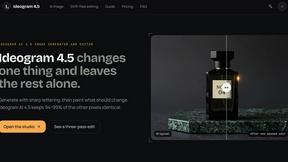
ideogram-45
AI image generation and editing with sharp typography, native 2K output, and localized edits that preserve the rest of your image.

hotel-lobby
Two-person AI video concept in a warm orange booth, with two performers sharing one microphone.
AI Album Cover Maker
Create release-ready album covers from a prompt or photo. Generate, refine, and export art for singles, EPs, mixtapes, and playlists.
GetYouTubeTranscript
Free YouTube transcripts on the web, a Chrome extension, and an API + MCP server so AI assistants can read YouTube.
AudioVideo
Turn podcasts, narration, voice recordings, or music into visual content with AudioVideo AI.
Motion Control AI
Create motion-controlled character videos from a character image and reference motion video.
RunwayAI
Create videos from prompts and images with practical controls, task tracking, previews, downloads, and API resources.
Qwen Image Edit
Qwen Image Edit Online for prompt-based image editing, generation, and creative production.

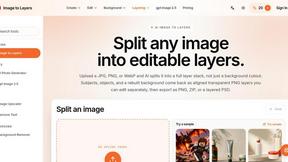
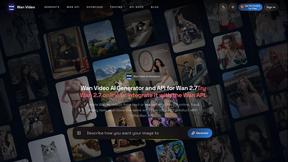
Wan Video
Create Wan AI videos from text, images, references, and clips with Wan 2.7 workflows.

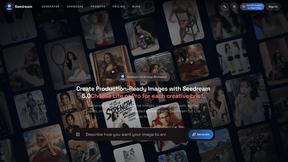
Seedream 5.0
Production-ready AI image generation and editing with Seedream 5.0 Pro and Lite for ecommerce, marketing, social media, and branded content.
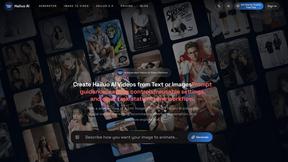
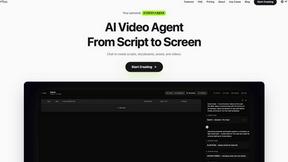
Pixo
Pixo is an AI video director that turns a prompt or script into a storyboard, consistent scenes, voiceover, and an edited final cut.

Presentation Intelligence
AI-native presentation and visual content platform that turns prompts, documents, images, videos, and data into polished, shareable decks.
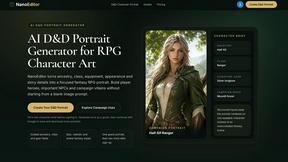
Nano Editor
NanoEditor is an AI-powered D&D portrait generator that turns character details like ancestry, class and gear into focused fantasy RPG art.

About Anime Maker Alternatives
Anime Maker is an AI-powered creative platform that falls within the content creation, design tools, video, and image generation categories. It enables users to generate anime-style images, original characters, logos, filters, and image-to-video concepts from text prompts or existing photos, offering a focused browser workflow for rapid visual ideation. While Anime Maker provides a robust suite of features for artists, game teams, marketers, and fans, users commonly seek alternatives due to factors such as pricing structures, the need for offline or mobile-native functionality, limitations on commercial usage rights, or a desire for more granular control over generation parameters like pose or background rendering. Additionally, some creators may require deeper integration with specific design ecosystems, such as vector editing or 3D modeling pipelines. When evaluating alternatives to Anime Maker, it is critical to assess the platform’s generation fidelity—specifically how well it preserves the distinct anime aesthetic across different styles, from cel-shaded to watercolor. Look for tools that offer transparent licensing for commercial projects, particularly if you plan to use outputs for merchandise or marketing assets. Performance benchmarks, such as generation speed and resolution caps, should align with your workflow demands, while community support and API availability can indicate long-term viability for teams scaling their production. Finally, consider whether the alternative supports multi-modal inputs, such as combining a reference image with a text prompt, to maintain creative flexibility without sacrificing consistency. Research from the Journal of Creative Technologies (2023) highlights that user satisfaction in AI image generation tools correlates strongly with prompt fidelity and iteration speed, making these non-negotiable criteria for professional use.
FAQs about Anime Maker Alternatives
What is Anime Maker?
Anime Maker is an AI-powered creative platform designed to transform text prompts and photos into anime-style images, original characters, logos, filters, and image-to-video concepts. It operates within a focused browser workflow, allowing users to explore visual ideas quickly through multiple generation modes. The platform is categorized under content creation, design tools, video, and image generation, making it a versatile solution for artists and marketers alike.
Who is Anime Maker for?
Anime Maker is built for a broad audience including artists, creators, game development teams, marketers, and anime fans who need a streamlined tool for generating anime-style visuals. It is particularly suited for users who require export-ready results for projects such as character design, social media filters, or promotional materials. The platform’s focused browser workflow also appeals to professionals seeking rapid iteration without the complexity of traditional design software.
Is Anime Maker free?
The provided content does not specify whether Anime Maker is free or operates on a paid subscription model. Users should consult the official Anime Maker website for the most current pricing information, as many AI generation platforms offer tiered plans based on usage limits, resolution, or commercial licensing. It is common for such tools to provide a limited free tier with watermarked or lower-resolution outputs.
What are the main features of Anime Maker?
Anime Maker offers multiple generation modes, including text-to-image, image-to-image, and image-to-video conversion, all tailored to an anime aesthetic. Users can create original characters, avatars, logos, and filters, with the platform supporting export-ready results for direct use in creative projects. The tool is optimized for a browser-based workflow, enabling quick exploration of visual concepts without requiring local software installation.