
Ultimate Forms
Ultimate Forms simplifies form creation and automation in SharePoint and 365, empowering users to build solutions.
Visit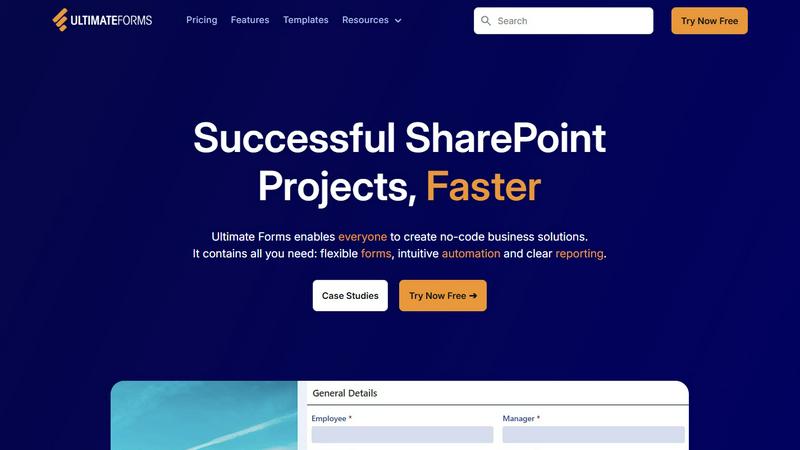
About Ultimate Forms
Infowise Ultimate Forms is a robust forms and automation platform tailored for Microsoft SharePoint users. It offers a no-code solution that empowers individuals across various skill levels to create, manage, and share customizable forms and business processes effortlessly within their organizations. By leveraging the integration capabilities of SharePoint and Microsoft 365, Ultimate Forms addresses a wide array of business needs through an extensive suite of tools. These include flexible forms, intuitive automation features, and insightful reporting capabilities. The platform is designed to enhance productivity, streamline workflows, and facilitate faster project completion, ultimately improving resource management. With over 20 years of experience in the industry, Infowise has established Ultimate Forms as a trusted choice for thousands of organizations globally, enabling them to develop effective business applications that cater to their unique requirements.
Features of Ultimate Forms
Flexible Forms
Ultimate Forms offers convenient and modern responsive forms that include features such as tabs, section and column permissions, dynamic rules, and electronic signatures. These forms ensure that all data is securely stored within SharePoint, enhancing both user experience and data quality while simplifying business processes.
Intuitive Automation
The platform replaces complex SharePoint and Power Automate workflows with versatile Actions that simplify data creation and updates within SharePoint and other integrated applications. This intuitive approach reduces the learning curve, empowering more users to create and manage business solutions without relying on IT support.
Clear Reporting
Ultimate Forms provides detailed reporting capabilities, presenting data as actionable insights through shareable reports, dashboards, KPIs, calendars, and charts. This functionality allows users to visualize information easily, improving responsiveness and accountability across the organization.
Pre-built Solution Templates
Users can easily access a vast library of pre-built solution templates designed to streamline the creation, replication, and distribution of forms and automation-enhanced SharePoint business solutions. This feature allows organizations to build once and deploy multiple times across different sites and tenants, saving time and resources.
Use Cases of Ultimate Forms
Project Management
Ultimate Forms can be used to manage and track a wide range of project-related activities, including customer interactions, project timelines, task assignments, and work hours. This capability helps teams stay organized and enhances productivity.
HR Recruitment
HR departments can utilize Ultimate Forms to create a multi-stage portal for processing, evaluating, and hiring candidates. This solution streamlines the recruitment process, making it easier to manage applications and track candidate progress.
Leave Request Management
Organizations can implement Ultimate Forms to manage employee leave requests and approvals effectively. This automated process simplifies tracking and ensures compliance with company policies, reducing administrative burdens.
Asset Tracking
Ultimate Forms can facilitate asset tracking within organizations, allowing users to monitor and manage company assets efficiently. This feature enhances accountability and ensures that resources are utilized effectively.
Frequently Asked Questions
What is Ultimate Forms?
Ultimate Forms is a no-code platform for creating and managing forms and business processes in Microsoft SharePoint. It enables users of all skill levels to build customized solutions without any coding expertise.
How does Ultimate Forms improve productivity?
By providing flexible forms, intuitive automation, and clear reporting, Ultimate Forms streamlines workflows and reduces the time spent on repetitive tasks, leading to improved overall productivity within organizations.
Is training required to use Ultimate Forms?
No prior coding experience is necessary to use Ultimate Forms. The platform is designed to be user-friendly and intuitive, allowing anyone to create and manage business solutions without extensive training.
Can I integrate Ultimate Forms with other applications?
Yes, Ultimate Forms can connect with various data sources and applications, such as Exchange, MS SQL, and Teams, enabling users to drive business results across multiple platforms.