
AISeedance2 vs Ray3
Side-by-side comparison to help you choose the right product.

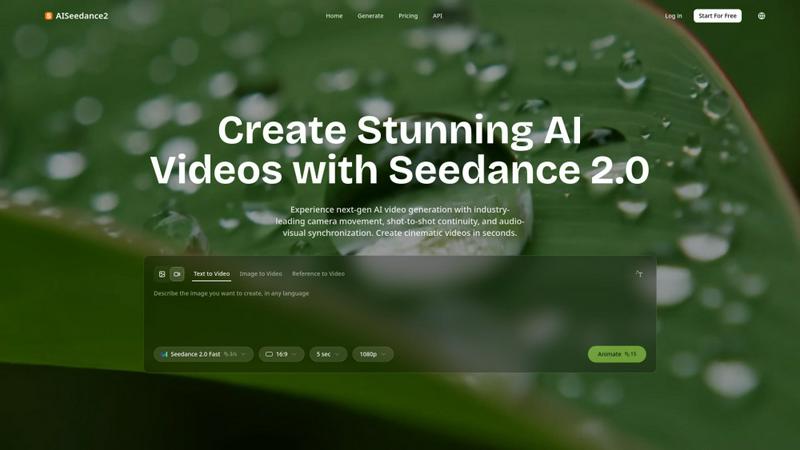
AISeedance2 generates cinematic AI videos with professional camera movement, shot continuity, and audio sync.
Last updated: February 27, 2026
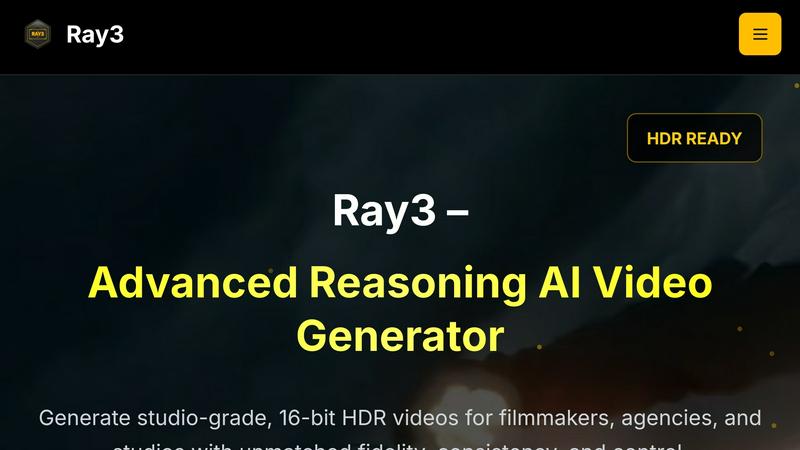
Ray3 generates stunning 16-bit HDR videos with advanced AI for filmmakers and studios seeking cinematic quality and.
Last updated: March 1, 2026
Visual Comparison
AISeedance2
Ray3
Feature Comparison
AISeedance2
Wide-Range Cinematic Camera Movement
AISeedance2 delivers an unprecedented level of AI-controlled cinematography, executing complex, fluid camera movements that were previously exclusive to professional film sets. The system natively understands and generates sweeping crane shots, dynamic tracking sequences, orbital movements, and drone-like aerial perspectives. This feature provides accurate depth-of-field transitions and dramatic push-in/pull-out sequences directly from a text prompt, enabling creators to achieve a cinematic look without physical camera equipment or complex 3D animation software.
Shot-to-Shot Continuity
This feature ensures perfect visual coherence across different scenes and shots within a single video generation. AISeedance2 maintains consistent lighting, character positioning, environmental details, and stylistic elements from one shot to the next. This breakthrough is critical for narrative storytelling, as it allows for the creation of multi-scene sequences that feel like a unified whole, eliminating the jarring inconsistencies common in earlier AI video models and enabling the production of short films or cohesive marketing narratives.
Precision Audio-Visual Synchronization
AISeedance2 meticulously synchronizes generated video frames with accompanying audio tracks. Every visual element, from character movements and environmental effects to scene transitions, is timed to match the beats, rhythm, and cues of the input audio. This capability is essential for creating music videos, dynamic explainer content, and advertisements where on-screen action must align perfectly with sound effects, voiceovers, or musical scores, enhancing the overall impact and professionalism of the final video.
Character Identity Lock
The platform excels at maintaining persistent character identity throughout a generated video sequence. This means a character's facial features, hairstyle, clothing, and body type remain consistent across different shots, angles, and actions. This feature is vital for storytelling and brand marketing, allowing creators to feature a specific protagonist, spokesperson, or branded mascot in multiple scenes without the identity "morphing" or changing unpredictably, which has been a persistent challenge in AI video generation.
Ray3
High-Fidelity HDR
Ray3 supports true 10/12/16-bit HDR output, delivering cinematic-quality visuals with exceptional color depth and dynamic range. This feature ensures that videos meet industry standards for professional-grade color grading, enhancing every frame's visual impact.
Reasoning Intelligence
The advanced reasoning engine of Ray3 provides smarter, consistent, and physically accurate video generation. It understands scene context and maintains logical consistency throughout the video, allowing for multi-character scene understanding and physics-based motion.
Draft Mode
Ray3's Draft Mode accelerates the creative process by enabling users to iterate and experiment with ideas five times faster than traditional methods. This feature allows for quick previews and cost-effective creative testing, making it easier for professionals to explore concepts without compromising quality.
Workflow Integration
Ray3 is designed to integrate seamlessly with industry-standard software like Adobe Premiere Pro and adheres to ACES color workflows. This compatibility ensures that users can incorporate Ray3 into their existing production processes effortlessly, enhancing overall workflow efficiency.
Use Cases
AISeedance2
Short Film & Narrative Production
Independent filmmakers and digital studios can leverage AISeedance2 to rapidly prototype and produce short films. The combination of cinematic camera work, shot continuity, and character consistency allows for the creation of compelling narrative sequences with a professional visual flow. This drastically reduces pre-production and shooting costs, enabling storytellers to visualize complex scenes and action choreography that would be expensive or logistically challenging to film traditionally.
Marketing & Advertising Creative
Marketing agencies can use the platform to produce high-quality, engaging video ads and social media content at scale. The ability to lock character identity is perfect for creating ads featuring a consistent brand spokesperson. Meanwhile, the audio-visual sync and cinematic quality help craft emotionally resonant advertisements, product demos, and brand story videos that capture audience attention and convey key messages effectively within tight production deadlines.
Educational & Explainer Content
Educators and corporate trainers can create dynamic explainer videos and educational modules. The shot continuity ensures complex topics are broken down into clear, visually connected segments. Audio-visual synchronization is key for pairing narration or instructions with on-screen demonstrations and animations, improving knowledge retention. This makes it an ideal tool for producing engaging e-learning content, software tutorials, and interactive training materials.
Social Media & Content Creation
Content creators and influencers can generate stunning, platform-optimized videos for TikTok, Instagram Reels, and YouTube Shorts. The fast rendering speed and ease of use allow for the quick production of trending, eye-catching content. Features like dynamic camera movement and audio sync are perfect for creating music-driven clips, quick skits, and visually impressive posts that stand out in crowded social media feeds, helping creators maintain a consistent and professional posting schedule.
Ray3
Filmmaking
Filmmakers can leverage Ray3 to create high-quality cinematic sequences that demand precision and visual excellence. Its advanced reasoning capabilities allow for intricate storytelling and dynamic scene compositions, making it ideal for narrative projects.
Advertising
Creative agencies can utilize Ray3 for producing compelling commercials that captivate audiences. The tool's ability to generate visually stunning HDR videos enhances brand messaging and elevates the creative quality of advertising campaigns.
Architectural Visualization
Ray3 serves as an essential tool for architects and designers seeking to present their projects in a visually striking manner. The software's HDR capabilities and realistic rendering engine help articulate complex architectural designs and environments effectively.
Fashion Editorials
Fashion professionals can harness Ray3 to create striking editorials that showcase garments and styles with dramatic lighting and high-end aesthetics. The tool's ability to produce visually rich content enhances the storytelling aspect of fashion presentations.
Overview
About AISeedance2
AISeedance2, also known as Seedance 2.0, represents a significant leap forward in AI-powered video generation technology. Developed by ByteDance, it is engineered to address the core challenges faced by professional creators and production teams: achieving cinematic quality, visual coherence, and production efficiency with AI tools. The platform's primary value proposition lies in its three industry-first breakthroughs: wide-range cinematic camera movement, shot-to-shot continuity, and precision audio-visual synchronization. These capabilities, combined with support for 2K cinematic resolution and a robust character identity lock feature, allow users to generate cohesive, multi-shot narrative videos from simple text, image, or reference prompts. AISeedance2 is designed for a wide range of professional users, including independent filmmakers, marketing and advertising agencies, educational content developers, and social media production teams who require high-fidelity, story-driven video content at scale. By rendering videos up to 30% faster than previous iterations, it significantly reduces the time from concept to final product, making professional-grade AI filmmaking more accessible and practical for commercial and creative projects.
About Ray3
Ray3 is an advanced reasoning-based AI video model specifically tailored for professional creators aiming to enhance their video production capabilities. This innovative tool empowers filmmakers, creative agencies, and production studios to produce cinematic-quality videos with unparalleled visual fidelity, offering 10/12/16-bit HDR output. Ray3 leverages a cutting-edge temporal reasoning engine that enables users to achieve physically accurate motion, multi-character scene understanding, and cohesive storytelling. Its Draft Mode feature significantly accelerates the ideation process, allowing creators to brainstorm and iterate at five times the usual speed. Moreover, Ray3 integrates seamlessly with industry-standard software, such as Adobe Premiere Pro, and adheres to ACES color workflows, making it an indispensable asset for a variety of applications, including commercials, cinematic sequences, architectural visualization, and fashion editorials. With Ray3, professionals can elevate their creative workflows and produce visually stunning content that captivates audiences.
Frequently Asked Questions
AISeedance2 FAQ
What makes AISeedance2 different from other AI video generators?
AISeedance2 distinguishes itself through three core, industry-first technological breakthroughs: professional-grade wide-range camera movement, true shot-to-shot continuity for multi-scene narratives, and precision synchronization of video to audio. These features, backed by ByteDance's research, address the primary limitations of coherence and cinematic quality in earlier AI video models, offering a more complete and reliable toolkit for professional filmmaking and content creation.
What kind of input does AISeedance2 accept?
The platform accepts multiple input modalities to generate video. Users can start with a text description (Text to Video), an initial still image (Image to Video), or a reference video (Reference to Video) to guide the style and motion. This flexibility allows creators to work from various starting points, whether they have a detailed script, a storyboard image, or an existing video they wish to remix or enhance using AI.
Can I control the length and format of the generated videos?
Yes, based on the provided interface context, users have control over key output parameters. This includes the video duration (e.g., 5 seconds), aspect ratio (e.g., 16:9), and resolution (e.g., 1080p). The mention of "2K Cinematic Resolution" indicates support for high-definition outputs, which is essential for professional use cases where video quality cannot be compromised.
Is AISeedance2 suitable for beginners with no video editing experience?
While AISeedance2 is a powerful professional tool, its interface is designed to be accessible. The primary method of creation is through descriptive text prompts, which lowers the barrier to entry compared to traditional video editing software. However, to fully leverage its advanced features like cinematic camera control, an understanding of basic filmmaking and storytelling concepts will help users craft more effective prompts and achieve superior results.
Ray3 FAQ
What types of videos can I create with Ray3?
Ray3 allows users to create a wide range of videos, including commercials, cinematic sequences, architectural visualizations, and fashion editorials, all with high-quality HDR output.
How does the Draft Mode feature work?
The Draft Mode feature enables users to rapidly iterate and test creative ideas at five times the usual speed. It provides quick previews to facilitate fast decision-making before committing to high-fidelity renders.
Is Ray3 compatible with other software?
Yes, Ray3 integrates seamlessly with industry-standard software such as Adobe Premiere Pro and adheres to ACES color workflows, making it easy to incorporate into existing production environments.
How does Ray3 ensure visual fidelity in its videos?
Ray3 utilizes advanced reasoning intelligence and supports true 10/12/16-bit HDR output, ensuring professional-grade color depth and dynamic range that align with industry standards for cinematic quality.
Alternatives
AISeedance2 Alternatives
AISeedance2 is a web-based AI video generator specializing in Seedance 2.0 technology, which converts text and images into dynamic video content. It operates within the rapidly evolving category of generative AI video production tools, distinguished by its focus on cinematic camera movements and multi-shot continuity. Users often explore alternatives for various practical reasons. These can include budget constraints, as pricing models and subscription tiers vary widely across the market. Others may seek different feature sets, such as specific export formats, integration capabilities with other software, or platform compatibility that better suits their existing workflow or device ecosystem. When evaluating an alternative, key considerations should align with your core production needs. Prioritize the tool's ability to handle your required video length, output resolution, and the realism of its generated motion. Also, assess the consistency of character and scene generation across multiple shots, the sophistication of audio synchronization, and the overall user experience that supports your creative or commercial objectives.
Ray3 Alternatives
Ray3 is an innovative AI-driven video generation tool specifically designed for filmmakers and creative professionals. It belongs to the category of advanced video production software, focusing on delivering stunning 16-bit HDR videos with a high degree of visual fidelity and logical reasoning. Users often seek alternatives to Ray3 due to various factors such as pricing constraints, feature requirements, or compatibility with different platforms and workflows. When selecting an alternative, it is essential to consider the output quality, ease of integration with existing tools, and the specific features that align with your creative needs. Finding the right alternative involves evaluating both the technical capabilities and the usability of the software. Look for options that offer high-quality HDR output, advanced reasoning capabilities, and features that enhance the creative process, such as efficient ideation modes. Additionally, consider how well the alternative integrates with other software in your production pipeline to ensure a seamless workflow.