
NanoImg vs Shrinkpad
Side-by-side comparison to help you choose the right product.
NanoImg
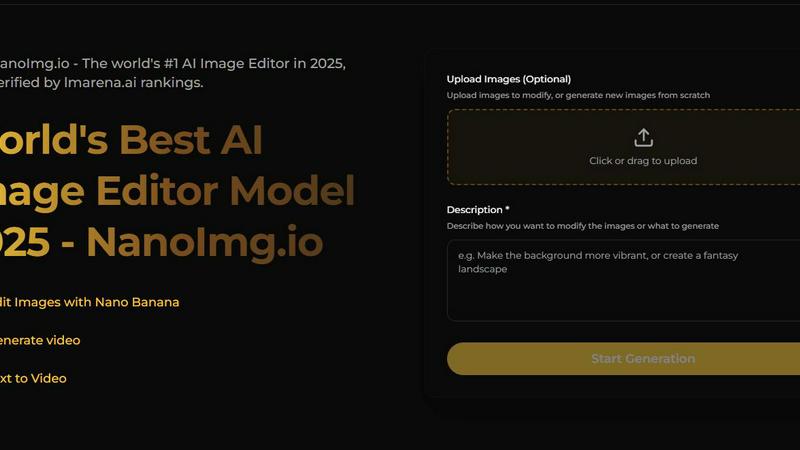
NanoImg is an all-in-one AI platform that instantly generates and professionally edits images using top models like.
Last updated: March 1, 2026

Shrinkpad
Effortlessly batch compress images and videos on Mac, optimizing quality while saving time and disk space.
Last updated: February 28, 2026
Visual Comparison
NanoImg
Shrinkpad
Feature Comparison
NanoImg
Unified Multi-Model Platform
NanoImg aggregates multiple state-of-the-art AI image models in one platform, including Nano Banana Pro, Seedream, Flux Kontext, and Sora 2. This allows users to select the optimal model for their specific task—whether it's the character consistency of Nano Banana, the ultra-fast 4K processing of Seedream 4.0, the precise editing of Flux Kontext, or the cinematic video generation of Sora 2. This multi-model approach ensures users have access to best-in-class technology for every creative need without switching between different services or interfaces.
Intuitive Natural Language Interface
The platform leverages advanced LLM-vision technology to allow users to create and edit images using plain English descriptions. Users can simply type their vision into a prompt, and the AI generates or modifies the image accordingly. This eliminates the need for complex, technical prompting syntax, making professional image generation accessible to users of all skill levels. The interface also includes a prompt generator for inspiration, further lowering the barrier to entry for effective AI-driven creation.
Advanced AI-Powered Editing Suite
Beyond generation, NanoImg provides a robust suite of AI editing tools. This includes specialized effects like Photo to Anime, Photo to Sketch, and various filters (Vignette, Glitch), as well as advanced functionalities like Face Swap and character customization. A key capability is multi-image fusion, where users can upload up to four reference images to guide the AI, ensuring style preservation and character consistency across generated visuals, which is critical for branding and serial content creation.
Template-Driven Workflow for Efficiency
To accelerate content creation, NanoImg offers a wide array of plug-and-play templates tailored for specific industries and use cases, such as e-commerce product photos, social media memes, advertising visuals, and digital art. These pre-structured starting points allow users to bypass blank-canvas anxiety and produce on-brand, professional visuals in seconds. The template system is designed to maintain stylistic consistency, which is essential for building coherent visual identities across marketing campaigns and digital platforms.
Shrinkpad
Batch Compression
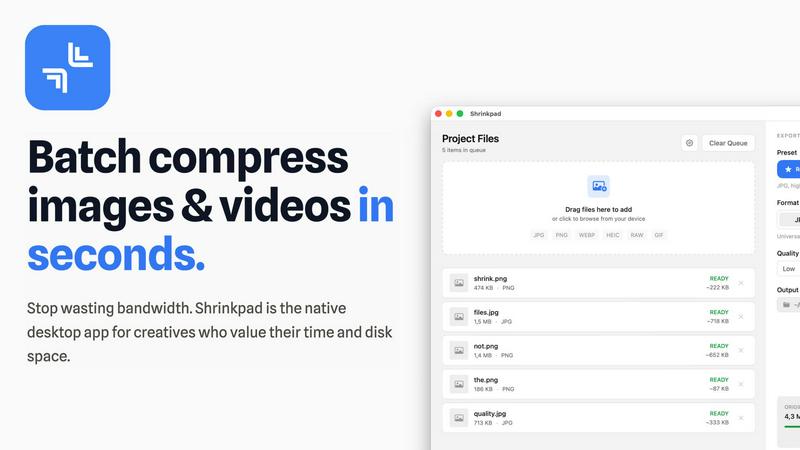
Shrinkpad allows users to batch compress images and videos in seconds. It automatically analyzes visual complexity, applying the perfect compression ratio without introducing artifacts, resulting in significant file size reductions and improved performance.
One-Drop Import
With the one-drop import feature, users can simply drag any folder onto Shrinkpad. The software automatically identifies and adds all supported images and videos to the batch list, eliminating the need for manual file selection and saving valuable time.
Mixed Media Batches
Shrinkpad excels at processing mixed media batches, enabling users to compress photos and videos together in the same batch. It intelligently applies optimal compression settings for each file type, ensuring the highest quality output across different media formats.
Privacy First
Prioritizing user privacy, Shrinkpad processes all files locally on the user's machine, ensuring no cloud uploads occur. This feature guarantees that sensitive assets remain secure, providing peace of mind for creatives handling confidential projects.
Use Cases
NanoImg
Social Media Content Creation
Marketing teams and influencers can use NanoImg to rapidly produce viral-ready graphics, memes, and branded posts. The platform's speed—with some models generating images in 3-10 seconds—enables real-time content creation aligned with trending topics. The character consistency feature is particularly valuable for maintaining a uniform aesthetic for an Instagram feed or TikTok channel, which studies have shown can increase follower engagement and brand recognition significantly.
E-commerce Product Visualization
Online retailers and sellers can generate high-quality product photos, lifestyle mockups, and scene variations without the cost and time of traditional photoshoots. By describing a product and its desired setting, users can create countless photorealistic images for listings, advertisements, and catalogs. This capability can drastically reduce production costs and time-to-market, allowing for agile A/B testing of product visuals to optimize conversion rates.
Creative Storyboarding & Concept Art
Filmmakers, game developers, and writers can utilize NanoImg for pre-visualization. The Sora 2 model allows for generating short video clips, while image models can produce consistent character designs and scene concepts across hundreds of storyboard frames. This streamlines the early creative process, enabling teams to visualize narratives and make iterative changes through natural language commands before committing to final production assets.
Professional Marketing & Advertising
Agencies and in-house marketing departments can leverage the platform to craft complete campaign visuals, including digital ads, banner images, and branded illustrations. The ability to fuse multiple reference images ensures all generated assets adhere to strict brand guidelines regarding color, style, and logo placement. This ensures visual coherence across all customer touchpoints, which is a cornerstone of effective integrated marketing communications.
Shrinkpad
Optimizing Web Assets
Web developers and designers can utilize Shrinkpad to compress images and videos for websites, resulting in faster load times and improved user experiences. By reducing file sizes significantly, they can enhance overall site performance and SEO rankings.
Streamlining Design Workflows
Photographers and graphic designers often export large volumes of assets from applications like Figma or Photoshop. Shrinkpad simplifies this process by allowing them to export everything at 2x or 4x resolutions and handle optimization in bulk, saving hours of busywork.
Enhancing Video Production
Video editors can leverage Shrinkpad to compress large video files without sacrificing quality. This is particularly beneficial for projects requiring fast turnaround times, as it allows editors to share high-quality footage quickly and efficiently.
Managing Digital Archives
Content creators frequently accumulate vast libraries of images and videos. Shrinkpad aids in managing these digital archives by compressing files for better storage management while maintaining the quality necessary for future projects.
Overview
About NanoImg
NanoImg is a comprehensive, browser-based AI platform that consolidates leading image generation and editing models into a single, accessible interface. It functions as an all-in-one creative suite designed to democratize professional-grade visual content creation. The platform integrates top-tier AI models like Nano Banana, Seedream, Flux AI, and Sora 2, allowing users to generate, edit, and animate images through simple text descriptions. Targeted at a broad audience—from marketing professionals and e-commerce managers to digital artists and social media creators—NanoImg eliminates the traditional barriers of complex software and technical expertise. Its core value proposition lies in offering a unified workflow where users can access diverse AI capabilities, from generating photorealistic product mockups to applying stylistic filters and ensuring character consistency across projects, all within seconds. This approach, backed by cutting-edge LLM-vision technology, streamlines the creative process, making it fast, intuitive, and scalable for both individual and commercial use.
About Shrinkpad
Shrinkpad is a powerful batch image and video compression tool specifically crafted for macOS users, designed for a wide array of creatives, including photographers, designers, and content creators. This innovative software enables users to efficiently compress hundreds of media files in mere seconds without compromising visual quality. By simply dragging and dropping entire folders containing images and videos, Shrinkpad processes them locally on the device, ensuring complete privacy and security. Utilizing native macOS frameworks, it can minimize file sizes by up to 90%, which significantly enhances storage management and optimizes performance for applications and websites. Supporting over 50 file formats, such as JPG, PNG, HEIC, MP4, and MOV, Shrinkpad's user-friendly interface and customizable settings make it an ideal solution for anyone looking to streamline their media optimization workflow while maintaining high-quality output.
Frequently Asked Questions
NanoImg FAQ
What AI models are available on NanoImg?
NanoImg provides access to several leading AI image generation and editing models within its unified platform. Key models include Nano Banana (best for overall generation and character consistency), Seedream 4.0 (optimized for speed and 4K resolution), Flux Kontext (specialized for fast, consistent editing), GPT Image 1 (excellent for rendering text within images), and Sora 2 (focused on AI video generation). Users can select the model that best suits their specific task.
Is there a free plan to use NanoImg?
Yes, NanoImg offers a free tier that allows users to generate and edit images online. The website's call-to-action explicitly states "Generate Images for Free," indicating users can access core functionalities without an initial payment. This democratizes access to advanced AI tools, though premium features or higher usage limits may be available through paid subscription plans.
How does NanoImg ensure consistency in generated images?
NanoImg ensures visual consistency, especially for characters and styles, through features like multi-image fusion and model-specific capabilities. Users can upload up to four reference images to guide the AI. Models like Nano Banana and Flux Kontext are particularly engineered to maintain character traits and artistic style across multiple generated images, which is essential for creating serial content, brand assets, or storyboards.
What file formats and quality are the output images?
The platform supports high-quality image outputs, with specific models like Seedream 4.0 capable of generating images at 4K resolution. Users can preview their generated images and download them in standard, high-quality formats suitable for both web and print use. The exact specifications may vary by the AI model used, but the platform is designed for professional-grade output applicable to social media, e-commerce, and marketing materials.
Shrinkpad FAQ
Can I use Shrinkpad for free?
Yes, Shrinkpad offers a Free Starter plan, which includes essential tools for casual use, allowing users to batch process up to 10 files at a time in common formats.
What file formats does Shrinkpad support?
Shrinkpad supports over 50 file formats, including popular image formats like JPG, PNG, WEBP, and AVIF, as well as video formats such as MP4 and MOV, ensuring compatibility with various media types.
Does Shrinkpad support video compression?
Absolutely. Shrinkpad is designed to handle video compression alongside image compression, allowing users to process mixed media files in one batch efficiently.
How many files can I process at once?
The Free Starter plan limits users to 10 files per batch, while the Personal plan allows unlimited batch processing, enabling creators to handle thousands of files without crashing the application.
Alternatives
NanoImg Alternatives
NanoImg is a browser-based AI image generation and editing platform within the broader category of creative and design software. It leverages large language model-vision technology to allow users to create and modify professional-grade visuals using simple text prompts, making advanced visual content creation accessible to a wide audience. Users often seek alternatives to any software tool for a variety of practical reasons. Common motivations include exploring different pricing models or subscription tiers, needing specific features not offered in the current platform, or requiring compatibility with a different operating system or workflow. The search for an alternative is a standard part of evaluating the best tool for one's individual or business needs. When evaluating alternatives, key considerations should include the core AI model's output quality and style, the depth and intuitiveness of the editing toolkit, and the overall value proposition relative to cost. It is also prudent to assess the platform's data privacy policies, integration capabilities with other software, and the reliability of its performance under typical workload conditions.
Shrinkpad Alternatives
Shrinkpad is a powerful batch image and video compression tool designed specifically for macOS users. It allows creatives, including photographers and content creators, to efficiently compress large volumes of media files while maintaining high visual quality. As users explore their options, they often seek alternatives for various reasons such as pricing, feature sets, and compatibility with different platforms. When selecting an alternative to Shrinkpad, users should consider key factors such as the software's ease of use, the range of supported file formats, the quality of compression, and whether it processes files locally or relies on cloud-based solutions. Additionally, features like batch processing capabilities and customization options can significantly impact user experience.