AI Image Edit vs Nani
Side-by-side comparison to help you choose the right product.

AI Image Edit
Instantly enhance your images with AI-driven editing, achieving stunning results without the need for complex software like Photoshop.
Last updated: March 11, 2026

Nani streamlines AI image generation by organizing prompts and images into reusable sets for effortless creativity.
Last updated: February 27, 2026
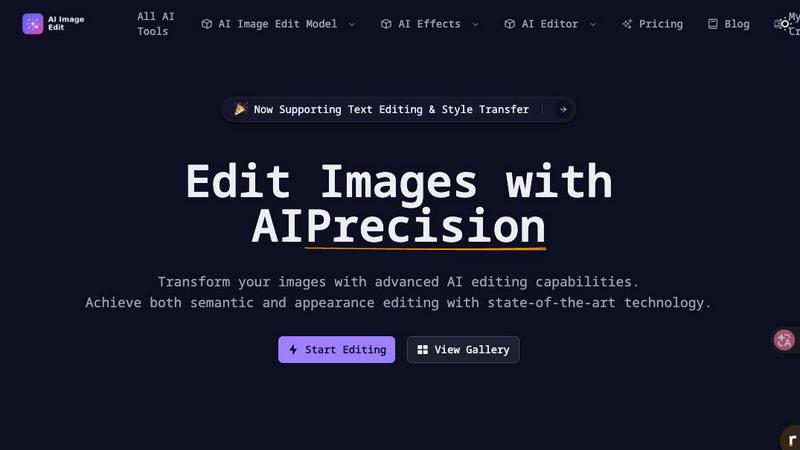
Visual Comparison
AI Image Edit
Nani

Feature Comparison
AI Image Edit
Automatic Background Removal
AI Image Edit features an advanced background removal tool that automatically detects and removes backgrounds from images. This feature is essential for users who want to isolate subjects and create clean, professional-looking visuals without the need for intricate manual editing.
Object Erasure
With the object erasure feature, users can effortlessly remove unwanted elements from their images. This tool utilizes AI to intelligently analyze the surrounding area, ensuring that the final result looks seamless and natural, enhancing the overall quality of the image.
AI-Powered Element Replacement
AI Image Edit allows users to replace specific elements within an image using AI technology. This feature is perfect for those looking to swap out objects or backgrounds while maintaining the integrity of the original image, all with minimal effort.
Image Quality Enhancement
The image quality enhancement feature automatically improves the clarity and vibrancy of photos. Whether users are working with low-resolution images or looking to refine high-quality pictures, this tool ensures that visuals stand out with enhanced sharpness and color depth.
Nani
User-Friendly Interface
Nani boasts a simple and intuitive interface that allows users to dive straight into their creative work. There is no steep learning curve; users can type a prompt and generate stunning images in mere seconds. The interface is designed to minimize distractions, ensuring that users can focus solely on their creative processes.
Reusable Prompt Sets
One of Nani's standout features is its ability to group images and save prompts as reusable sets. This functionality allows users to maintain consistent characters, styles, and workflows across various generations. By reusing prompts, creators can enhance their productivity and ensure that their artistic vision remains coherent throughout different projects.
Organized Folders
Nani provides robust organizational tools, enabling users to create folders and filter images by favorites. This feature is essential for maintaining a tidy library, especially as the number of generated images grows. Users can bulk-select images for easy management, ensuring their workflow scales effectively with their creative needs.
Credit-Based Billing
Nani operates on a straightforward credit-based billing system, where users only pay for what they generate. This model eliminates the burden of monthly subscriptions and commitments, offering flexibility in how users manage their costs. With credits never expiring and transparent pricing at approximately 30 cents per generation, users can budget their creative projects effectively.
Use Cases
AI Image Edit
E-commerce Product Photography
E-commerce sellers can use AI Image Edit to create professional product images that attract customers. With features like background removal and object erasure, sellers can present their products in the best light, improving sales and customer engagement.
Social Media Content Creation
Content creators can leverage AI Image Edit to produce eye-catching visuals for their social media channels. By enhancing images and replacing backgrounds, users can maintain a cohesive and appealing aesthetic that resonates with their audience.
Marketing Materials Design
Marketers can utilize this tool to create compelling advertisements and promotional materials. The ability to edit and enhance images quickly means that campaigns can be launched faster, keeping pace with market trends and consumer demands.
Personal Image Editing
Everyday users can benefit from AI Image Edit by enhancing their personal photos with ease. Whether editing family portraits or vacation pictures, this tool simplifies the editing process, allowing users to achieve professional results without any technical skills.
Nani
Graphic Design Projects
Nani is an invaluable tool for graphic designers who require diverse images for marketing materials, social media posts, and branding strategies. The ability to generate images quickly while maintaining consistent styles makes it an essential asset for designers working under tight deadlines.
Content Creation for Blogs
Bloggers and content creators can leverage Nani to produce eye-catching visuals that enhance their written content. By utilizing reusable prompt sets, they can ensure that images align perfectly with their brand's aesthetic, enriching the overall reader experience.
E-Commerce Product Images
For e-commerce businesses, high-quality product images are crucial. Nani allows sellers to create professional-looking images in various resolutions and aspect ratios, making it easier to showcase products effectively across multiple platforms.
Educational Material Development
Educators and instructional designers can use Nani to create engaging visuals for presentations, course materials, and online learning resources. The organized folders and reusable prompts streamline the development process, making it easier to produce consistent and relevant educational content.
Overview
About AI Image Edit
AI Image Edit is a cutting-edge online tool that leverages artificial intelligence to simplify the process of image editing. Designed for users with varying levels of design expertise, this platform enables anyone to edit, enhance, and transform images effortlessly. With its intuitive interface, users can perform complex tasks such as removing backgrounds, erasing unwanted objects, and enhancing image quality without requiring any prior design skills. This tool is particularly beneficial for creators, marketers, designers, e-commerce sellers, and everyday individuals who need quick and professional results. By eliminating the time-consuming learning curve associated with traditional editing software, AI Image Edit democratizes advanced image editing, making it accessible to everyone. Whether you are looking to improve product photos, craft compelling social media content, or simply enhance personal images, AI Image Edit provides the tools necessary to achieve stunning results in just a few clicks.
About Nani
Nani is a revolutionary workflow tool specifically engineered to enhance the experience of AI image generation. It is particularly valuable for artists, designers, and content creators who engage in regular and repetitive tasks. Unlike traditional AI image tools that are typically suited for one-off projects, Nani simplifies the entire process, allowing users to focus on their creativity rather than administrative burdens. Built on Google's advanced Nano Banana Pro (Gemini) technology, Nani offers a powerful solution that streamlines image generation. It features a user-friendly interface that minimizes the learning curve, enabling swift image creation. Unique aspects such as reusable prompt sets and organized folders ensure consistency and efficiency across projects. With Nani, users spend less time managing tasks and more time bringing their ideas to life, all while benefiting from a credit-based billing system that aligns with their usage.
Frequently Asked Questions
AI Image Edit FAQ
How does AI Image Edit work?
AI Image Edit operates directly from your web browser, utilizing advanced AI algorithms to analyze and edit images based on user input. Simply upload an image and select the desired editing features to see immediate results.
Is there a need for design skills to use AI Image Edit?
No, AI Image Edit is designed for users of all skill levels. Its intuitive interface allows anyone to edit images quickly and effectively without prior design experience.
Can I use AI Image Edit for commercial purposes?
Yes, AI Image Edit is suitable for commercial use, making it an ideal tool for businesses, marketers, and e-commerce sellers who need to enhance their visual content.
Are there any limitations on image size or format?
Currently, users can upload images up to 5MB in size. AI Image Edit supports various common image formats, ensuring a broad range of compatibility for users.
Nani FAQ
What is the primary function of Nani?
Nani is designed to enhance the AI image generation experience by streamlining workflows, allowing users to create, organize, and manage images efficiently without the hassle of repetitive prompt writing.
How does the credit-based billing system work?
Nani's credit-based billing allows users to pay only for the images they generate. Each image generation costs approximately 30 cents, and credits never expire, providing a flexible and economical solution for users.
Can I organize my generated images?
Yes, Nani offers extensive organizational tools. Users can create folders, filter images by favorites, and bulk-select images to keep their libraries tidy and manageable as their creative output increases.
Is there a learning curve to using Nani?
No, Nani features a simple and intuitive interface designed to minimize distractions and complexities. Users can start generating images almost immediately without needing extensive training or experience.
Alternatives
AI Image Edit Alternatives
AI Image Edit is an innovative online tool designed to simplify the image editing process using artificial intelligence. It falls under the category of AI-powered image editing software, allowing users to enhance and transform images quickly and efficiently without the need for extensive design skills or software installations. Many users seek alternatives to AI Image Edit due to varying reasons such as pricing, specific feature sets, or compatibility with their existing platforms. When choosing an alternative, it's essential to consider aspects such as user-friendliness, available functionalities, cloud accessibility, and the overall quality of edits provided. The right alternative should also align with your specific needs, whether for personal projects, professional marketing, or e-commerce applications. Factors like pricing models, subscription plans, and integration capabilities with other tools can significantly impact your decision. Ultimately, the goal is to find an image editing solution that meets your requirements while still being accessible and efficient.
Nani Alternatives
Nani is a cutting-edge workflow tool that simplifies AI image generation by organizing prompts and images into reusable sets, making it an invaluable resource for artists, designers, and content creators. It falls under the category of AI Assistants, specifically tailored for those who require efficient and repetitive image generation without the typical hassle associated with traditional tools. Users often seek alternatives to Nani for various reasons, including pricing concerns, specific feature requirements, or compatibility with different platforms. When choosing an alternative, it's essential to consider factors such as user interface, the ability to save and reuse prompts and images, and overall workflow efficiency. A suitable alternative should not only meet your creative needs but also align with your budget and technical requirements.