
Free Youtube Transcript Generator vs Seedance 2.0
Side-by-side comparison to help you choose the right product.

Free Youtube Transcript Generator
Generate, translate, and download accurate YouTube transcripts for free, as research shows transcripts aid comprehens...

Seedance 2.0
Seedance 2.0 transforms text and images into high-quality, hyper-realistic videos with fluid motion and cinematic style.
Last updated: February 27, 2026
Visual Comparison
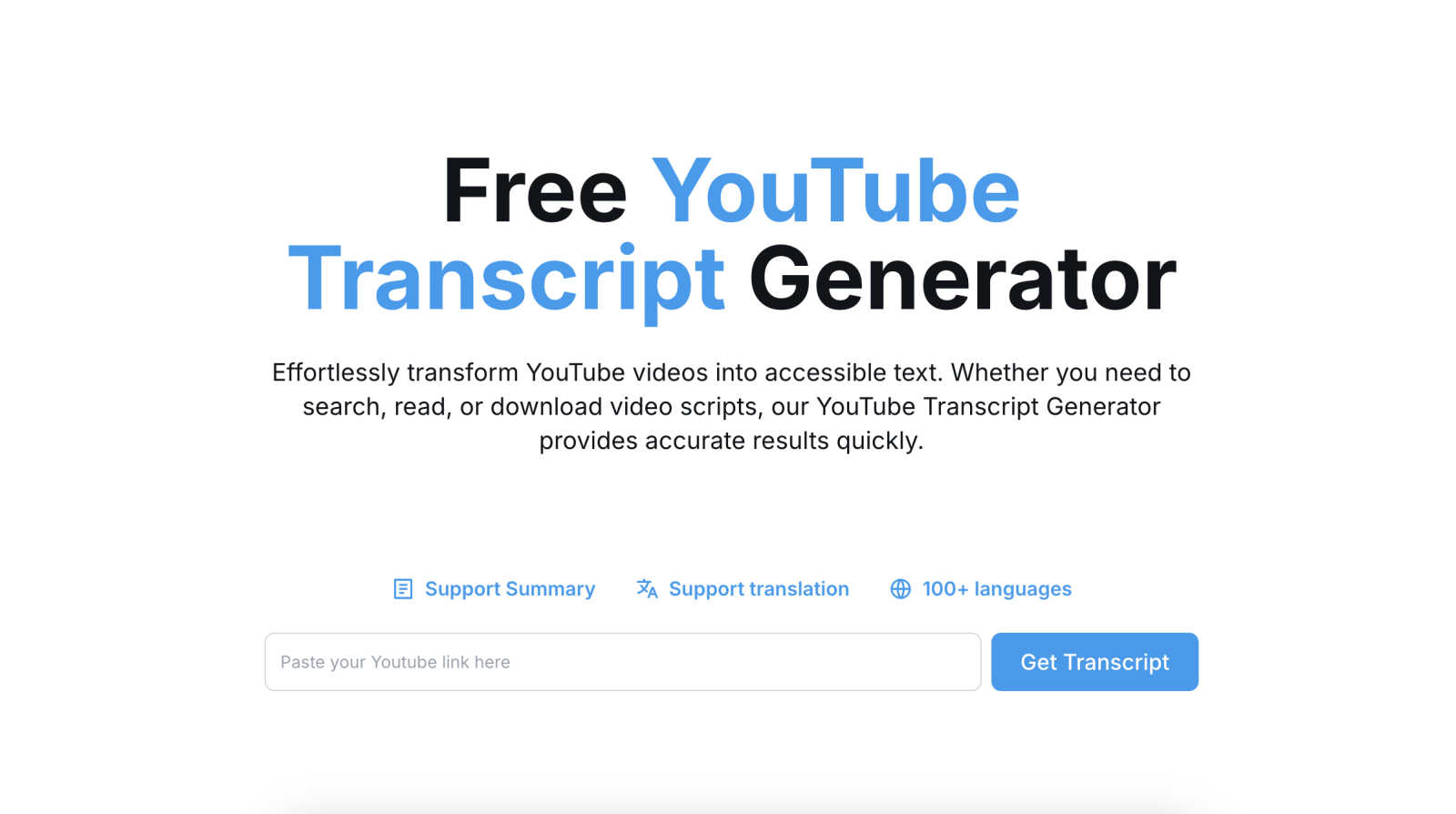
Free Youtube Transcript Generator
Seedance 2.0

Feature Comparison
Free Youtube Transcript Generator
Instant, Accurate Transcription
The tool leverages sophisticated automatic speech recognition (ASR) technology to deliver transcripts within seconds. It processes the audio track of any publicly available YouTube video, generating a text-based transcript that captures spoken dialogue with high precision. This eliminates the need for tedious manual typing or expensive transcription services, allowing users to focus on content analysis and creation instead of data entry.
Multi-Format Export and Download
Beyond simple text extraction, the generator provides exceptional flexibility in how users can utilize their transcripts. It supports downloading the transcribed text in multiple practical formats, including TXT for plain text, DOCX for editable Word documents, PDF for sharing and printing, and Excel for data analysis or subtitle timing sheets. This feature ensures compatibility with various workflows and professional requirements.
Integrated Translation into 100+ Languages
This feature significantly expands the global utility of any video. Users can instantly translate the generated transcript into over 100 languages, from Spanish and Mandarin to Hindi and Arabic. This functionality is powered by neural machine translation models, which, as noted by research from Stanford's Human-Centered AI Institute, have dramatically improved the fluency and accuracy of automated translation in recent years, making content accessible to international audiences.
Summarization and Text Editing
The tool includes built-in capabilities to condense lengthy transcripts into concise summaries, helping users quickly grasp the core message of a video. Furthermore, the interface allows for direct copying and editing of the transcript text. This enables easy quote extraction, error correction, or content repurposing for blogs, articles, and social media posts without ever leaving the platform.
Seedance 2.0
Text-to-Video
Seedance 2.0 transforms written prompts into complete cinematic scenes, enabling users to create videos from a single sentence. This feature ensures coherent motion and visual storytelling, allowing creators to easily bring their ideas to life.
Image-to-Video
This feature allows users to upload reference images to guide the generation process. By influencing composition, character identity, and overall visual style, it empowers creators to maintain a consistent thematic aesthetic throughout their videos.
Integrated Audio Generation
The Pro version of Seedance 2.0 offers a seamless audio-video generation feature that produces synchronized sound effects, background music, and speech synthesis in one pass. This capability eliminates the need for separate audio editing, significantly enhancing production efficiency.
Physics-Aware Motion
Seedance 2.0 excels in mimicking real-world physics, allowing for realistic representations of dynamic elements like fluttering cloth, splashing water, and moving flames. This feature enhances the authenticity and immersion of generated videos, capturing intricate details that contribute to a lifelike viewing experience.
Use Cases
Free Youtube Transcript Generator
Academic Research and Study
Students and researchers can transcribe lecture videos, documentary content, or expert interviews to create accurate notes and citations. Having a searchable text document allows for efficient analysis, quotation, and integration of video sources into papers and theses, adhering to proper academic sourcing standards as emphasized by university style guides.
Content Creation and Repurposing
Bloggers, marketers, and social media managers can transform video content into multiple text-based assets. A single YouTube video can yield blog posts, newsletter content, Twitter threads, or script outlines for new videos. This maximizes content ROI and improves SEO, as search engines can index the textual content derived from videos.
Accessibility and Inclusivity
Organizations and creators can use the tool to generate captions and subtitles, making their video content accessible to deaf and hard-of-hearing viewers, as mandated by accessibility guidelines like the Web Content Accessibility Guidelines (WCAG). The translation feature further supports non-native speakers, fostering a more inclusive global audience.
Professional Analysis and Journalism
Journalists can quickly transcribe press conferences or interviews for accurate reporting. Similarly, business professionals can analyze customer testimonial videos, competitor content, or internal training sessions by mining the transcript for key themes, sentiments, and data points using external text analysis tools.
Seedance 2.0
Marketing Campaigns
Marketers can leverage Seedance 2.0's capabilities to create engaging promotional videos quickly. By converting product descriptions or brand messages into visually striking content, they can capture audience attention and effectively convey their message.
Educational Content
Educators can utilize this AI video generator to create informative and visually appealing lessons. By transforming scripts or images into animated videos, they can enhance student engagement and understanding of complex subjects.
Social Media Content Creation
Social media influencers and content creators can produce high-quality videos tailored for various platforms. With features like text-to-video and integrated audio, they can streamline their content production and maintain consistency across posts.
Film and Animation Production
Filmmakers and animators can benefit from Seedance 2.0's advanced motion coherence and physics-aware features. The ability to generate scenes from scripts or storyboards allows for a more efficient pre-visualization process, making it easier to conceptualize and refine their projects.
Overview
About Free Youtube Transcript Generator
The Free YouTube Transcript Generator is an advanced, web-based utility designed to democratize access to video content by converting spoken audio into accurate, editable text. It serves as a critical tool for content creators, researchers, students, and professionals who need to efficiently repurpose or analyze video information. By simply pasting a YouTube URL, users can bypass manual transcription, a process that traditionally requires significant time and resources. According to a 2023 study by Forrester Research, manual transcription can take up to five hours for a single hour of audio, highlighting the immense time-saving value of automated solutions like this generator. Its core value proposition lies in providing instant, high-accuracy transcription coupled with powerful post-processing features—including summarization, multi-language translation, and flexible export options—all at no cost, thereby breaking down language and accessibility barriers on a global scale.
About Seedance 2.0
Seedance 2.0 is an advanced AI video generation model created by ByteDance's Seed research team. This cutting-edge tool expands upon its predecessor, Seedance, offering significant enhancements in motion coherence, physical realism, and multimodal generation capabilities. The model is designed for content creators, filmmakers, marketers, and educators who seek to produce high-quality video content with minimal effort. By utilizing sophisticated algorithms, Seedance 2.0 allows users to generate videos from text, images, or scripts, delivering cinematic quality with fluid motion and rich details. Its integrated audio generation feature further streamlines workflow by synchronizing sound effects, background music, and multilingual lip-sync, making it an invaluable asset for anyone looking to elevate their video production process.
Frequently Asked Questions
Free Youtube Transcript Generator FAQ
Is the Free YouTube Transcript Generator really free to use?
Yes, the core service is completely free. You can generate, view, copy, summarize, translate, and download transcripts without any subscription fees or hidden charges. The tool is supported as a utility to enhance productivity and accessibility for all users.
How accurate are the generated transcripts?
The accuracy is very high for videos with clear audio and speech. It utilizes state-of-the-art automatic speech recognition (ASR) engines, comparable to those used in major tech products. Accuracy can be affected by background noise, strong accents, or technical jargon. The editable interface allows for quick manual corrections if needed.
Can I transcribe videos that are not in English?
Absolutely. The tool can transcribe audio from videos in numerous languages. Furthermore, after transcription, you can use the integrated translation feature to convert that transcript into over 100 other languages, making it a powerful tool for multilingual content analysis.
What video formats or types does it support?
The generator works with any standard, publicly available YouTube video URL. This includes regular uploads, live stream archives, and videos from channels. It cannot process private or member-only videos without proper access. The tool extracts and processes the audio track directly from YouTube's servers.
Seedance 2.0 FAQ
What types of inputs does Seedance 2.0 support?
Seedance 2.0 supports multiple input types, including text, images, and scripts. This flexibility allows users to generate videos tailored to their specific needs, enhancing creative possibilities.
Can I use Seedance 2.0 for commercial projects?
Yes, Seedance 2.0 is suitable for commercial projects, making it an excellent tool for marketers, filmmakers, and content creators looking to produce professional-quality videos for various purposes.
How does the integrated audio generation feature work?
The integrated audio generation feature in Seedance 2.0 creates synchronized audio elements, including sound effects, background music, and speech synthesis, all in a single generation pass. This simplifies the production process by eliminating the need for separate audio editing.
Is the Pro version of Seedance 2.0 necessary for all users?
While the Pro version includes advanced features like integrated audio generation, the standard version still offers powerful capabilities for generating high-quality videos. The choice between versions depends on individual project requirements and the desired level of sophistication.