AIPhotoTalk vs Ray3
Side-by-side comparison to help you choose the right product.

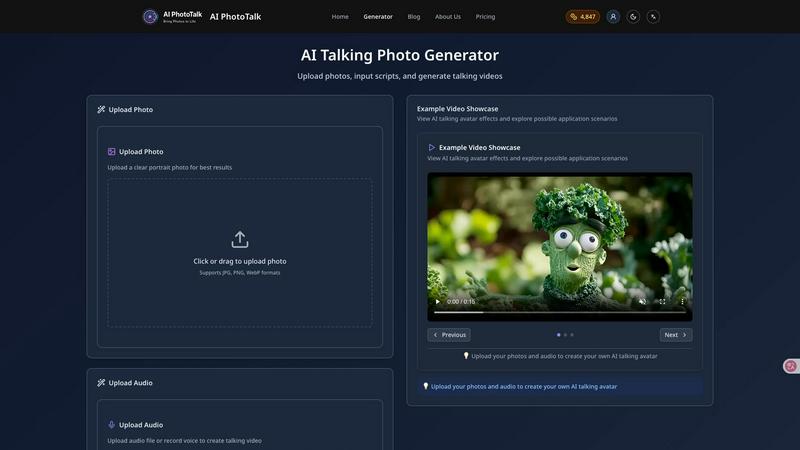
AI PhotoTalk transforms photos into realistic talking videos with perfect lip sync, multi-language support, and 4K quality in just 30 seconds.
Last updated: March 11, 2026
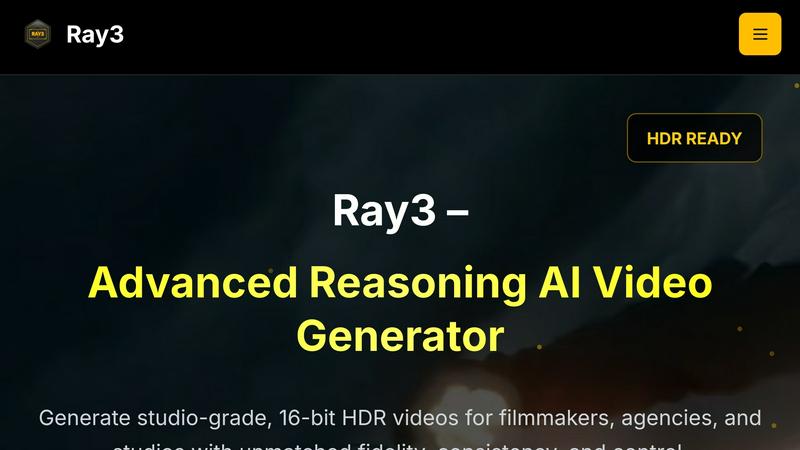
Ray3 generates stunning 16-bit HDR videos with advanced AI for filmmakers and studios seeking cinematic quality and.
Last updated: March 1, 2026
Visual Comparison
AIPhotoTalk
Ray3
Feature Comparison
AIPhotoTalk
Professional Lip Sync Technology
AIPhotoTalk utilizes advanced algorithms powered by deep learning to ensure perfect lip synchronization. This feature allows for the creation of realistic photo animations that mimic natural facial expressions, making the final video appear lifelike and engaging.
Multi-language Voice Synthesis
The platform supports voice synthesis in over 30 languages, catering to a global audience. This feature enables users to create content that resonates with diverse demographics, making AIPhotoTalk an invaluable tool for international marketing and education.
4K Professional Video Output
AIPhotoTalk guarantees high-quality video production with its advanced rendering technology that produces professional-grade 4K videos. This feature is particularly beneficial for businesses and educators seeking to deliver polished presentations and marketing materials.
30-Second Generation Speed
The AI processing capabilities of AIPhotoTalk allow it to generate talking videos in under 30 seconds. This rapid production time is optimized for professional workflows, enabling users to create and share content quickly without sacrificing quality.
Ray3
High-Fidelity HDR
Ray3 supports true 10/12/16-bit HDR output, delivering cinematic-quality visuals with exceptional color depth and dynamic range. This feature ensures that videos meet industry standards for professional-grade color grading, enhancing every frame's visual impact.
Reasoning Intelligence
The advanced reasoning engine of Ray3 provides smarter, consistent, and physically accurate video generation. It understands scene context and maintains logical consistency throughout the video, allowing for multi-character scene understanding and physics-based motion.
Draft Mode
Ray3's Draft Mode accelerates the creative process by enabling users to iterate and experiment with ideas five times faster than traditional methods. This feature allows for quick previews and cost-effective creative testing, making it easier for professionals to explore concepts without compromising quality.
Workflow Integration
Ray3 is designed to integrate seamlessly with industry-standard software like Adobe Premiere Pro and adheres to ACES color workflows. This compatibility ensures that users can incorporate Ray3 into their existing production processes effortlessly, enhancing overall workflow efficiency.
Use Cases
AIPhotoTalk
Talking Social Media Videos
AIPhotoTalk is perfect for creating engaging social media content. Users can transform their personal photos into captivating talking videos that attract attention and drive engagement on platforms like TikTok and Instagram.
AI Spokesperson Clips
Businesses can utilize AIPhotoTalk to create AI-generated spokesperson videos that deliver messages effectively. This use case is particularly useful for marketing campaigns where a human-like presence can enhance brand communication.
Educational Explainer Videos
Educators can leverage AIPhotoTalk to create dynamic explainer videos. By animating historical figures or educational content, teachers can make learning more interactive and appealing to students.
Animated Historical Characters
AIPhotoTalk allows for the creation of animated historical characters, making it an excellent tool for museums, educational institutions, and content creators interested in bringing history to life in an engaging format.
Ray3
Filmmaking
Filmmakers can leverage Ray3 to create high-quality cinematic sequences that demand precision and visual excellence. Its advanced reasoning capabilities allow for intricate storytelling and dynamic scene compositions, making it ideal for narrative projects.
Advertising
Creative agencies can utilize Ray3 for producing compelling commercials that captivate audiences. The tool's ability to generate visually stunning HDR videos enhances brand messaging and elevates the creative quality of advertising campaigns.
Architectural Visualization
Ray3 serves as an essential tool for architects and designers seeking to present their projects in a visually striking manner. The software's HDR capabilities and realistic rendering engine help articulate complex architectural designs and environments effectively.
Fashion Editorials
Fashion professionals can harness Ray3 to create striking editorials that showcase garments and styles with dramatic lighting and high-end aesthetics. The tool's ability to produce visually rich content enhances the storytelling aspect of fashion presentations.
Overview
About AIPhotoTalk
AIPhotoTalk is an innovative AI-powered platform designed to transform static photos into realistic talking videos within seconds. By leveraging advanced artificial intelligence technology, users can upload portrait photos, type in scripts, and generate lip-synced videos effortlessly. The platform is ideal for a diverse range of users including creators, marketers, educators, and businesses looking to enhance their visual content. With its user-friendly interface and no requirement for video editing skills, AIPhotoTalk democratizes access to high-quality video production. Whether you are looking to engage your audience on social media, create compelling educational materials, or produce professional marketing videos, AIPhotoTalk offers a swift and effective solution. Its support for 30+ languages and 4K video output further solidifies its position as a leading tool in the realm of digital content creation.
About Ray3
Ray3 is an advanced reasoning-based AI video model specifically tailored for professional creators aiming to enhance their video production capabilities. This innovative tool empowers filmmakers, creative agencies, and production studios to produce cinematic-quality videos with unparalleled visual fidelity, offering 10/12/16-bit HDR output. Ray3 leverages a cutting-edge temporal reasoning engine that enables users to achieve physically accurate motion, multi-character scene understanding, and cohesive storytelling. Its Draft Mode feature significantly accelerates the ideation process, allowing creators to brainstorm and iterate at five times the usual speed. Moreover, Ray3 integrates seamlessly with industry-standard software, such as Adobe Premiere Pro, and adheres to ACES color workflows, making it an indispensable asset for a variety of applications, including commercials, cinematic sequences, architectural visualization, and fashion editorials. With Ray3, professionals can elevate their creative workflows and produce visually stunning content that captivates audiences.
Frequently Asked Questions
AIPhotoTalk FAQ
How does AIPhotoTalk ensure realistic lip synchronization?
AIPhotoTalk employs advanced AI algorithms that utilize deep learning techniques to analyze facial movements and synchronize them with the spoken script, resulting in highly realistic animations.
Can I use AIPhotoTalk for commercial purposes?
Yes, AIPhotoTalk offers a commercial use license that allows businesses to utilize the platform for professional content production and marketing campaigns without restrictions.
What types of photos work best with AIPhotoTalk?
For optimal results, it is recommended to upload clear, high-quality portrait photos. The better the quality of the input image, the more realistic the generated video will be.
Is AIPhotoTalk accessible for beginners?
Absolutely. AIPhotoTalk features a beginner-friendly interface that simplifies the process of creating talking videos. No prior video editing experience is required, allowing anyone to produce professional-quality content easily.
Ray3 FAQ
What types of videos can I create with Ray3?
Ray3 allows users to create a wide range of videos, including commercials, cinematic sequences, architectural visualizations, and fashion editorials, all with high-quality HDR output.
How does the Draft Mode feature work?
The Draft Mode feature enables users to rapidly iterate and test creative ideas at five times the usual speed. It provides quick previews to facilitate fast decision-making before committing to high-fidelity renders.
Is Ray3 compatible with other software?
Yes, Ray3 integrates seamlessly with industry-standard software such as Adobe Premiere Pro and adheres to ACES color workflows, making it easy to incorporate into existing production environments.
How does Ray3 ensure visual fidelity in its videos?
Ray3 utilizes advanced reasoning intelligence and supports true 10/12/16-bit HDR output, ensuring professional-grade color depth and dynamic range that align with industry standards for cinematic quality.
Alternatives
AIPhotoTalk Alternatives
AIPhotoTalk is an innovative tool designed to transform static photos into dynamic talking videos through the power of artificial intelligence. This platform falls within the realm of video creation tools, enabling users to produce engaging content quickly and easily. However, users often seek alternatives to AIPhotoTalk for various reasons, including pricing structures, specific feature requirements, or compatibility with different platforms. When searching for an alternative, it is essential to consider factors such as user interface design, rendering speed, the complexity of features offered, and the level of customer support. Additionally, understanding whether the tool caters to your specific needs—whether for marketing, education, or social media content—can significantly enhance your content creation process.
Ray3 Alternatives
Ray3 is an innovative AI-driven video generation tool specifically designed for filmmakers and creative professionals. It belongs to the category of advanced video production software, focusing on delivering stunning 16-bit HDR videos with a high degree of visual fidelity and logical reasoning. Users often seek alternatives to Ray3 due to various factors such as pricing constraints, feature requirements, or compatibility with different platforms and workflows. When selecting an alternative, it is essential to consider the output quality, ease of integration with existing tools, and the specific features that align with your creative needs. Finding the right alternative involves evaluating both the technical capabilities and the usability of the software. Look for options that offer high-quality HDR output, advanced reasoning capabilities, and features that enhance the creative process, such as efficient ideation modes. Additionally, consider how well the alternative integrates with other software in your production pipeline to ensure a seamless workflow.