Goshortsai
Turn photos into AI videos for free with Goshortsai. Sign in daily for free credits, upload an image, describe the motion, and generate videos.

Turn photos into AI videos for free with Goshortsai. Sign in daily for free credits, upload an image, describe the motion, and generate videos.

Shoot 3-4 frame photo strips in your browser. Frames, filters and print-ready 300 DPI downloads with no watermark. No app, no sign-up.
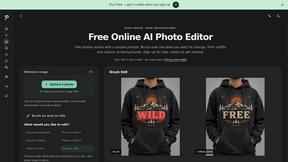
Edit photos with a brush and a prompt, or reuse a gallery prompt to create a new image.

Turn your pet's photos into a private virtual room, daily care, albums and dated memories.

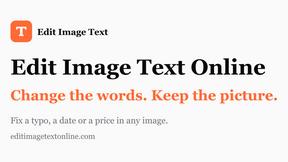
AI image editor for fixing typos, dates, and prices in JPG, PNG, and WebP while matching the original font and background.
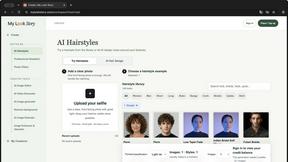
AI hairstyle previews, portrait editing, image generation and short videos in one web workspace.

RestoreOldPhoto.ai repairs old, faded photos with AI: remove scratches, sharpen blurry faces, colorize black-and-white pictures in seconds.
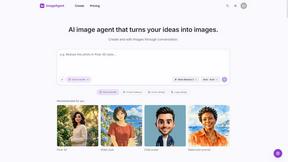
Create and edit AI images through conversation, using text or reference images and refining results in chat.
Free AI age filter: upload an adult portrait, add 10-40 years, meet your older self. No app needed.

Generate iOS and Android app icons from any image and export all platform sizes for free.
Create AI images from text or reference photos and turn prompts or still images into short videos with FreeCreate. Start free—no account needed.

Create and edit AI images, generate videos, and compare models in one creative workbench.

Upload a Dancer photo and a Partner photo and get your own AI Tip Toe barn-dance video. Free 5s preview, 12s HD from $4.90. No subscription.
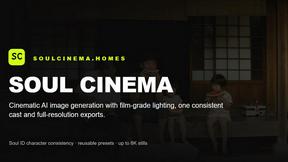
Turn a written shot into a film-grade AI still: cinematographer lighting, a consistent cast across frames, locked looks, 8K exports, no watermark.
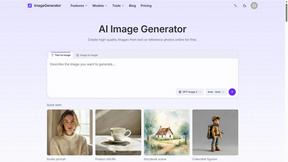
Create and edit AI images online with multiple models, text-to-image, image-to-image, background removal, and upscaling.

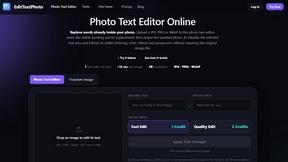
AI-powered image text editor to edit, replace, fix, or translate text in images while preserving the original font, color, size, and style.

Imgezy is a prominent AI-powered photo editing tool within the image enhancement and manipulation category. It specializes in using natural language instructions to perform complex edits like object removal and background replacement, making professional-grade editing accessible to a broad audience. Users often explore alternatives to Imgezy for various reasons. Common factors include budget constraints and subscription pricing models, the need for specific advanced features beyond core object removal, or compatibility requirements with different operating systems and workflows. The search for a tool with a different user interface or integration capabilities also drives this evaluation. When selecting an alternative, key considerations should align with your primary needs. Evaluate the accuracy and quality of the AI's output, especially for intricate edits. Assess the overall cost against the feature set and usage limits. Furthermore, consider the platform's ease of use, processing speed, and how well it integrates into your existing creative or professional pipeline.
Imgezy is an AI-powered photo editing tool that allows users to edit images by describing changes, specializing in effortless object removal and background replacement.
Imgezy is designed for both casual users enhancing personal photos and professionals refining images for commercial use, trusted by over 200,000 creators.
Its core features include flawless AI object removal, instant background change, and advanced photo enhancement capabilities, all accessible through an intuitive interface.
The provided content does not specify Imgezy's pricing model, so users should check its official website for current free tiers or subscription plans.